We are ready to help
Phantom Blade Zero on PC: find your preferred way into the Wulin
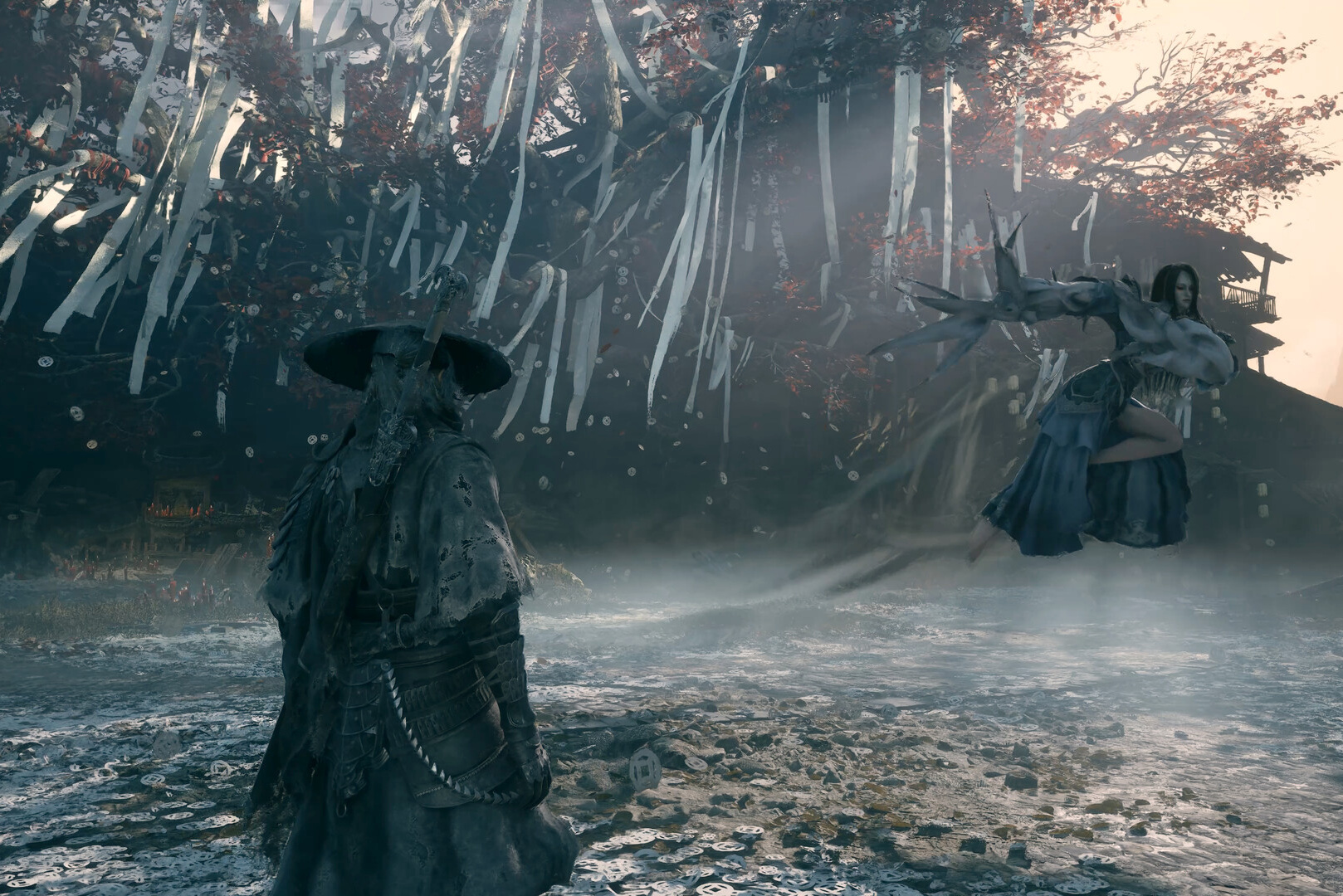
Phantom Blade Zero is S-GAME's single-player martial arts action game about Soul, a wounded warrior caught in a conspiracy. It combines weapon-driven encounters with exploration and a dark fantasy story. For PC players, the useful question is not simply whether the trailer looks exciting: it is which part of that experience you want, and whether your setup is ready for it.
Start by deciding what would make a good evening with the game: understanding a fight, following the story or finding an unexpected route. Then use the published hardware requirements to prepare your PC. That order keeps the technical decisions connected to the experience you actually want.
Choose the experience before the difficulty
The available difficulty options let players approach the game with different priorities. S-GAME describes Wayfarer as a route for enjoying the story, while Hellwalker offers a more demanding challenge. That makes the blanket question of whether the game is easy or hard less useful than deciding what you want from a session.
| Your main interest | A useful starting goal |
|---|---|
| Following the story | Choose a suitable difficulty and allow time for context |
| Learning action systems | Recognise an attack, defend deliberately, then respond |
| Trying different weapons | Keep a familiar tool while testing one alternative |
| Finding secrets | Record a blocked route and revisit it when your options change |
| Checking your PC | Repeat one scene under controlled settings |
None of these goals is a requirement for playing correctly. You might care about the fights and have little patience for collecting every detail of the world. Another player may prefer the journey and want less resistance from each encounter. A useful difficulty is one that supports that intention, rather than one chosen to match somebody else's expectations.
Soul's story involves having 66 days left to live. Do not assume that narrative premise establishes an identical countdown in every mode. Sixty-Six Days has its own stated conditions. Read the current description before choosing it, particularly if you want a relaxed first playthrough.
Learn the transition between defending and taking control
The official combat explanation connects attacks, blocking, parrying and weapon switching through the Sha-Chi resource. Blocking consumes it, and changing between equipped main weapons has a role in replenishing it. The important expectation is that defence and offence are linked, rather than two completely separate phases of play.
A sensible learning exercise is to shorten your immediate objective. Identify one incoming action, select a response and check what space remains afterwards. Once that exchange makes sense, try extending your attack. This is usually more informative than pressing every available button and hoping an impressive sequence will emerge.
When a fight goes badly, distinguish a reading problem from a timing problem. Did you miss the signal, misunderstand the distance or recognise the action but respond late? These are different observations. Changing weapons or graphics settings after every defeat can obscure which one actually needs attention.
Also be cautious about what a polished gameplay clip demonstrates. It can show the expressive possibilities of a system, but it does not tell you how long a particular player spent learning it. Compare the available decisions and the clarity of the action, rather than using a montage as a promise of immediate mastery.
The same applies when comparing Phantom Blade Zero with another action game. Similar animation or camera framing does not establish identical rules. Let the game's own prompts explain the relationship between resources and actions before importing every habit from a previous playthrough elsewhere.
Give each weapon a purpose
Main weapons and secondary Phantom Edges provide different ways to approach an encounter. Official descriptions also connect some tools to progression through the world. That makes a weapon more useful to understand as a set of possibilities than as a position in an early best-weapons ranking.
Start by identifying an action you want to perform more comfortably. Perhaps you want a clearer response at a certain distance, an alternative rhythm or a tool for a specific opening. Keep one familiar part of the setup while testing the other. If you replace everything simultaneously, it becomes difficult to explain why an encounter felt different.
S-GAME has described reclaiming upgrade materials through reforging, allowing investment to be moved between weapons. That encourages experimentation, but check the current interface for the actual procedure and any conditions. A presentation of a feature should not be treated as a complete manual for every version of the client.
Before concluding that a weapon is ineffective, return to your original goal. If you were trying to recognise an attack, a different blade may not answer the problem. If your existing tool does not support the response you want, trying another is a more deliberate experiment. This keeps equipment changes connected to an observation rather than frustration.
Explore with a reason to return
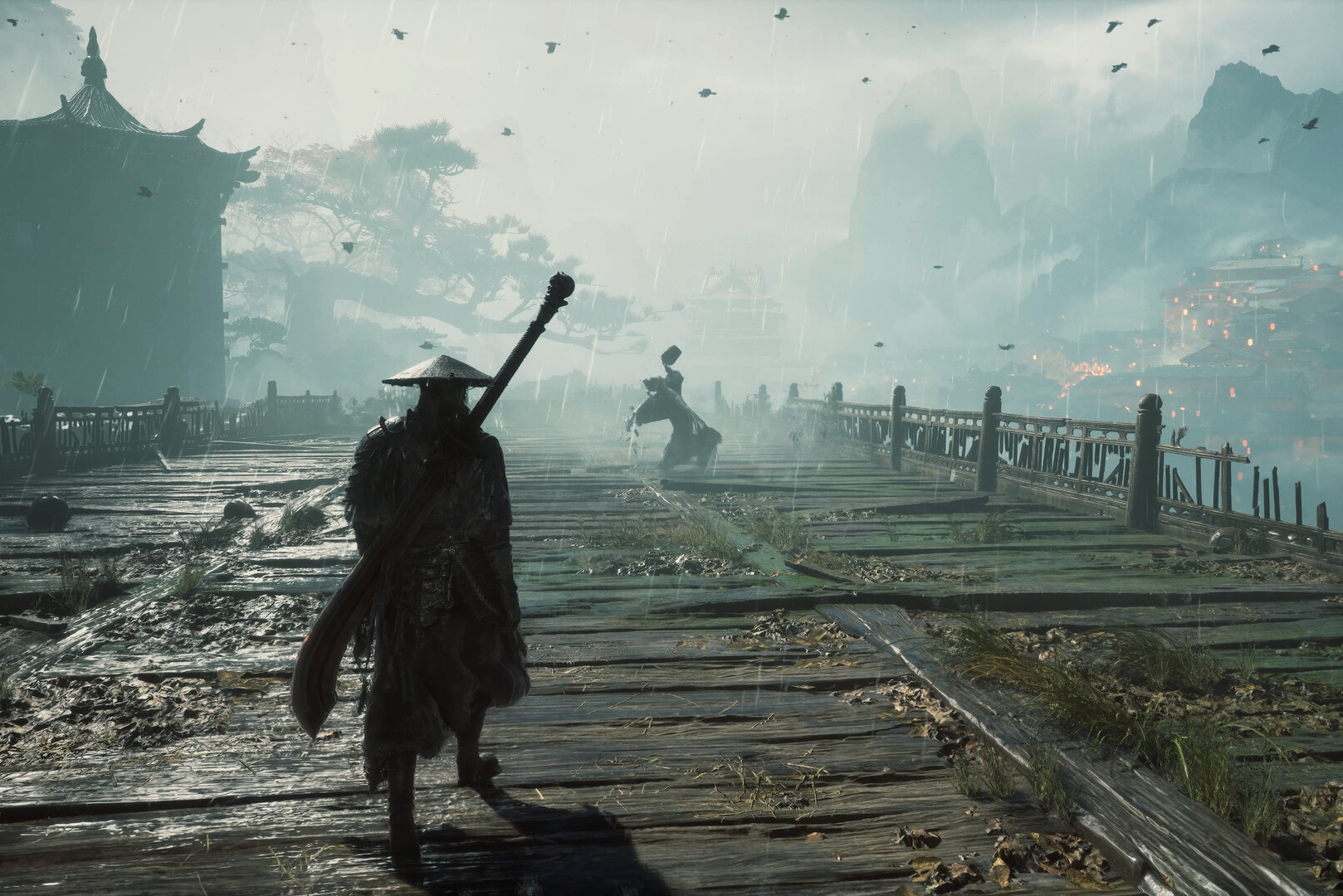
The Wulin contains connected areas, side routes and secrets. Official material describes paths that become accessible after acquiring the relevant tool. A blocked route can therefore be a reminder for later, rather than a demand to solve everything immediately.
For shorter evening sessions, a small note is often enough: the area, the route and what prevented access. You do not need to turn the adventure into a spreadsheet. The purpose is simply to preserve a useful thread when several days pass between visits.
Distinguish a temporarily blocked route from a missed turn or an unclear objective. Continuing the main journey may suit the first case, checking the immediate surroundings the second, and rereading context the third. Repeatedly sweeping an entire area is not the only response to uncertainty.
The StopGame review that prompted this article discusses a dense presentation of names, memories and discoveries. That is the reviewer's observation, not a claim about our own playthrough. It is useful context if you prefer a story that explains every term immediately. Allowing time to read and connect information may be part of what you enjoy, or a reason the format appeals less to you.
Use the PC specifications as a reference
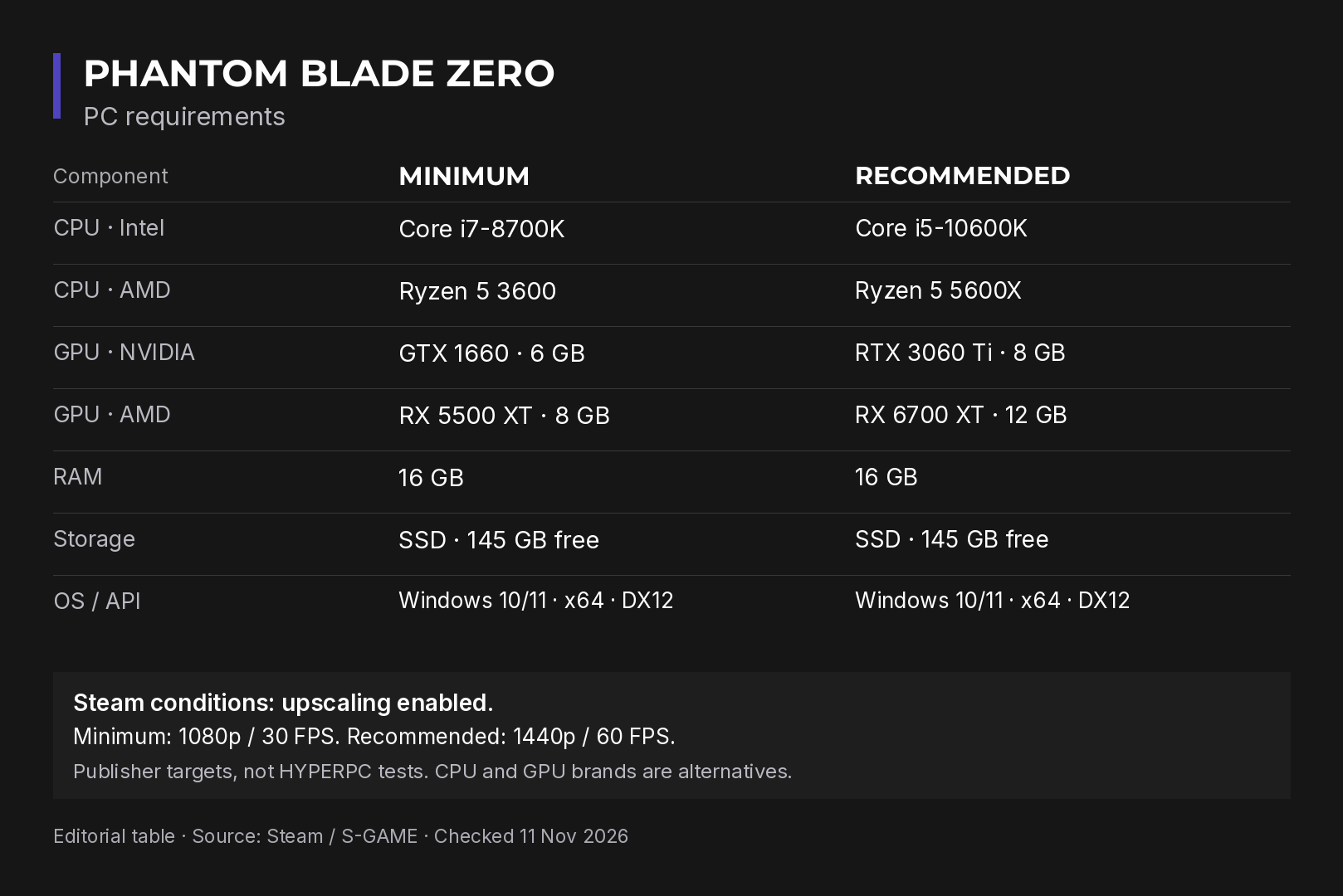
The published component names are comparison points, not a shopping list of parts that every new system should use. Check your exact hardware, including the graphics card's memory, before deciding whether the requirements resemble your computer.
| Component | Minimum reference | Recommended reference |
|---|---|---|
| Intel processor | Core i7-8700K | Core i5-10600K |
| AMD processor | Ryzen 5 3600 | Ryzen 5 5600X |
| NVIDIA graphics | GTX 1660, 6 GB | RTX 3060 Ti, 8 GB |
| AMD graphics | RX 5500 XT, 8 GB | RX 6700 XT, 12 GB |
| System memory | 16 GB | 16 GB |
| Storage | SSD with 145 GB available | SSD with 145 GB available |
The listings specify DirectX 12 and a 64-bit Windows 10 or Windows 11 installation. That describes game compatibility; it should not be read as a general recommendation to choose an older operating system for a new PC. Intel and AMD entries are alternatives, not components that need to be combined.
Steam's performance notes include upscaling as a condition. Comparing those targets directly with native rendering under different settings would not be a like-for-like comparison. We have not supplied HYPERPC benchmark measurements here, so the table should not become a promised frame rate for an untested configuration.
Be equally careful with laptop model names. A similar label does not automatically establish that a portable system behaves like the desktop reference in a published list. Establish what is in your actual machine first, then compare the conditions that apply.
Set a baseline before you tune
Choose one repeatable section and keep a note of the starting graphics configuration. Change a single meaningful option, revisit the same section and decide whether the result is better for your purpose. Without that discipline, it is easy to attribute a difference to the last setting touched even though the scene or workload changed as well.
Treat resolution, upscaling and ray tracing as separate decisions. In his development letter, S-GAME's director emphasised preserving the visual identity without depending on ray tracing. That is a reason to explore the available presentation, rather than assume the most demanding option is compulsory for appreciating the game.
Judge comfort in motion as well as in screenshots. A striking still image does not explain whether you can follow an opponent during an active encounter. Record the client version and your settings so that you can repeat the same comparison after an update, instead of relying entirely on memory.
Before making changes outside the game, describe the actual symptom. An installation problem, unclear controls and uncomfortable performance are different starting points. Treating every issue as evidence that your processor is too weak can lead to spending without solving the question you had.
A first session with a manageable plan
Give yourself a few achievable aims: learn one defensive response, try a second tool and understand one side route. That is enough to reveal what you like about the game's rhythm without demanding full system mastery and complete exploration at once.
Check control comfort and text readability early. If dialogue matters to you, choose available language settings deliberately rather than assuming that text support also guarantees matching spoken audio. Leave time to adjust the presentation before committing to a long session.
If a technical problem appears, write down its exact behaviour, the settings and the hardware involved. A precise observation is more valuable than a broad verdict about optimisation after a single unexpected moment. It also gives you a consistent point of comparison if you later investigate with official support information.
For a future PC purchase in Dubai or elsewhere in the UAE, think beyond this one title. Consider the monitor, your other games, work software and the way you expect to use the system. The HYPERPC configurator can help organise that wider hardware discussion; current AED prices belong in the actual quotation, not in an invented estimate attached to an early guide.
If the computer you already own is suitable, start there. Phantom Blade Zero is best assessed through the activities it offers: reading a fight, choosing a tool, finding a route and following the story. Understanding which of those activities holds your attention is a better basis for the next decision than choosing an upgrade before you know what you want from the game.
Recommended

 Arabic
 English