We are ready to help
Choosing a Webcam for Your PC: Streaming, Calls and Recording
The short answer: for video calls, a 1080p webcam with autofocus is enough. For streaming, 60 frames per second and a larger sensor matter most. 4K pays off mainly if you record video locally or crop the frame. Sensor size, lens aperture and the light in your room shape image quality far more than the resolution printed on the box.
Four webcams side by side
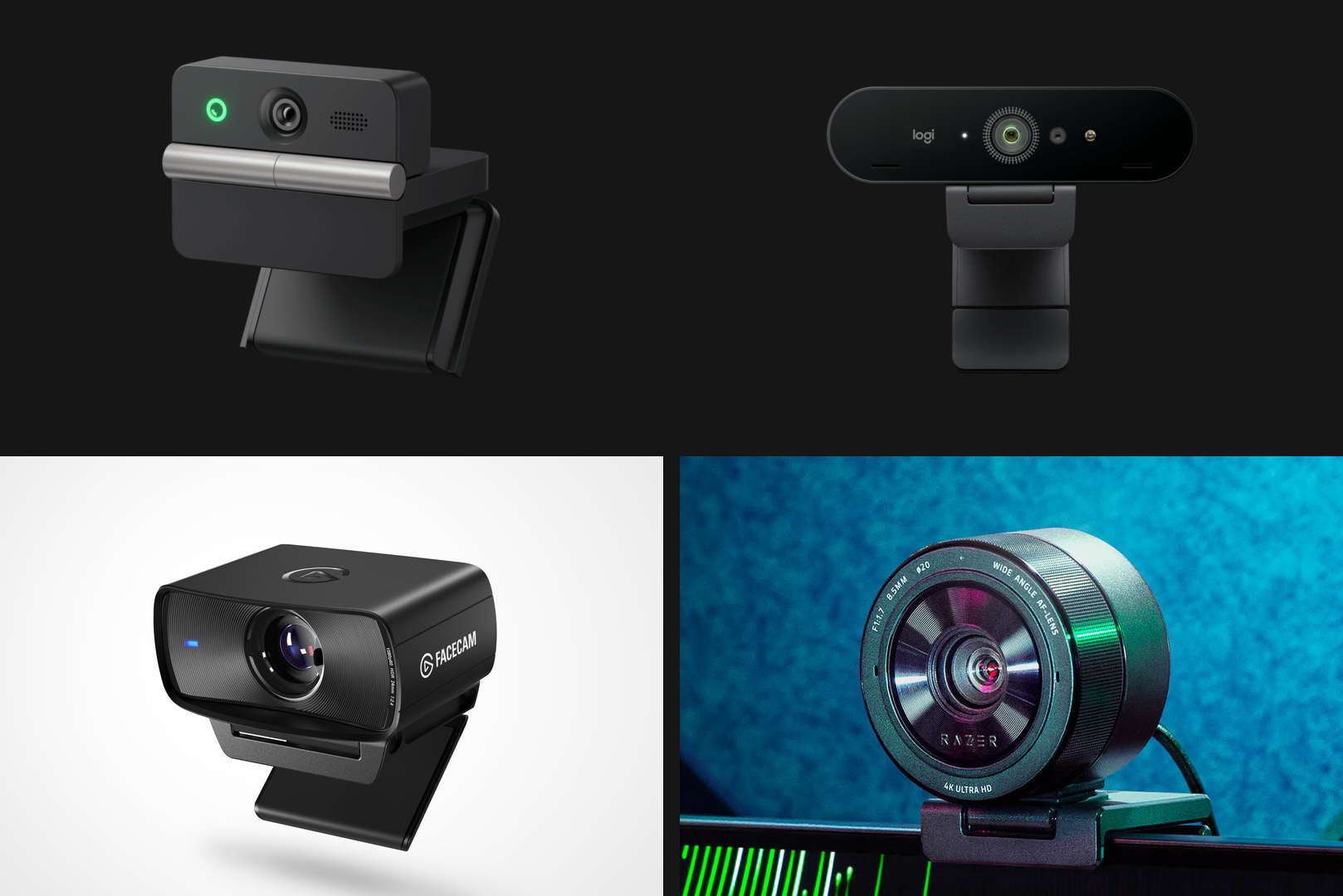
To show how differently manufacturers approach the same product, here are four cameras from different classes, based on manufacturer specifications and hands-on testing. This is a reference point, not a ranking.
| Model | Sensor | Modes | Field of view | Focus | Windows Hello |
|---|---|---|---|---|---|
| Obsbot Meet Flip | 1/2", 48 MP, f/1.8 | 4K30, 1080p60 | 72° | phase-detection AF | no |
| Logitech Brio 4K | 13 MP | 4K30, 1080p60, 720p90 | 90°, 78°, 65° | autofocus | yes, IR sensor |
| Elgato Facecam MK.2 | 1/2.5" Sony STARVIS, f/2.4 | 1080p60, 720p120 | 84° | fixed, 30-120 cm | no |
| Razer Kiyo Pro Ultra | 1/1.2" Sony STARVIS 2, f/1.7 | 4K30, 1080p60 | 72-82° | autofocus | no |
Two things stand out. Every camera here caps 4K at 30 fps, and smooth 60 fps is only available at 1080p. And sensor sizes vary enormously, from 1/2.5 inch on the Elgato to 1/1.2 inch on the Razer.
Resolution: when 4K actually helps
Many video conferencing services stream at Full HD at most. Plug a 4K camera into Teams, Zoom or Discord and the person on the other end still sees 1080p. The extra pixels are not wasted, though: downscaled footage looks cleaner, and features like auto-framing and digital zoom lose less detail when they crop into a 4K frame.
4K is worth it if you:
- record videos locally and edit them later;
- rely on auto-framing that keeps your face centred inside a wider shot;
- want headroom for digital zoom.
Keep zoom expectations realistic. In PCWorld's test of the Obsbot Meet Flip, the 4x digital zoom visibly sacrificed detail, and the image stayed genuinely usable only up to around 2x.
For streaming, 1080p at 60 fps is usually the better choice. Gestures look smoother, and the lower resolution is easier on both your PC and your upload connection. 4K at 30 fps suits calmer content such as tutorials, presentations and local recordings.
Sensor and aperture: where image quality comes from
The sensor size and the lens aperture decide how much light reaches the chip. A bigger sensor and a lower f-number mean less noise in a dim room and more natural skin tones.
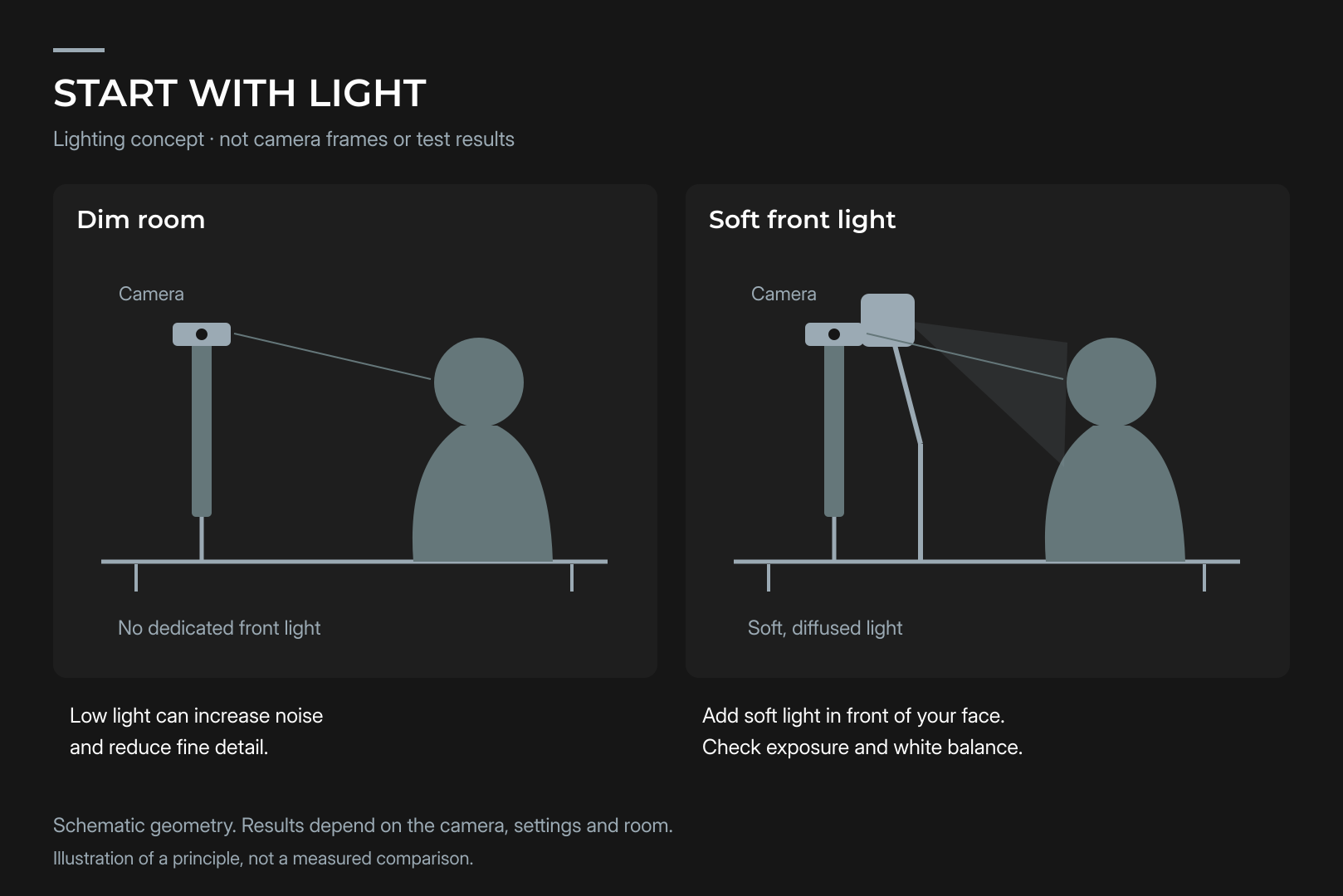
No webcam fixes a dark room on its own. In PCWorld's testing, faces on the Meet Flip stayed recognisable in low light, but noise crept into the shadows and fine textures softened, while adding a desk lamp improved the result straight away. That holds for every webcam on the market: a single soft light in front of your face does more than stepping up to a pricier model.
Two more settings matter in real rooms:
- Anti-flicker. Some light sources cause visible banding on camera. A flicker-reduction mode, like the one in Obsbot Center, removes it. Pick the option that matches your local mains frequency.
- White balance. Under warm indoor lighting, auto white balance often pushes skin tones too warm. Manual control helps: the Meet Flip lets you set colour temperature anywhere from 2,000 to 10,000 K.
Focus and field of view
Autofocus vs fixed focus. Phase-detection autofocus, as on the Meet Flip, locks on quickly without hunting. That is useful when you hold a product up to the lens, whether it is a new mouse, a graphics card or a game box. The Elgato Facecam MK.2 uses fixed focus tuned for 30 to 120 cm, which suits a person sitting at a desk and never gets distracted by movement in the background.
Field of view. Around 65 to 80 degrees is the classic range for one person at a desk. A wide 90 degrees helps when several people share the frame or you want to show the room, but on a small desk it also captures clutter. Adjustable cameras give you both: the Brio 4K offers three presets, and the Kiyo Pro Ultra ranges from 72 to 82 degrees.
Connection and PC load
A webcam looks like a simple USB gadget, but the port matters. Elgato states that the Facecam MK.2's uncompressed modes only work over USB 3.0, and on a slower port the camera falls back to MJPEG compression. Plug your camera into a USB 3.0 port on the motherboard's rear I/O rather than a hub or an older front-panel port.
Most current webcams follow the UVC standard, so Windows recognises them without a driver and they show up in Teams or OBS right away. Companion software is only needed for fine control over exposure, focus, white balance and auto-framing.
If you stream a game with a camera overlay, your system handles the game, the video encoding and any camera effects such as background blur all at once. We cover the hardware that keeps that combination smooth in our guide on how to stream properly with lag-free hardware.
Microphone, privacy and the small details
Built-in microphone. Usually fine for calls. The Meet Flip, for example, offers a directional mode for one speaker and an omnidirectional mode for groups, along with noise cancellation. Even so, PCWorld could still hear keystrokes in some modes, and a dedicated microphone sounds fuller on stream. If you are buying for streaming, treat the built-in mic as a bonus.
Privacy. A physical cover beats a software switch. On the Meet Flip, the housing itself is the cover: the module folds lens-inwards and the camera drops into standby. The Brio 4K ships with an attachable privacy shutter.
Windows Hello. Face sign-in only works with a camera that has an infrared sensor. In our table, the Logitech Brio 4K has one and the Obsbot Meet Flip does not.
Mounting. A standard 1/4-inch thread lets you put the camera on a tripod and move it off the monitor. Check your screen thickness too: the Meet Flip's clip is rated for displays up to 0.80 inches thick and may not sit well on chunky or strongly curved monitors.
Cable. The Meet Flip comes with a USB-C cable of about 1.5 metres and a USB-A adapter. PCWorld noted the cable is fairly stiff and can nudge the lightweight camera while you adjust it.
Subscriptions. Some features cost extra. Obsbot's AI Magic Notes for meetings include 120 minutes, after which a subscription is required, priced at $4 per month for 120 minutes.
Test your webcam on the first evening
Spec sheets cannot tell you how a camera behaves in your room, so run a quick check while you can still return it:
- Record two or three minutes in OBS in the mode you plan to stream, under your usual evening lighting, and watch it on a large monitor.
- Look for banding with the ceiling lights on, and enable anti-flicker if you see it.
- Hold an object up to the lens to see how fast autofocus switches and whether it drifts to the background.
- Compare skin tones in daylight and under artificial light, and lock white balance manually if the auto mode drifts.
- Keep Task Manager open during a test stream. If camera effects noticeably raise system load, turn them off before they cost you frames in game.
Which webcam for which job
| Use case | What to look for | What you can skip |
|---|---|---|
| Work calls | 1080p, autofocus, decent mic | 4K, 60 fps |
| Game streaming | 1080p60, larger sensor, USB 3.0, manual controls | built-in mic |
| Video recording | 4K30, bright lens, manual white balance | wide field of view |
| Laptop and travel | compact body, privacy cover, low weight | Windows Hello |
| Face sign-in | IR sensor with Windows Hello support | compact size |
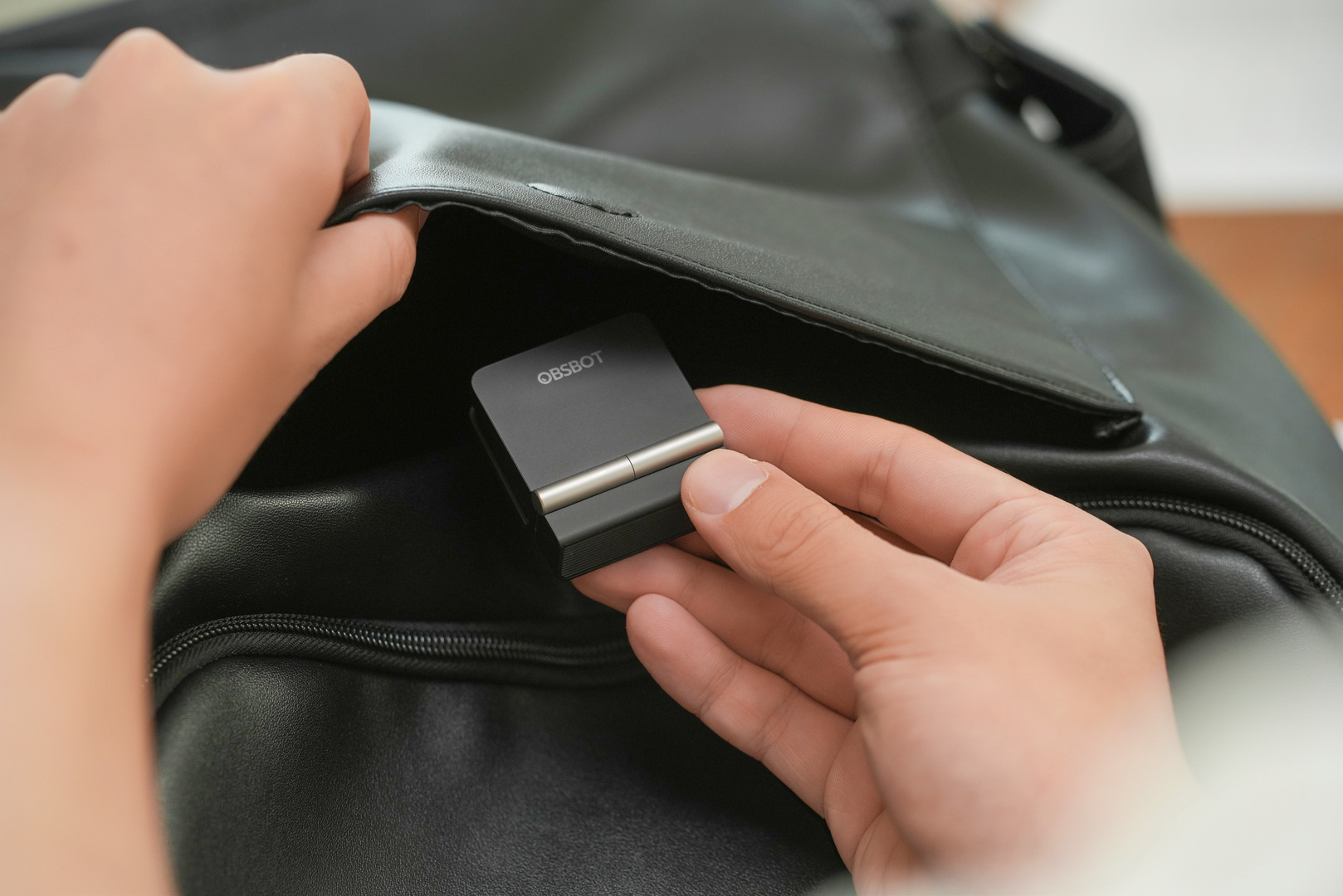
For travel, foldable models like the Meet Flip make sense. It weighs about 38 g, and its housing is less than half the width of the Brio 4K's. On a permanent desk setup, weight does not matter, but sensor size and lighting do.
The bottom line
Choose a webcam by what you will use it for, not by the number on the box. For calls, 1080p with autofocus is enough. For streaming, look for 1080p at 60 fps, a larger sensor and a USB 3.0 connection. Save 4K for recording and cropping. And whatever you buy, start with lighting: a lamp in front of your face improves every camera more than extra megapixels.
Recommended

 Arabic
  English