We are ready to help
Ryzen 7 7800X3D in 2026: Still a Smart Gaming CPU, and the Right GPU to Pair It With
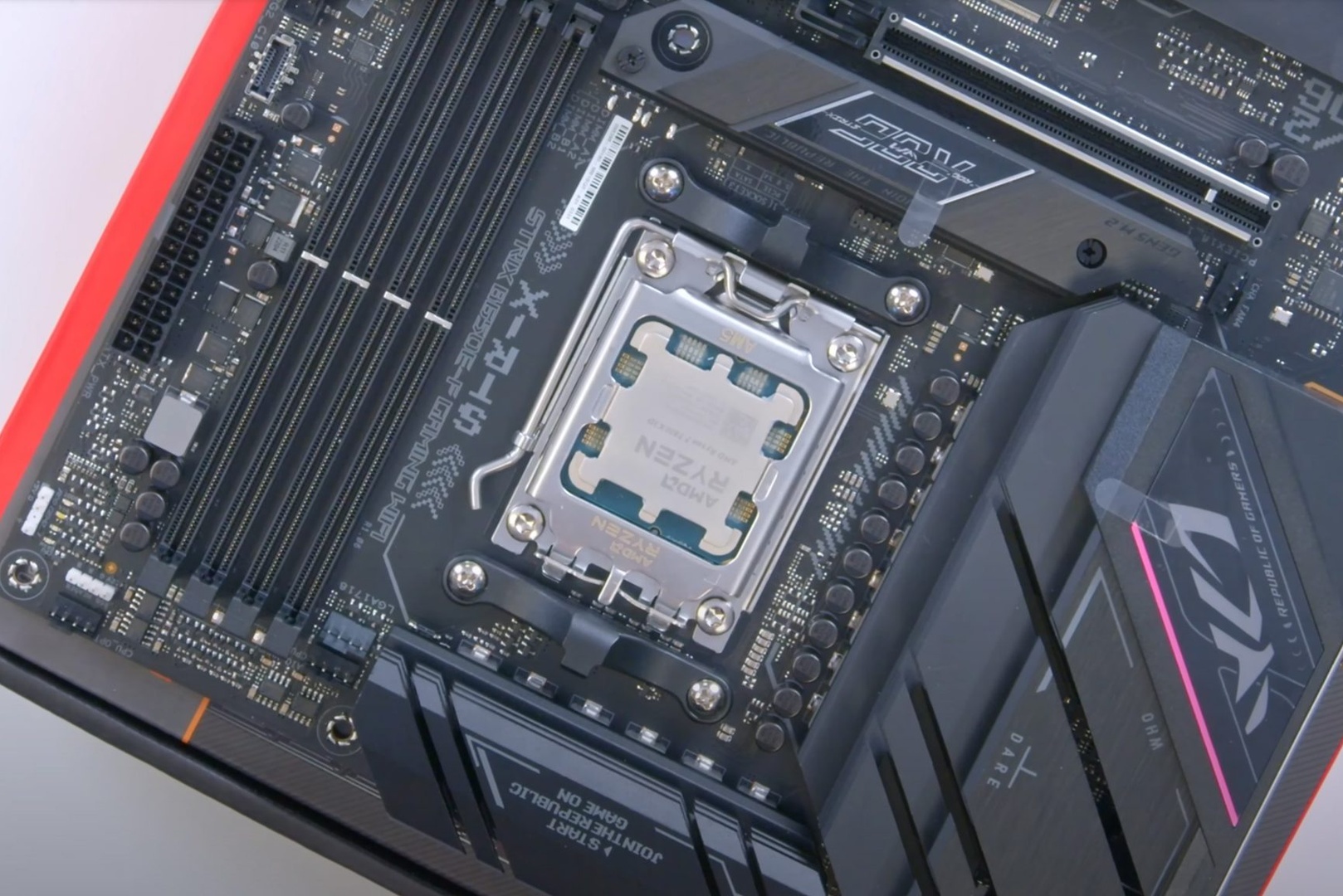
AMD launched the Ryzen 7 7800X3D on April 6, 2023 at $449, and it has since been followed by the Ryzen 7 9800X3D (November 2024, $479) and the Ryzen 7 9850X3D (January 2026, $499). The newer chips are faster, typically by around 8 to 11% at 1080p in independent testing. For a 1440p or 4K gaming PC, though, the 7800X3D remains a strong pick, especially if the money you save goes into a better graphics card.
The quick verdict
| If you are... | Our recommendation |
|---|---|
| Building a new 1440p or 4K gaming PC | 7800X3D, and put the savings into the GPU |
| Chasing 240 to 360 FPS in esports titles | 9800X3D or 9850X3D, as long as the GPU tier does not drop |
| Already running a 7800X3D | Keep it until you can prove the CPU is holding you back |
| Mostly playing MMOs, strategy and simulation games | 7800X3D, these genres benefit most from the large cache |
Spec comparison: three X3D chips on AM5
All three share 8 cores, 16 threads, 96 MB of L3 cache, a 120 W TDP and the AM5 socket. What separates them is the architecture, clock speeds and where the extra cache sits.
| Spec | Ryzen 7 7800X3D | Ryzen 7 9800X3D | Ryzen 7 9850X3D |
|---|---|---|---|
| Architecture | Zen 4 | Zen 5 | Zen 5 |
| Base / boost clock | 4.2 / 5.0 GHz | 4.7 / 5.2 GHz | 4.7 / 5.6 GHz |
| 3D V-Cache placement | above the cores | below the cores | below the cores |
| Rated memory (two modules) | DDR5-5200 | DDR5-5600 | - |
| Max operating temperature | 89 °C | 95 °C | - |
| Overclocking | PBO and Curve Optimizer | fully unlocked | fully unlocked |
| Launch date | April 6, 2023 | November 7, 2024 | January 29, 2026 |
| US launch price | $449 | $479 | $499 |
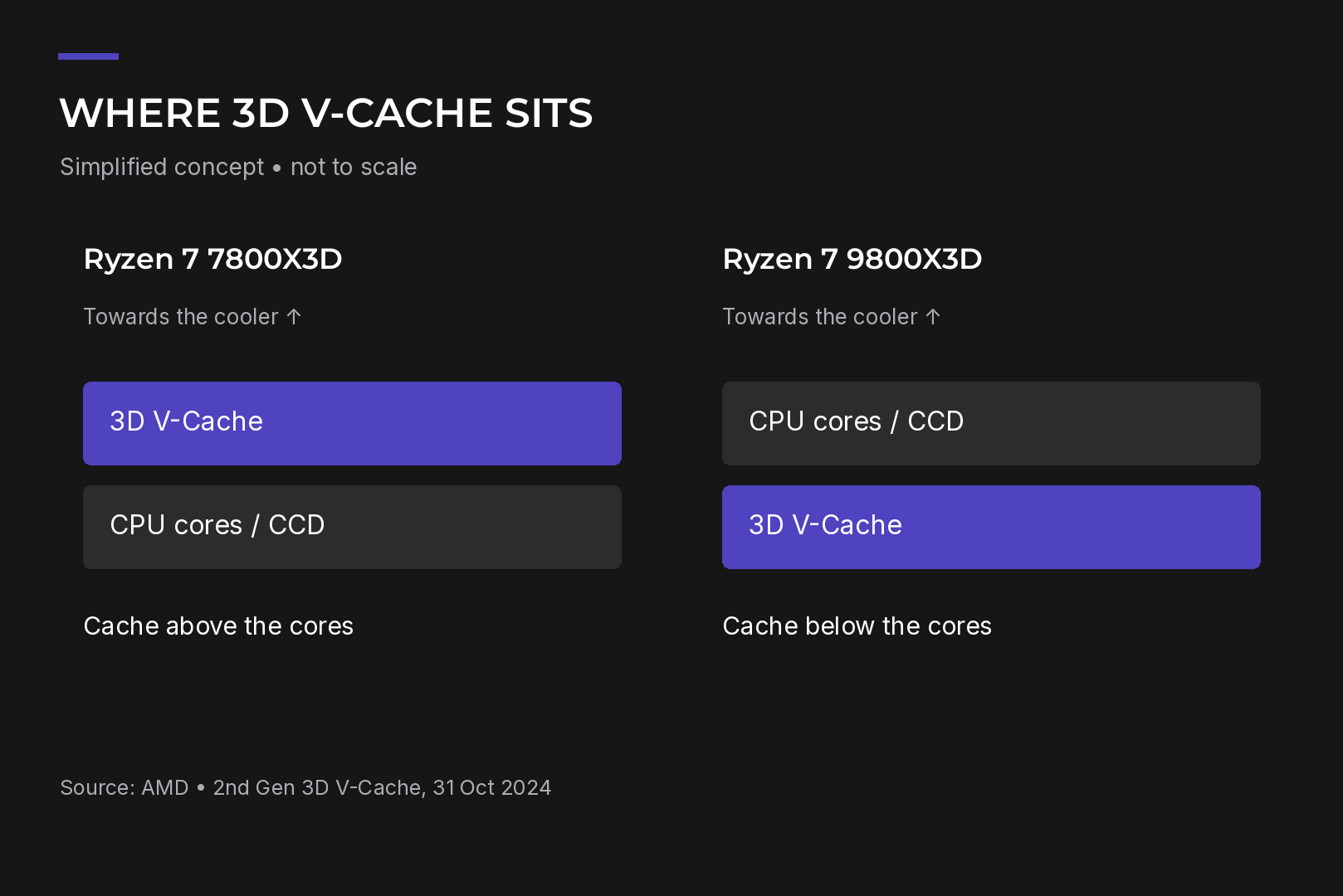
The 96 MB of L3 is made of 32 MB on the main die plus a 64 MB stacked 3D V-Cache layer. On the 7800X3D that layer sits on top of the cores, which makes it harder to pull heat away from them, so AMD capped the clocks. With the 9800X3D, AMD flipped the stack and put the cache underneath. The cores now sit closer to the heat spreader, which allows higher clocks and a higher temperature limit. The cache size did not change, so most of the generational gain comes from Zen 5 and those extra megahertz.
One practical note: the 7800X3D ships without a cooler, so budget for one.
Why a big cache helps games
Think of the CPU cores as chefs, the cache as the worktop next to the stove, and system RAM as a pantry down the hall. A bigger worktop means fewer trips to the pantry. Games keep reusing the same data, such as object positions, world state and AI logic, so they benefit from a large cache far more than tasks like video encoding, which care more about raw core speed.
When the GPU is the slowest part of the frame, though, extra cache cannot help. That is why the CPU gap shrinks at high resolutions.
How much faster is the 9800X3D, really?
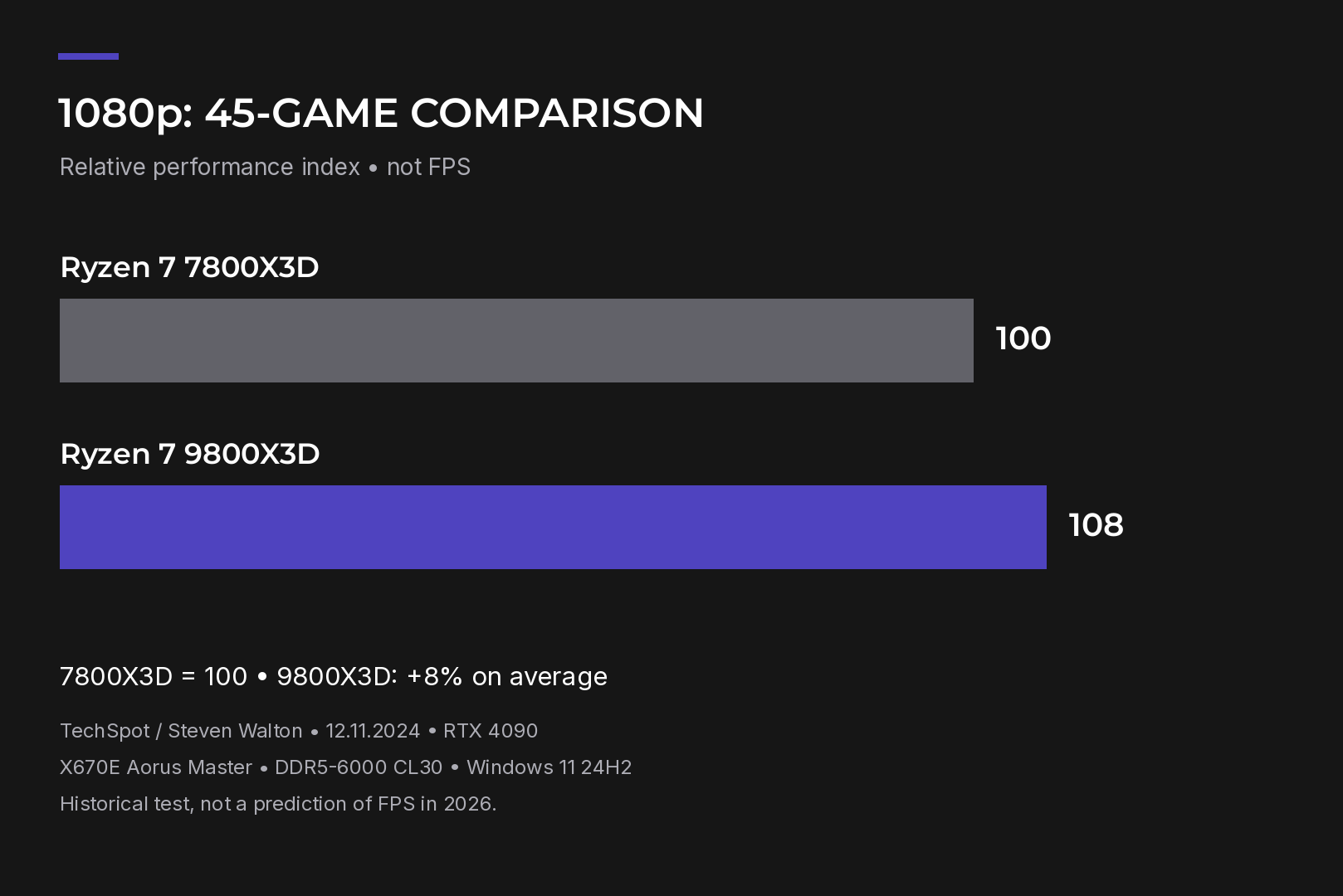
- TechSpot (Hardware Unboxed) tested 45 games with an RTX 4090 at 1080p and found an average gap of about 8%. The spread inside that average is wide: +20% in The Last of Us Part 1, +15% in Spider-Man, +14% in Assetto Corsa Competizione, +8% in Cyberpunk 2077 and no gain at all in Star Wars Outlaws.
- Tom's Hardware measured roughly an 11% lead in its own game suite.
- AMD's own launch claim was about 8% more gaming performance than the previous generation.
The 9850X3D adds a little more. In a 14-game comparison with an RTX 5090 at medium settings, it beat the 7800X3D by about 15% on average and the 9800X3D by only 4 to 5%. In other words, it is essentially a higher-clocked 9800X3D.
Keep in mind that CPU reviews run at 1080p with flagship GPUs on purpose, to take the graphics card out of the equation. At home, on a 1440p monitor with a mid-range card, you are more likely to be GPU-limited, and the difference narrows. Cyberpunk 2077 with an RTX 5090 shows this well: at medium settings the 9800X3D delivers about 15 more frames (234 vs 219 FPS), while at RT Ultra the gap drops to just 2 frames.
Where the 7800X3D still shines
These figures come from 1080p testing with an RTX 5090, comparing the 7800X3D with Intel's Core Ultra 7 270K Plus.
- MMOs. Final Fantasy XIV runs 24% faster on average on the 7800X3D. In raids and crowded cities, where dozens of characters load the CPU, this is exactly what you want.
- RPGs. Baldur's Gate 3 shows a 22% lead.
- Factory and strategy games. In a 2023 Factorio comparison, the 7800X3D was almost 50% faster in simulation speed than the Core i9-14900K, Intel's flagship at the time, on a small map. On a large map that no longer fit in cache, Intel was about 2% ahead.
- Across 17 games, the 7800X3D led by 10.4% in average FPS and 6.1% in 1% lows.
Two genres favor the newer chip. In Assetto Corsa Competizione the 9800X3D is up to 18% faster, and in Counter-Strike 2 it adds around 10% average FPS at 1080p medium. If your PC is mainly for sim racing or high-refresh esports, the extra spend on a newer X3D is easier to justify.
Choosing a GPU for the 7800X3D
Pick the graphics card for your monitor and target frame rate, not for the CPU. The processor sets how many frames the system can prepare, and the GPU decides how many it can actually render at your resolution.
| Resolution | Goal | GPU options |
|---|---|---|
| 1920×1080 | high refresh, esports | RTX 5070 as a starting point |
| 2560×1440 | high settings, 100+ FPS | RX 9070 XT or RTX 5070 Ti; RTX 5070 to save money |
| 3840×2160 | demanding visuals | RTX 5080, or RX 9070 XT / RTX 5070 Ti with upscaling |
| 3840×2160, maximum FPS | no compromises | RTX 5090, where a newer X3D starts to make sense |
1080p. If you are aiming for 360 Hz and the game is CPU-bound, a faster X3D chip is a better use of money than a high-end GPU that sits underused.
1440p. The RX 9070 XT and RTX 5070 Ti, both with 16 GB of VRAM, are the main contenders. Across a 52-game sample, the RTX 5070 Ti is only about 1.4% faster than the RX 9070 XT at 1440p, but in Cyberpunk 2077 with ray tracing its lead grows to roughly 15%. The RX 9070 XT in turn beats the RTX 5070 by about 24%. Play with ray tracing and DLSS? Go with the RTX 5070 Ti. Mostly raster? The RX 9070 XT is excellent value.
4K. The GPU does the heavy lifting here, so there is no need to swap the 7800X3D in advance, even for an RTX 5080. It pairs fine with an RTX 5090 at native 4K, although for the highest base frame rates with DLSS a newer X3D gives you extra headroom.
A quick word on upscaling and frame generation. DLSS and FSR lower the internal render resolution, so you hit the CPU limit sooner. Frame generation adds visual smoothness but does not speed up game logic or cut input latency, so judge your CPU by the base frame rate before generation.
Browse ready-to-ship configurations with X3D processors in our gaming PC range, or spec a system around your favorite games in the HYPERPC configurator.
Already own a 7800X3D? Test before you upgrade
- Choose a repeatable scene: a built-in benchmark, a save file or the same route every time.
- Turn off the frame cap, V-Sync and frame generation. Record average FPS, 1% lows and GPU utilization.
- Lower the resolution or render scale while keeping view distance and crowd density the same. Run the scene again.
- If FPS barely moves and the GPU is underutilized, you are limited by the CPU, memory or game engine. If FPS jumps, the GPU was the bottleneck.
Also check temperatures, clock speeds and background apps. Most X3D benchmarks use DDR5-6000 CL30 memory, so slower kits can explain part of the gap.
If you do upgrade, AM5 makes it simple: the 9800X3D and 9850X3D use the same socket and DDR5 memory. Check your motherboard's CPU support list and BIOS version first.
Bottom line
The Ryzen 7 7800X3D is not obsolete in 2026. For 1440p and 4K gaming, and for MMOs, strategy and simulation titles, it remains a balanced and fast choice. The 9800X3D or 9850X3D earns its premium when you have a high-refresh monitor, a powerful GPU and games that are clearly CPU-bound. In most other cases, spending the difference on a better graphics card will get you more frames.
Recommended

 Arabic
 English