We are ready to help
Minecraft Commands Explained: A Practical Guide for Java and Bedrock
Step 1: Turn commands on
Without permission, the game simply tells you that you lack the rights to run the command.
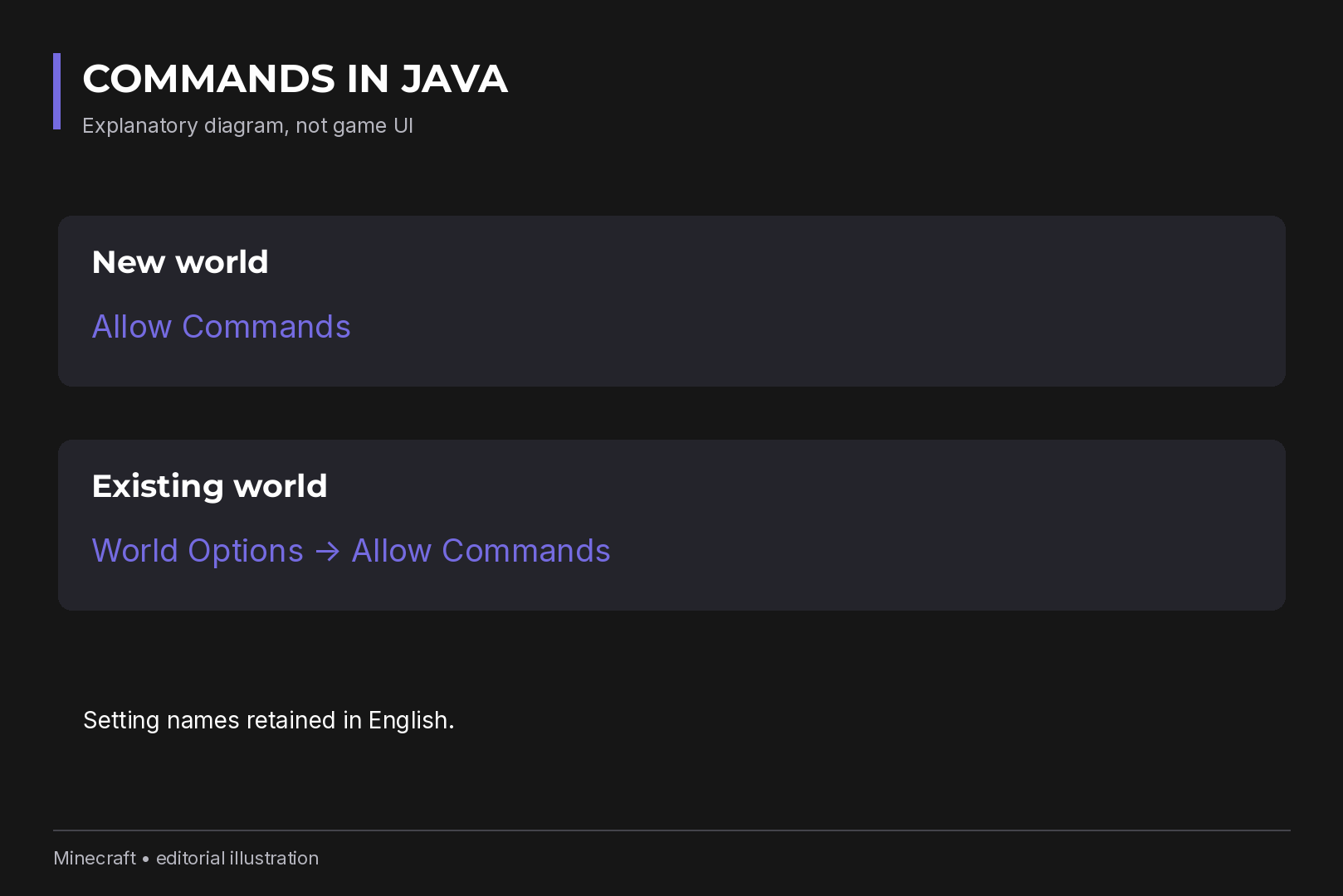
Java Edition. Switch on Allow Commands when creating the world. A singleplayer world created this way gives you permission level 4, which covers every command. For an existing singleplayer world, press Esc and open World Options, where cheats can be toggled later.
Bedrock Edition. Enable cheats in the Cheats tab of the world settings, either at creation or afterwards.
One trade-off matters a lot. In Bedrock, enabling cheats permanently stops achievements from unlocking in that world, even if you turn cheats off again. Java advancements are not affected. If achievements matter to you, copy your Bedrock world and experiment in the copy.
Step 2: Open chat and type the command
- Press T or Enter to open chat. Pressing / opens chat with the slash already typed.
-
Type the command name right after the slash, with no space:
/weather clear. - Use Tab to cycle through matching commands, player names and arguments. It is the easiest way to avoid typos.
- Press Enter . The up and down arrows bring back previous lines, handy for rerunning a command with a different value.
Red highlighting means the game does not understand the argument at
that position. A permissions message means you need to go back to Step
1 or ask the server admin. Type
/help
or
/help gamemode
to see what is available at your permission level.
Step 3: Operator access on a server
Enabling commands in a world does not make every player an admin. On a server, the owner hands out rights:
-
from chat (with sufficient rights):
/op PlayerName -
from the server console, without the slash:
op PlayerName -
to revoke:
/deop PlayerName
Java uses four cumulative operator levels:
| Level | What it unlocks |
|---|---|
| 1 | Bypassing spawn protection |
| 2 | Most gameplay commands, command blocks, difficulty changes |
| 3 |
Multiplayer management, such as
/ban
|
| 4 |
Everything, including server management such as
/stop
|
The default level for new operators is set in
server.properties
. For reference,
/give
needs level 2 and
/stop
needs level 4.
Bedrock uses roles instead of numbers: Visitor, Member, Operator, plus custom permissions. Operators get Operator Commands among their rights.
Reading command syntax
Take
/give @s minecraft:diamond 8
:
-
giveis the command -
@sis the target (you) -
minecraft:diamondis the item ID -
8is the amount
In documentation,
<target>
marks a required argument and
[count]
an optional one. Do not type the brackets themselves. Bedrock also
accepts the short form
/give @s diamond 8
; in Java the full namespaced ID is the safer habit, especially in
modded worlds.
### Coordinates
Coordinates always go
X Y Z
: X runs east to west, Y is height, Z runs north to south. In Java,
your position is on the F3 screen; in Bedrock, turn on the
showcoordinates
game rule.
-
Absolute:
/tp @s 100 80 100sends you to that exact point. -
Relative, with a tilde:
/tp @s ~ ~3 ~lifts you three blocks. A bare~keeps that axis unchanged,~-2moves two blocks in the negative direction. -
Local, with a caret:
^ ^ ^5means five blocks forward in the direction you are facing.
When a command runs from the console or a command block, the reference point is the block's position or the world spawn, not your character.
Target selectors
Selectors replace a player name and pick targets automatically.
| Selector | Targets |
|---|---|
@p
|
the nearest player |
@a
|
all online players |
@r
|
a random player |
@e
|
all entities: players, mobs, animals, dropped items |
@s
|
whoever runs the command |
@n
|
the nearest entity (Java since 1.21, Bedrock since 1.21.100) |
Bedrock adds
@initiator
, the player who pressed a button in an NPC dialogue.
@e
with no filter is the dangerous one.
/kill @e
wipes out pets, armor stands, dropped items and you.
### Selector filters differ between editions
Filters in square brackets narrow the selection, and this is where copied commands break most often.
| Goal | Java | Bedrock |
|---|---|---|
| Zombies within 10 blocks |
@e[type=zombie,distance=..10]
|
@e[type=zombie,r=10]
|
| Only the nearest one |
limit=1,sort=nearest
|
c=1
|
| Players in Survival |
@a[gamemode=survival]
|
@a[m=survival]
|
| XP level 8 to 16 |
level=8..16
|
lm=8,l=16
|
Before any mass removal, test your selector with something harmless,
such as a glowing effect, and only then swap it for
/kill
.
Everyday commands by task
Game mode.
/gamemode creative
and
/gamemode survival
. Replace
@s
or add a name to change someone else's mode. In Java,
/defaultgamemode
sets the mode for new players.
Time and weather.
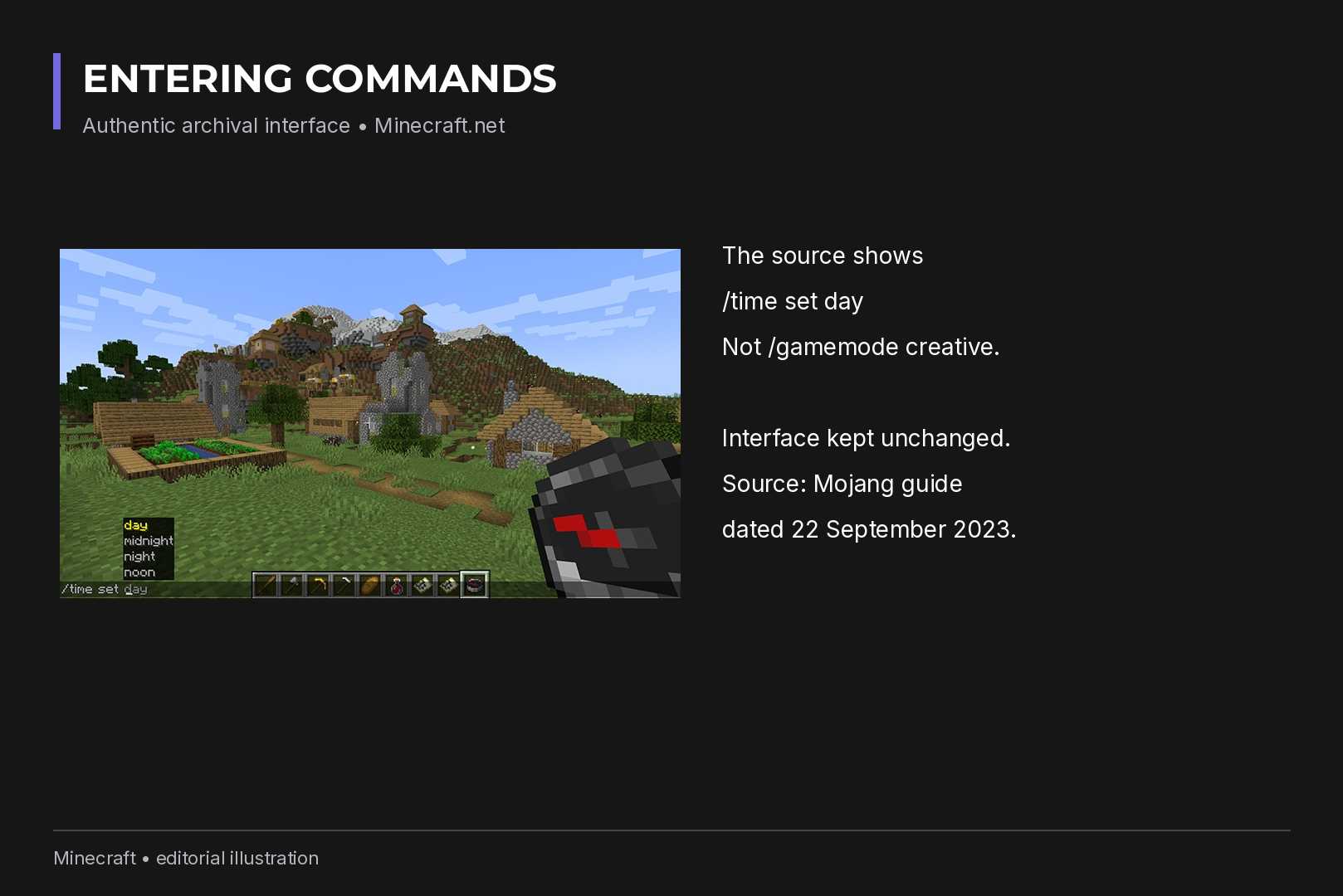
/time set day
,
/time set night
,
/weather clear
.
Items.
/give @s minecraft:diamond_pickaxe
or
/give @s minecraft:torch 64
.
Teleport.
/tp @s 0 100 0
, or to a friend with
/tp @s FriendName
. Check where you will land before teleporting high up.
Effects.
Java:
/effect give @s minecraft:night_vision 600 0
. Bedrock:
/effect @s night_vision 600 0
. The 600 is seconds, the 0 is the amplifier.
Mobs.
/summon minecraft:wolf ~ ~ ~
spawns a wolf next to you.
Game rules: Java uses new names now
This is the biggest trap in 2026. In Java 1.21.11 (snapshot 25w44a),
Mojang moved every game rule to snake_case and renamed several
outright, so the
keepInventory
you see in older tutorials is not the name to use in Java any more.
Bedrock kept its lowercase names.
| What it does | Java 26.3 | Bedrock |
|---|---|---|
| Keep items on death |
keep_inventory
|
keepinventory
|
| Day and night cycle |
advance_time
|
dodaylightcycle
|
| Weather cycle |
advance_weather
|
doweathercycle
|
| Mobs can break blocks |
mob_griefing
|
mobgriefing
|
| Skip the death screen |
immediate_respawn
|
doimmediaterespawn
|
| Natural health regeneration |
natural_health_regeneration
|
naturalregeneration
|
| Mob spawning |
spawn_mobs
|
domobspawning
|
| On-screen coordinates | not available, use F3 |
showcoordinates
|
So in Java it is
/gamerule keep_inventory true
, and in Bedrock
/gamerule keepinventory true
. To freeze the time of day in Java, use
/gamerule advance_time false
.
Fire changed too. Java removed
doFireTick
; spread is now controlled by
fire_spread_radius_around_player
, and a value of 0 disables it. Bedrock still uses
dofiretick
.
Building in one line with /fill
/fill
fills the box between two corners with a block:
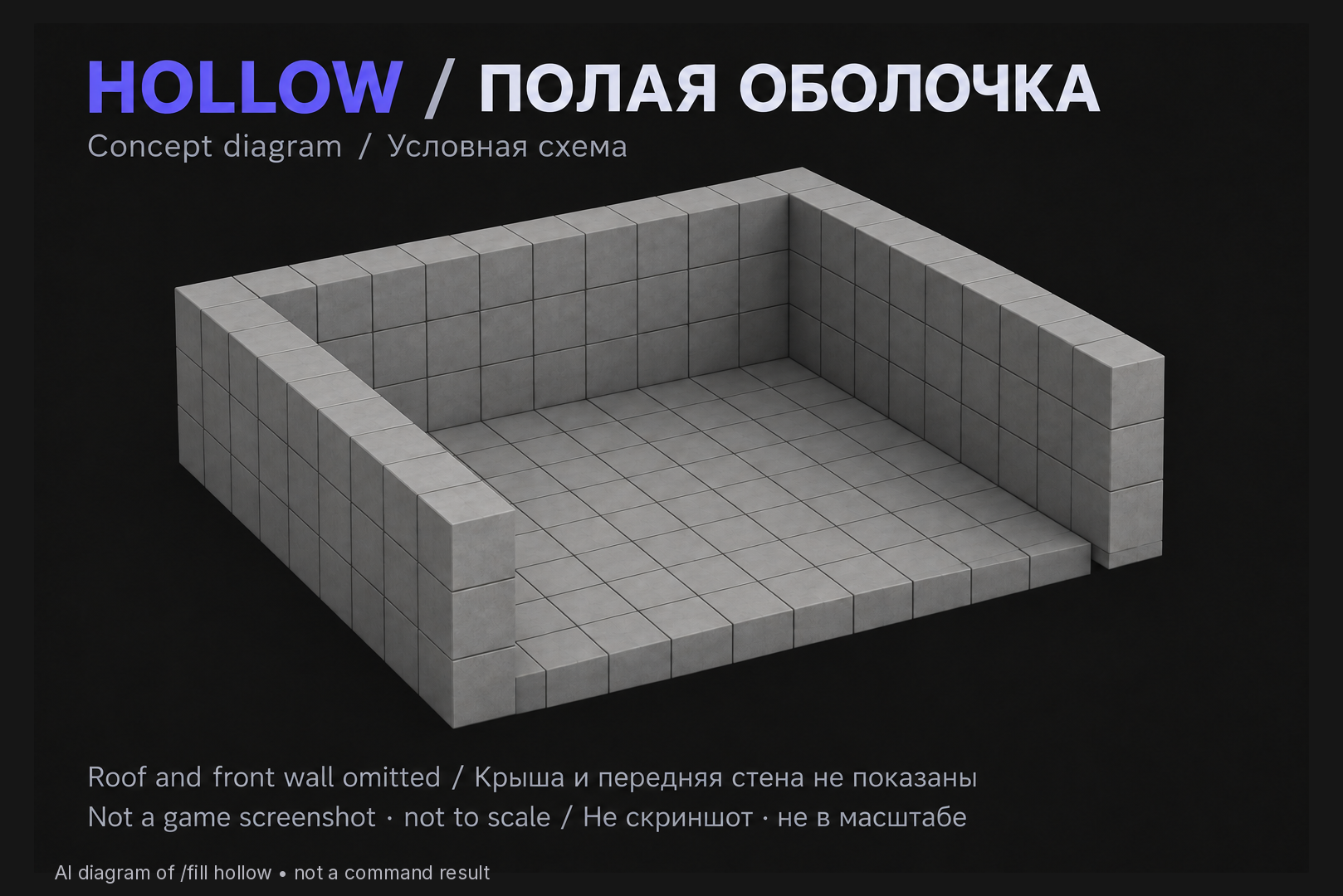
/fill ~-5 ~ ~-5 ~5 ~4 ~5 minecraft:stone hollow
That builds an empty 11 by 11 stone room, 5 blocks high, around you. The final word sets the mode:
-
replace(default) replaces everything, air included -
hollowbuilds only the shell and clears the inside -
outlinebuilds the shell and leaves the inside untouched -
keepfills only air -
destroyreplaces blocks and drops the old ones as items -
strict(Java only) places blocks without updating neighbors
The fill volume is capped. In Java the cap is the
max_block_modifications
game rule (previously
commandModificationBlockLimit
; historically the limit was hard-coded at 32,768 blocks). If a
command fails, split the area into smaller pieces.
Large fills and hundreds of entities hit the CPU hard, especially with shader packs on top. If your frame rate collapses every time you do this in a big world, your hardware may be the bottleneck; our gaming PCs are built with that kind of headroom in mind.
Command blocks
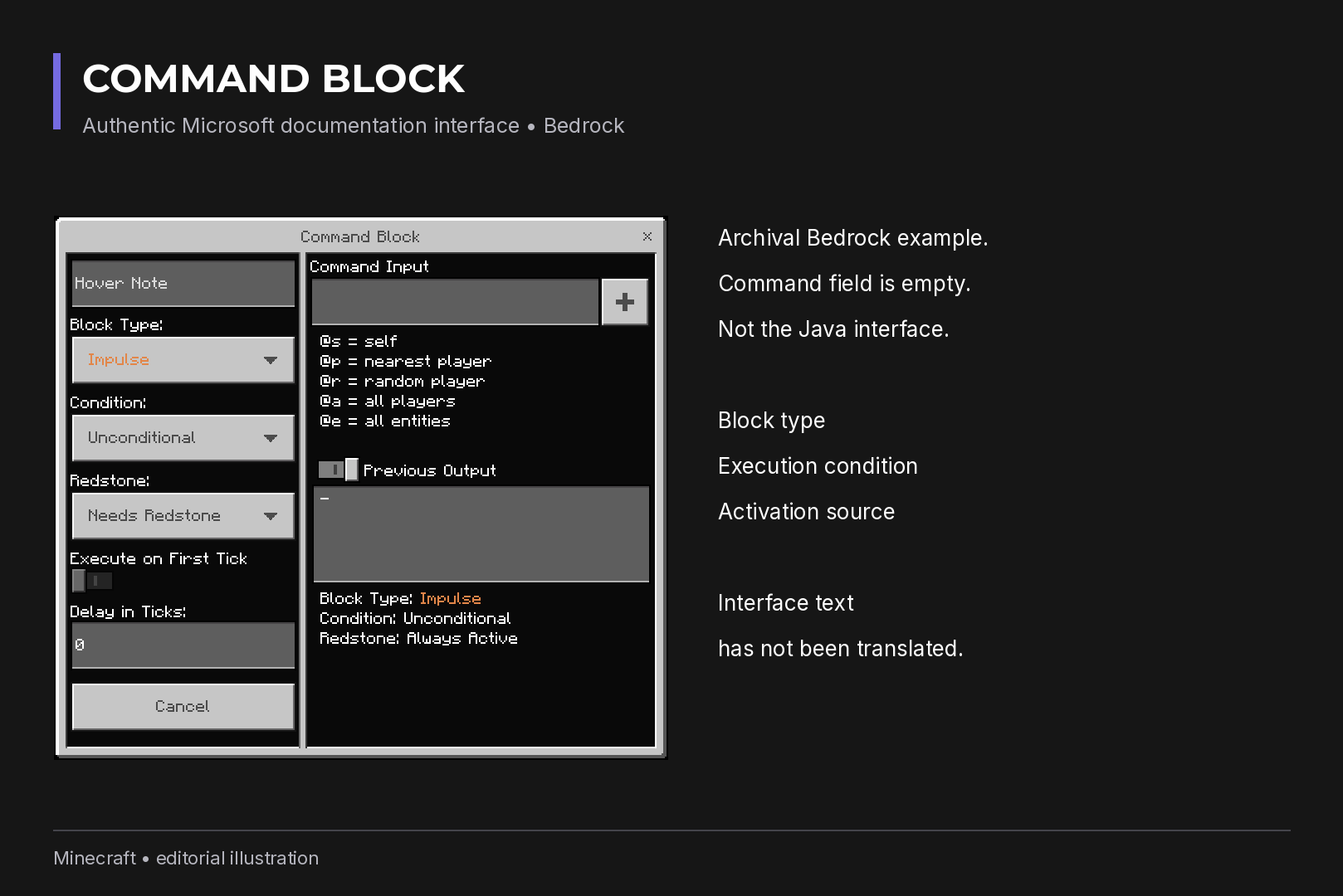
A command block runs its stored command when it receives a redstone
signal, or continuously. You cannot craft one; get it with
/give @s minecraft:command_block
in Java or
/give @s command_block
in Bedrock. You need Creative mode and operator rights, and Java
servers also need
enable-command-block=true
in
server.properties
.
There are three types:
- Impulse (orange): runs once per signal.
- Chain (green): runs after the block pointing into it, which lets you build multi-step sequences.
- Repeat (purple): runs every game tick while active.
The Needs Redstone and Always Active settings decide whether the block
waits for a signal. A Repeat block set to Always Active with a heavy
command can drag the whole world down, so start with Impulse blocks.
Inside a command block,
@s
does not refer to a player because the block has no character; use
@p
or a name.
When a command does not work
- Unknown command or no permission: commands are not enabled in the world, or your operator level is too low.
- Red highlighting: a wrong argument. Let Tab fill in the ID.
- Guide for the other edition: selector filters and game rule names differ; check the tables above.
- Old game rule name in Java: after 1.21.11, use snake_case.
- Nothing happens: the selector found no target. Widen the radius or drop a filter.
There is no undo button. Before a large
/fill
, any
/kill @e
, or changing rules on a shared server, back up the world first.
Recommended

 Arabic
 English