We are ready to help
Low-Profile Mechanical Keyboards Explained: Switches, Trade-Offs and What to Buy For
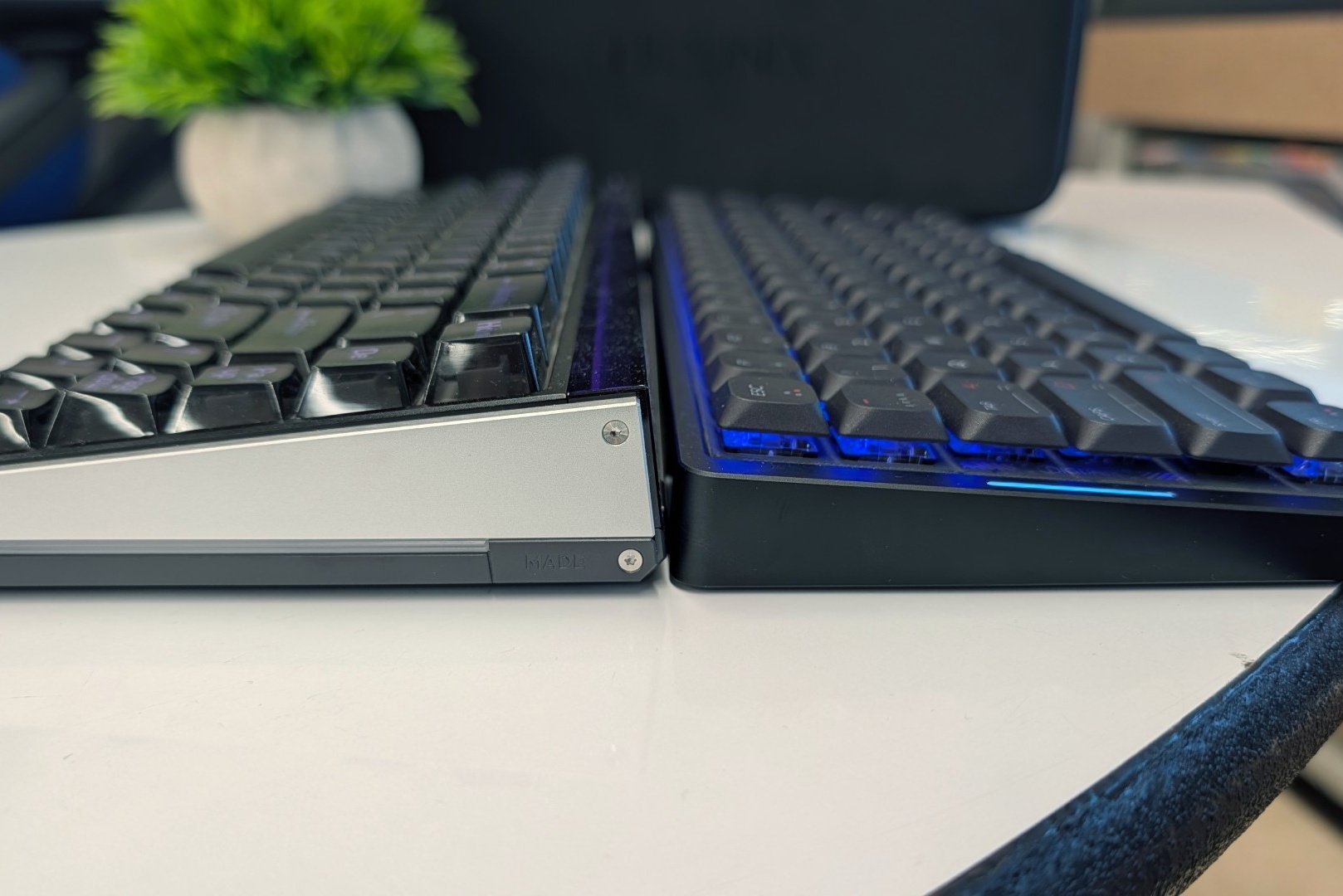
A low-profile mechanical keyboard uses shortened switches with roughly 2.5 to 3.2 mm of total travel, compared with 4.0 mm on a standard Cherry MX, plus flat keycaps and a case that usually sits around 2 cm tall. You keep real mechanical switches, but trade away the huge keycap ecosystem of full-height boards. The three decisions that matter most: which switch family, how much weight you will carry, and whether you need magnetic switches for competitive shooters.
The switch families at a glance
“Low profile” is not one standard. It is several families that rarely share switches or keycaps. The figures below come from manufacturer specifications and specialist references; individual models can vary within tolerance.
| Switch family | Total travel | Actuation | Keycaps | Notes |
|---|---|---|---|---|
| Cherry MX (standard, for reference) | 4.0 mm | varies by model | standard MX | the full-height baseline |
| Cherry MX Low Profile | 3.2 mm | 1.2 mm (Speed: 1.0 mm) | MX-style mount, low keycaps | switch is 11.9 mm tall |
| Kailh Choc V1 (PG1350) | 3.0 mm ±0.5 | varies by model | proprietary, not MX | 18×17 mm key spacing |
| Kailh Choc V2 (PG1353) | 3.2 mm ±0.25 | 1.3 mm ±0.3 | MX-style mount, low keycaps only | partial footprint match with V1 |
| Logitech GL (G915 X) | not published | 1.3 mm | Logitech only | closed ecosystem |
| Gateron LP Magnetic Jade | 3.3 mm | adjustable 0.1 to 3.3 mm | depends on board | Rapid Trigger, 0.01 mm sensitivity |
| TTC Mini Magneto | 2.8 mm ±0.2 | adjustable 0.1 to 2.8 mm | depends on board | used in Melgeek Made68 Air |
The key point is that “low profile” is not a single standard but several incompatible families. Switches and keycaps from one platform usually do not fit another, so choose the platform before buying.
What changes when the keyboard gets thinner
Cherry describes its MX Low Profile switch as about 35 percent flatter than a regular MX: 11.9 mm tall, with travel cut from 4.0 to 3.2 mm. Whole keyboards shrink with it. Logitech lists the G915 X at 23 mm high and the G515 RAPID TKL at 22 mm. The IQUNIX MQ80 measures roughly 10.8 mm at the front edge and 27.5 mm at the back.
In daily use that means:
- A lower wrist angle. Many people pair a tall mechanical board with a wrist rest. A slim case often makes one unnecessary.
- Shorter finger travel. Keys bottom out sooner, which some typists find less tiring over long sessions.
- A learning curve if you come from tall keycaps. Low-profile keycaps are usually flat and identical across rows. Laptop users adapt quickly; long-time full-height users may need a few days.
How to choose: seven checks
1. Switch family and hot-swap
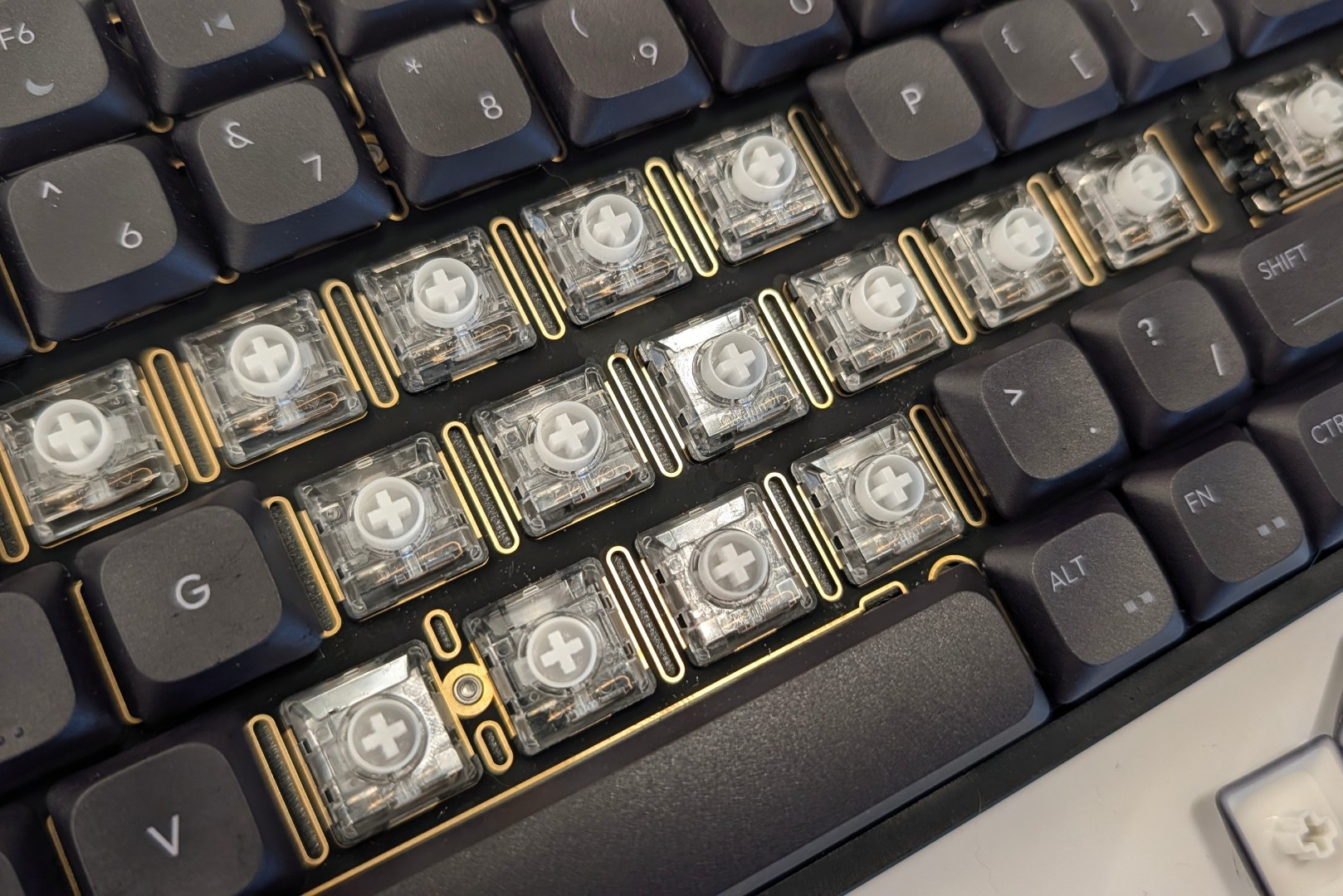
If the board is hot-swappable, the platform decides what you can install later. Cherry MX Low Profile and Kailh Choc V2 both use an MX-style keycap mount, but only low-profile keycaps fit. Kailh Choc V1 is not MX-compatible at all: its stem differs and its keycaps use an 18×17 mm unit instead of the standard 19.05 mm. The V1 and V2 footprints only partly match.
Proprietary standards are a separate case. Logitech GL switches stay within the Logitech ecosystem, so choose them when you like the complete keyboard rather than its upgrade options.
Variety differs too. There are few alternatives to the stock Kailh Choc V2 switches, while Gateron currently offers the widest low-profile range. If you like tuning the feel, check the platform and available replacements before buying.
2. Linear, tactile or clicky
Low-profile switches come in the same three basic types as standard ones:
- Linear: smooth travel with no bump. Cherry MX Low Profile Red uses a 45 cN operating force and actuates at 1.2 mm.
- Tactile: a bump before actuation. Logitech sells the G915 X in tactile and linear versions.
- Clicky: a bump plus an audible click, such as Kailh Choc V2 Blue. Fun, but loud in a shared office.
Light springs feel more sensitive on short travel. The MQ80 ships with 40 g linear switches, 2.8 mm of travel and 1.2 mm actuation, and heavy-handed typists may produce repeated letters.
3. Magnetic switches for competitive shooters
Hall effect switches read key position with a sensor instead of a metal contact. That enables two features competitive players care about:
- Adjustable actuation. On the Logitech G515 RAPID TKL you can set it from 0.1 to 2.5 mm on a 2.5 mm stroke. Gateron LP Magnetic Jade covers 0.1 to 3.3 mm.
- Rapid Trigger. The key resets the moment you start lifting it, not after it passes a fixed point. In CS2 or Valorant this speeds up counter-strafing. Logitech adds Key Priority, its take on SOCD.
Low-profile magnetic boards are still a small group: examples include the Logitech G515 RAPID TKL, NuPhy Air60 HE and Air75 HE, and Melgeek Made68 Air. Learn more in our guide to optical and magnetic keyboards.
For typing and single-player games, magnetic switches are optional. For CS2, Valorant and similar tactical shooters, they offer a genuine advantage.
4. Weight versus portability
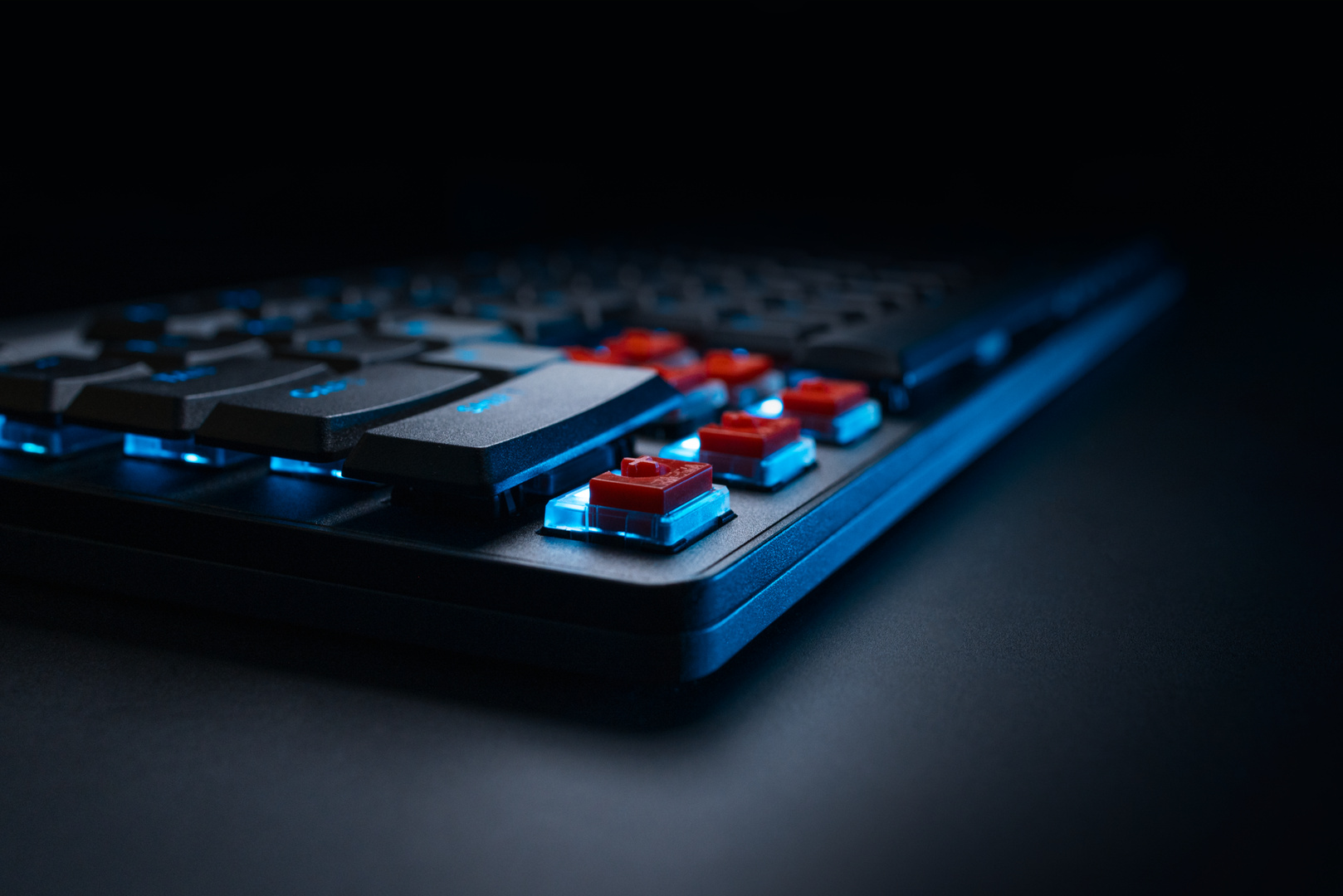
Thin does not mean light. The aluminum IQUNIX MQ80 weighs 1,180 g, comparable to a full-size mechanical keyboard, even though it includes a hard carrying case. The plastic G515 RAPID TKL weighs 800 g.
If the keyboard will live in a backpack, check the weight in the specification, not the thickness in photos. Aluminum adds rigidity and a fuller sound; plastic improves portability.
5. Battery claims and connectivity
Most wireless low-profile boards offer 2.4 GHz for gaming, Bluetooth for laptops and tablets, and USB for wired play. Battery figures are usually best case. The MQ80 has a 4,000 mAh cell rated for up to 350 hours over Bluetooth with lighting off, but lasts about 45 hours with bright RGB over 2.4 GHz. Compare test conditions, not the headline number.
If you only game at a desk, a wired board such as the G515 RAPID TKL removes the battery question entirely.
6. Build and sound
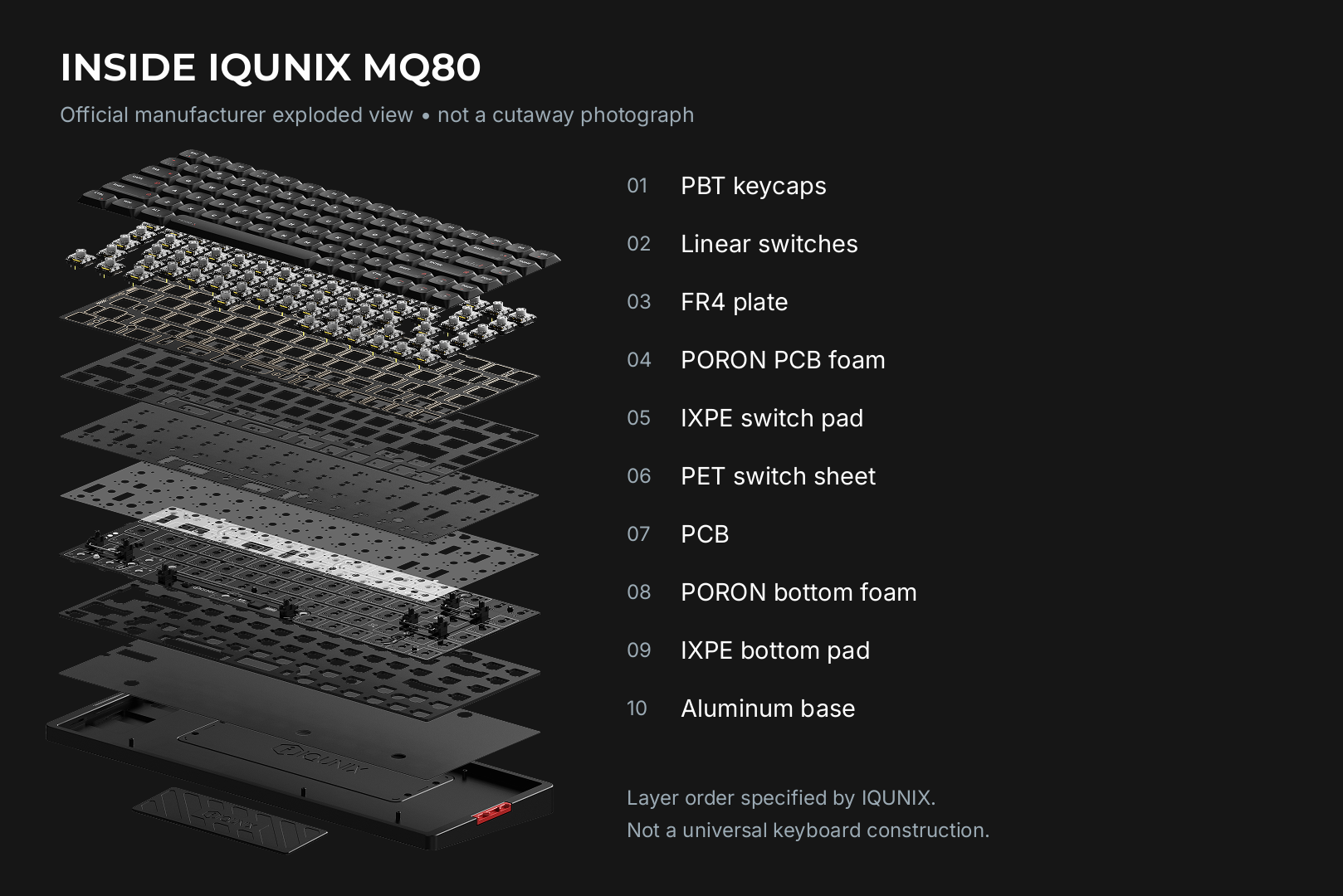
Premium low-profile boards now borrow tricks from enthusiast customs. The MQ80 uses an FR4 fiberglass plate, PORON foam, IXPE sheets and PET film, while silicone buffers suspend the PCB assembly in what IQUNIX calls a “Le-Tray Gasket Mount” to soften bottom-outs.
If acoustics matter, look for plate material, damping layers and mounting style in the listing. A bare plastic case with no damping tends to sound sharper.
7. Lighting and software
Per-key RGB is common, but check whether legends are shine-through. The MQ80’s dye-sublimated PBT keycaps do not let light through, so in the dark it suits touch typists. VIA runs in a browser with no install, while Logitech’s Rapid Trigger and Key Priority settings require G HUB.
Case study: what the IQUNIX MQ80 review tells us
The IQUNIX MQ80 launched on February 25, 2025 at an MSRP of $159.99. It is a 75 percent board with a function row and arrow cluster, an aluminum case, PBT keycaps, per-key RGB, wired, 2.4 GHz and Bluetooth 5.1 connectivity, and four onboard profiles. Its strengths are durability, sound and responsiveness; drawbacks include non-adjustable switches, limited replacement options and weight. The verdict: buy it if you dislike magnetic switches, otherwise wait for a sale.
That sums up the market in 2026. Classic low-profile mechanical boards win on feel and acoustics; magnetic low-profile boards win on competitive speed.
Which type fits you
| If you mainly... | Prioritize |
|---|---|
| Type a lot, or come from a laptop | Cherry MX LP or Kailh Choc V2, linear or tactile |
| Play tactical shooters | Magnetic switches, Rapid Trigger, adjustable actuation |
| Travel with your keyboard | Plastic case, around 800 g or less, multi-device Bluetooth |
| Like swapping switches | Hot-swap on a platform with wide switch choice |
| Care about sound | Plate material, damping layers, soft PCB mounting |
Frequently asked questions We have prepared the answers.
-
Will my standard MX keycaps fit a low-profile keyboard?
Cherry MX Low Profile and Kailh Choc V2 use an MX-style stem, but full-height keycaps are not designed for slim cases, so low-profile caps are required. Standard MX keycaps do not fit Kailh Choc V1.
-
Is a low-profile keyboard worse for gaming?
No. Travel is shorter, many models actuate earlier, and magnetic versions with Rapid Trigger can be faster than standard mechanical boards in shooters. The only downside is adaptation: light switches are easier to press accidentally.
-
Can I install Choc V2 switches in a Choc V1 keyboard?
Only if the PCB supports them: the V1 and V2 footprints are only partially compatible. Check the specification of the exact keyboard.
Bottom line
Pick the switch platform first, then filter by weight and by the conditions behind the battery claim. Choose magnetic switches if you play competitive shooters, classic low-profile switches if you mostly type and want a richer sound. A slim case does not automatically mean a light or travel-friendly keyboard.
Recommended

 Arabic
  English