We are ready to help
Choosing an External SSD in 2026: Ports, Real-World Speed and Common Traps
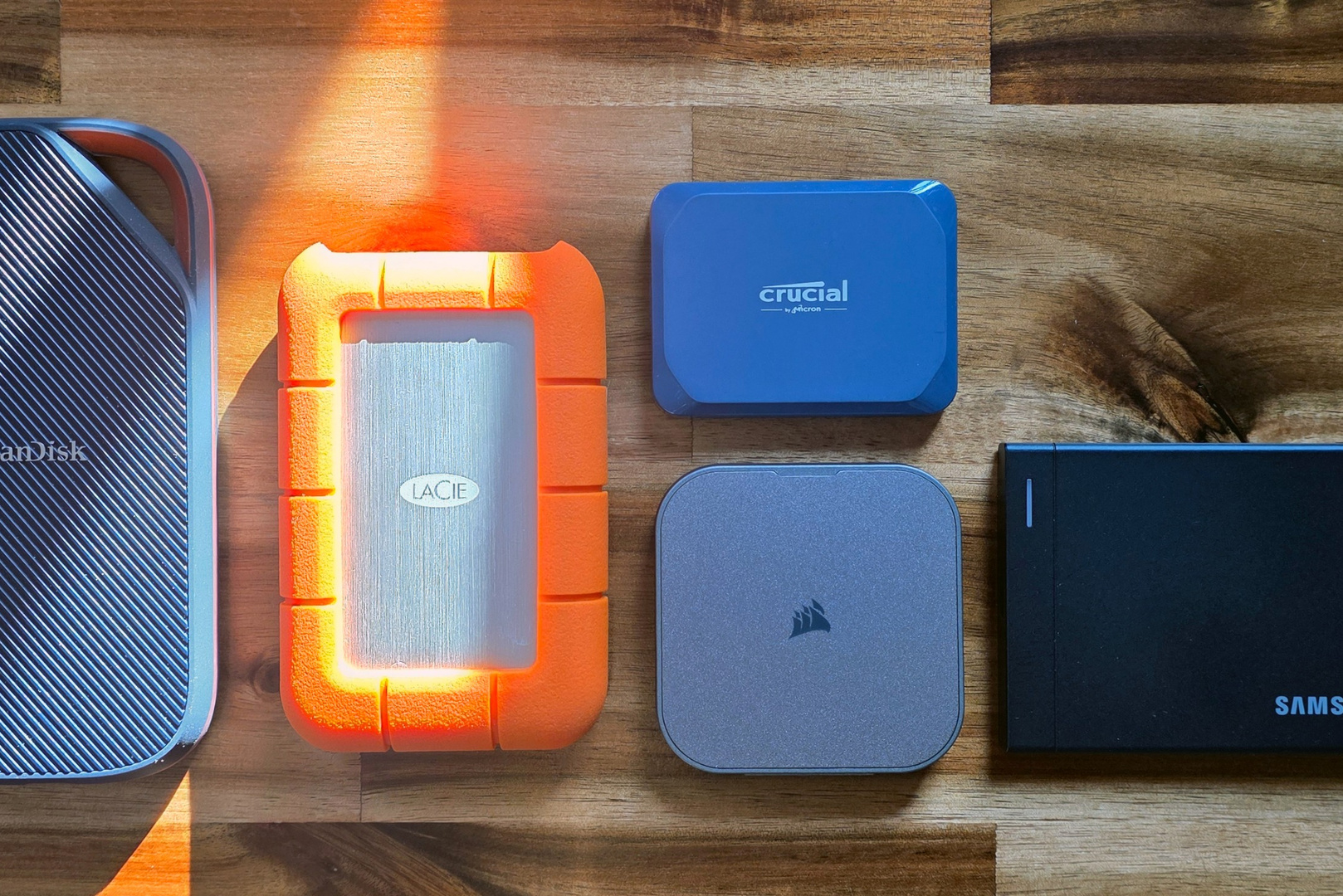
An external SSD is only as fast as the slowest link between the drive, the cable and your computer's port. A USB4 drive rated at 4,000 MB/s will deliver roughly 1,000 MB/s on a 10Gbps port, and a USB 3.2 Gen 2x2 drive can drop to 10Gbps even on a USB4 port. This guide explains which interface delivers what, so you only pay for speed your system can actually use.
Interfaces at a glance
| Interface (USB-IF name) | Link bandwidth | Practical SSD ceiling | Example drive |
|---|---|---|---|
| USB 3.2 Gen 2 (USB 10Gbps) | 10Gbps | about 1,000 MB/s (1,250 MB/s theoretical) | most mainstream portable SSDs |
| USB 3.2 Gen 2x2 (USB 20Gbps) | 20Gbps | about 2,000 MB/s | Crucial X10, up to 2,100 MB/s read |
| USB4 (USB 40Gbps) | 40Gbps | about 3,800 to 4,000 MB/s | Samsung P9, up to 4,000 MB/s read |
| Thunderbolt 4 | 40Gbps, at least 32Gbps PCIe | up to 3,000 MB/s per Intel's requirements | Thunderbolt enclosures and drives |
| USB4 Version 2.0 (USB 80Gbps) | 80Gbps | above USB4, controller-dependent | few models so far |
| Thunderbolt 5 | 80Gbps each way, up to 120Gbps transmit | above USB4, PCIe 4.0 | high-end pro drives |
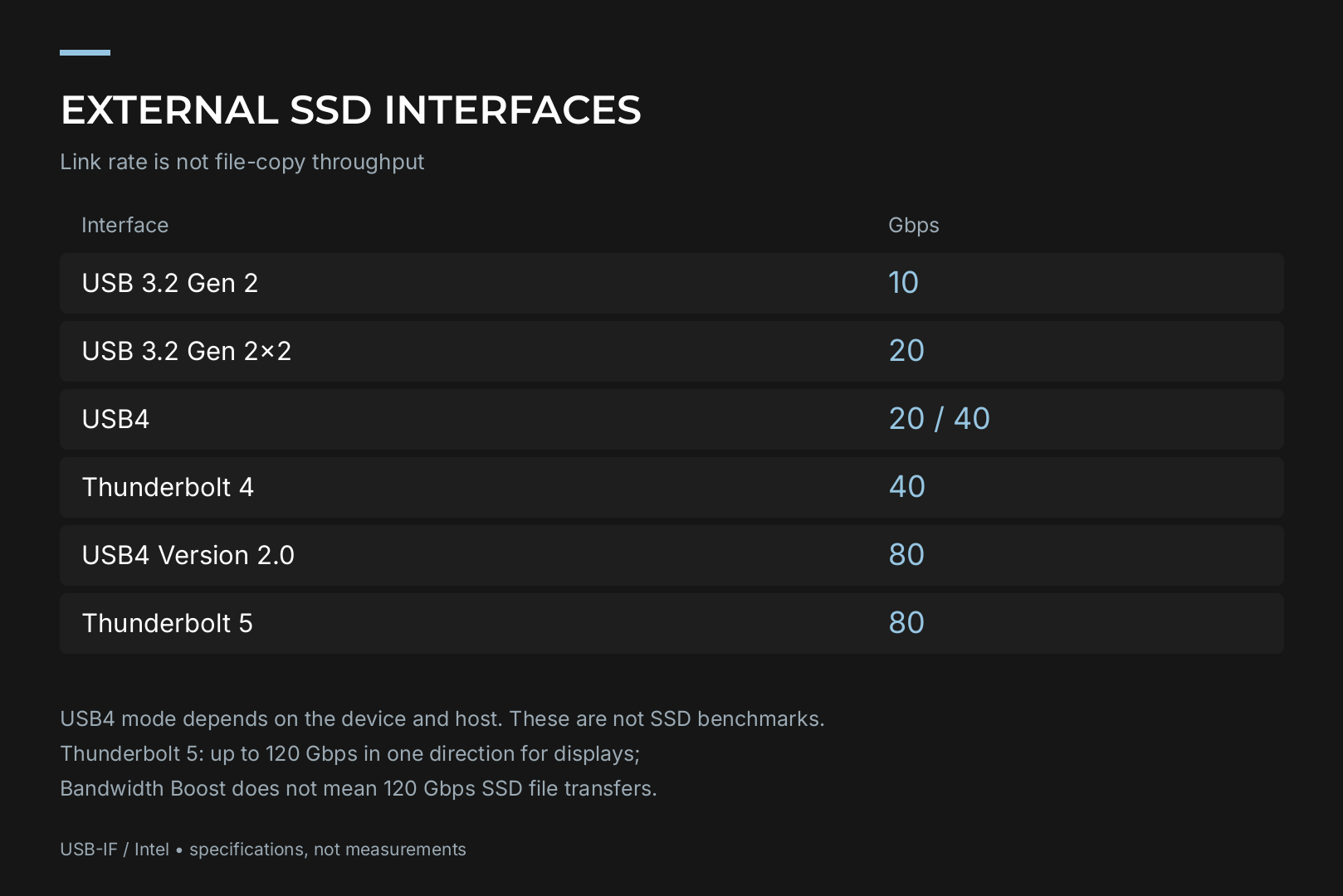
Each step up roughly doubles bandwidth, but only when both ends of the connection support it.
Start with your computer, not the drive
A USB-C connector tells you nothing about speed. The same-looking port can run anything from 5Gbps USB to 40Gbps USB4.
How to find out what you have:
- Check the motherboard or laptop manual. The I/O section lists each port's type, such as USB 10Gbps, USB4 or Thunderbolt.
- Look for markings next to the port. A lightning bolt means Thunderbolt; a number like 10, 20 or 40 shows the speed in Gbps.
- Remember front-panel ports. Their speed depends on which motherboard header the case cable is plugged into.
For context, Tom's Hardware rebuilt its external storage testbed around an AMD Ryzen 7600X and an ASUS ROG Crosshair X870E Hero specifically because it needed native USB4. On an older board without USB4, a USB4 drive still works, just in a slower compatibility mode.
Desktop owners without a fast port can add a USB4 or Thunderbolt expansion card, but compatibility is board-specific, so check the card maker's supported motherboard list first.
The USB 20Gbps trap
USB 3.2 Gen 2x2 looks like a sensible middle ground. In practice it causes the most confusion.
USB4 defines its own "up to 20Gbps" mode, and that mode is not compatible with USB 3.2 Gen 2x2 despite the identical headline number. USB4 hosts must support their own mode, while Gen 2x2 support is optional. The result: a 2x2 drive plugged into a USB4 port without 2x2 support falls back to 10Gbps.
Apple computers are the best-known case. Crucial states that Apple devices, including those with Thunderbolt and USB4, do not support USB 3.2 Gen 2x2 and are limited to 10Gbps. To reach the X10's rated speed, the host must be certified for the 20Gbps connection.
What this means for buyers:
- A 2x2 drive makes sense only if your Windows desktop or laptop has a confirmed USB 20Gbps port.
- If the drive will move between your PC, a Mac and other machines, USB4 is the more predictable choice because it is also compatible with Thunderbolt 3.
- Tom's Hardware notes in its Crucial X10 review that 2x2 ports never became particularly common.
USB4 vs Thunderbolt: what matters for storage
An NVMe drive inside an external enclosure talks to your computer over PCIe, so the key figure is how much bandwidth the interface reserves for PCIe traffic.
Thunderbolt 4 keeps the 40Gbps link of Thunderbolt 3 but raises the minimum PCIe data requirement from 16Gbps to 32Gbps, which Intel ties to storage speeds of up to 3,000 MB/s. Certification also requires support for two 4K displays or one 8K display and laptop charging on at least one port.
USB4 (40Gbps) is in the same class. Current USB4 drives such as the Samsung P9 are rated at 4,000 MB/s read, effectively the practical ceiling of the interface.
Thunderbolt 5, according to Intel's technology brief, runs at 80Gbps in both directions by default, using four 40Gbps lanes in pairs. When demanding displays are attached, Bandwidth Boost switches three lanes to transmit for up to 120Gbps one way, cutting receive to 40Gbps. For storage the more relevant change is PCIe: Thunderbolt 5 moves to PCIe 4.0 at 64Gbps, up from 32Gbps.
USB4 Version 2.0 (USB 80Gbps) doubles bandwidth to 80Gbps using PAM3 encoding and works over new 80Gbps active cables as well as existing 40Gbps passive cables.
For most people, a USB4 drive on a USB4 or Thunderbolt 4 port is the sweet spot today. Thunderbolt 5 pays off when both the computer and the workload, such as editing high-resolution footage directly from external storage, genuinely need more than 4,000 MB/s.
Case study: the Samsung P9
Samsung unveiled the P9 and P7 USB4 portable SSDs on 26 August 2026 at Gamescom in Cologne. The flagship P9 is rated at up to 4,000 MB/s sequential read and up to 3,800 MB/s write, in 1, 2, 4 and 8TB capacities; the 1TB model is rated slightly lower at 3,700 MB/s write. Samsung says it is roughly twice as fast as the previous generation and supports 12K direct recording.
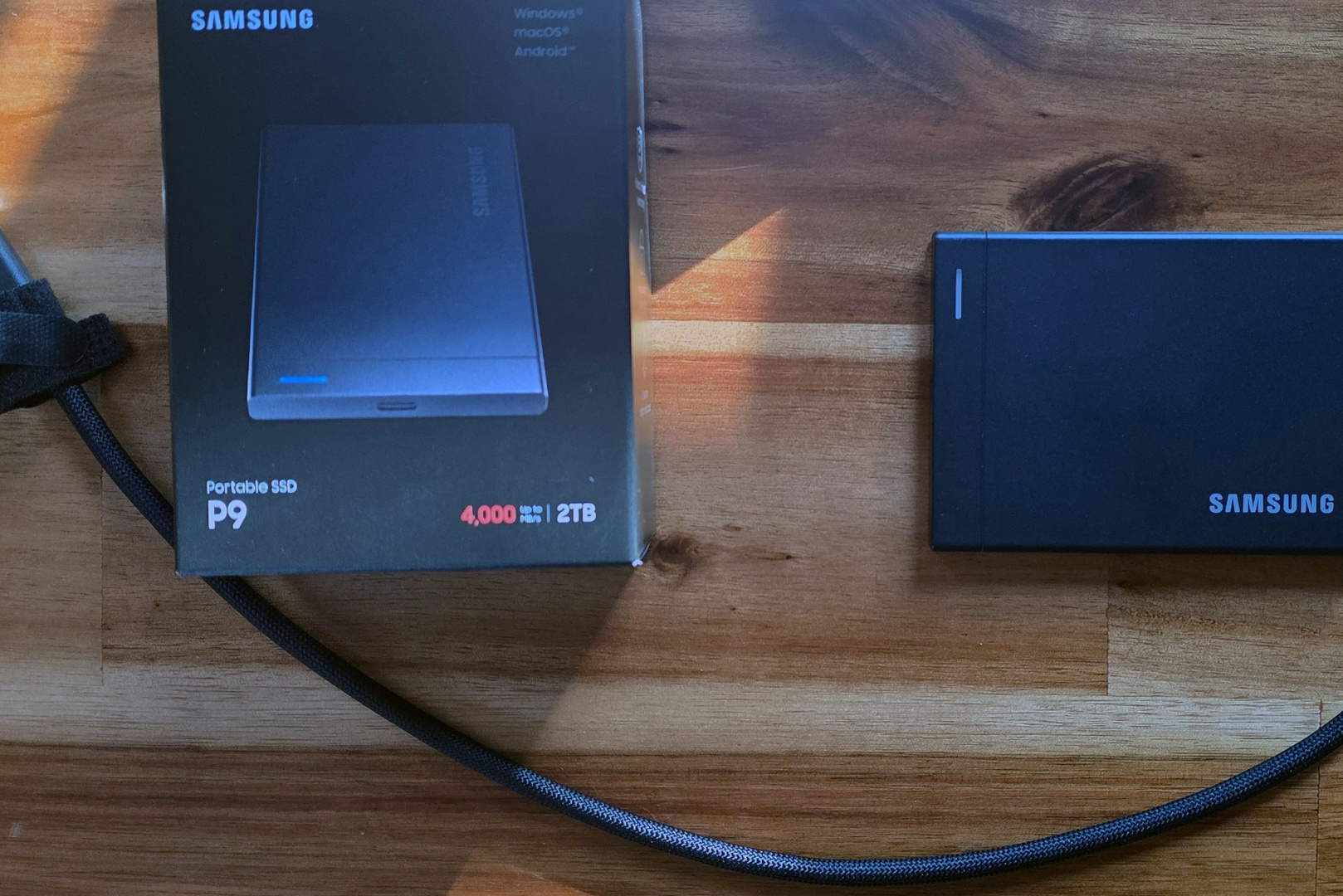
Other highlights from the Tom's Hardware review:
- a 0.3-inch-thick metal shell, versus 0.55 inches for the older T9;
- 256-bit hardware encryption;
- a five-year warranty and a 2-metre drop rating;
- a roughly 16-inch braided cable, long enough for desktop use.
In Tom's Hardware testing the P9 was the best USB4 drive the outlet had tested. It took first place for both reads and writes in CrystalDiskMark and led the write results in a real-world 50GB copy of 4,617 files. In the trace-based PCMark 10 storage test, however, it trailed USB4 drives from LaCie and Sandisk, a reminder that synthetic and real workloads can rank drives differently.
Guru3D adds an important caveat: the P9 needs a USB4 host for full speed and drops to the port's limit on 10Gbps or 20Gbps connections.
Why external SSDs cost more in 2026
Tom's Hardware attributes this year's higher prices to record demand for flash and RAM from AI hyperscalers. These are US prices at the time of the review, useful for comparing models rather than as local pricing:
| Model (2TB) | Interface | US price |
|---|---|---|
| Crucial X10 | USB 20Gbps | $399 |
| Sandisk Extreme Pro USB4 | USB4 | $549 |
| Samsung P9 | USB4 | $649.99 |
| Corsair EX400U | USB4 | $692 |
| LaCie Rugged SSD4 | USB4 | $750 to $800 |
For perspective, Corsair's 1TB EX400U launched at $119 in early 2025, while the 1TB P9 now lists at $339.99. Many of last year's models are also becoming hard to find in stock.
Pre-purchase checklist
- Port speed. Confirm it in the manual. A drive faster than your port is wasted money.
- Cable. Use the bundled one. A random USB-C cable may only run at 5Gbps or even USB 2.0 speeds.
- Workload. Backups and file transfers are fine at 10Gbps. Video editing from external storage benefits from USB4.
- Cross-platform use. If the drive will touch a Mac, choose USB4 or Thunderbolt over 2x2.
- Capacity pricing. Larger isn't always better value: the 8TB P9 lists at $2,879.99, nearly 8.5 times the 1TB model.
- Sustained writes. Rated write speeds hold until the fast cache fills. If you regularly copy hundreds of gigabytes at once, look for sustained-write test results, not just spec-sheet numbers.
External drive or internal NVMe?
For a game library and working files on a desktop PC, an internal NVMe SSD is almost always the better option: it connects directly to PCIe lanes, has no cable bottleneck and usually costs less per terabyte. Our guide on how to choose an SSD drive for your computer covers internal drives in detail.
An external SSD earns its place when data needs to travel: projects between studio and home, footage straight from a camera, or a backup you can take with you. In 2026 the most balanced setup for that is a USB4 port paired with a USB4 drive, with Thunderbolt 5 reserved for specific professional workloads.
Recommended

 Arabic
 English