We are ready to help
Custom PC in the UAE: How the Order Works, Lead Times and Budgets
Ordering a custom PC differs from buying a ready-made one in one important way: between payment and the computer arriving on your desk there is a project, with a specification, a production queue, testing and shipping. For most buyers this stretch looks like a closed box, and that is where unrealistic expectations about lead times come from.
This guide opens the box: every stage, what happens in it, how long it takes, what is required from you, and the exact moment after which configuration changes stop being free. Budgets are given as tiers in AED, with what each tier actually buys in 2026.
How the Order Works: Six Stages and Their Lead Times
A custom-built PC goes through six stages: the brief, configuration, quote and payment, production, testing and quality control, and finally packaging and delivery. A standard configuration takes 4 to 7 business days, while custom work extends this to 30 days or more.
| Stage | What happens | Typical lead time | What we need from you |
|---|---|---|---|
| 1. Brief | Tasks, budget, constraints, deadline | Same day | Answers to five to seven questions |
| 2. Configuration | Component selection and compatibility check | 1–2 days | Feedback on the options |
| 3. Quote and payment | Price lock and component reservation | 1 day | Approval and payment |
| 4. Production | Assembly, cable management, OS installation | 2–5 days standard, up to 30 days with custom work | Nothing |
| 5. Testing | Stress test, temperatures, noise, checklist | 1–2 days, longer with liquid cooling | Nothing |
| 6. Packaging and delivery | Internal fixation, shipping, handover | From 1 day within Dubai | Inspection on receipt |
Lead times are counted in business days and assume the components are in stock. A scarce part does not delay just its own stage but shifts the whole schedule, which is why this discussion belongs at stage two, not stage four.
Stage 1. The Brief and What You Will Be Asked
The purpose of the first conversation is to rule out unsuitable solutions before they reach the quote, not to sell you the most expensive option. The more precise your answers, the fewer rounds there will be later.
What we ask:
- Tasks in order of priority. Gaming, video editing, 3D, local AI models, databases. A rendering machine and a competitive shooter machine are designed with different logic, and there is no single optimum that suits everyone.
- Monitor resolution and refresh rate. For a gaming configuration, this is the most important input of all: 1080p at 240 Hz and 4K at 144 Hz require a different balance between the CPU and the graphics card.
- Actual software and projects. Source footage resolution for editing, scene size in 3D, model size for local AI. These figures determine the amount of RAM and VRAM.
- Budget and its flexibility. Not to spend the maximum, but to find the point at which extra dirhams stop buying extra performance.
- Physical constraints. Desk or cabinet dimensions, noise expectations, and whether the machine will be moved.
- Deadline and emirate. Delivery within Dubai and delivery to Abu Dhabi, Sharjah or Ras Al Khaimah are planned differently.
Prepare three things in advance: your list of tasks, your monitor model, and a clear answer on whether appearance is a separate requirement. That last point affects lead time more than any other decision.
Stage 2. Configuration and Compatibility Check
This is where tasks turn into a parts list, and where we check that the list will actually work. Compatibility is much broader than the socket and memory type.
What is checked:
- CPU and graphics card balance at the target resolution, so that neither sits idle while the other is saturated.
- Power supply wattage and standard, with headroom for the graphics card’s peak draw and the correct native connectors.
- Physical space: card length, cooler height, radiator depth and clearance to the drive cages.
- Thermal balance: total heat output versus what the case and the chosen cooling system can dissipate. In the UAE this deserves more attention than in cooler markets, because ambient heat uses up part of the headroom before the machine is even switched on.
- Memory profiles and motherboard firmware version for the chosen CPU.
- Acoustics: the noise level the chosen cooling will produce under sustained load.
You can prepare your own build and bring it to the discussion using the configurator: it prevents incompatible combinations and gives both sides a concrete starting point. For professional work, start from the workstations category, which follows a different selection logic.
At this stage, changes are free and immediate. After payment and component reservation they are still possible, but they require a new quote and a new deadline.
Stage 3. Quote, Payment and Component Reservation
The quote locks in the exact component models, the scope of work and the deadline, not just the price. It is the document both sides refer back to later, so it should not contain a line like “a graphics card of this class”.
What to check:
- Specific models, not classes. Two versions of the same card differ in cooling, dimensions and noise level.
- What the work includes. Operating system installation and setup, firmware updates, cable management and testing.
- Lead time in business days and the event it is counted from: payment or the arrival of the last component.
- Terms for scarce parts. What happens if a specific model does not arrive on time: waiting, a substitute, or a refund.
- Delivery to your emirate and who bears the risk in transit.
- Warranty terms for the whole system.
You can pay in full, after delivery, in interest-free instalments or with financing for up to 36 months, as described on the Instalments and Payment and Delivery pages. Once paid, the components are reserved for your project and removed from general stock, and the project is considered in progress.
Stage 4. Production
Production is the shortest stage for a standard machine and the longest for a custom one. The difference is fundamental: a standard project means fitting components into a factory-made case, while a custom project means working on the case itself.
A standard project, 2 to 5 days:
- Component installation, cooling assembly and thermal interface application.
- Cable management, as much for airflow as for looks, since temperatures depend on it.
- Motherboard firmware update, memory profile and fan curve configuration.
- Operating system and driver installation and setup.
- First power-on and connector check.
What a custom project adds:
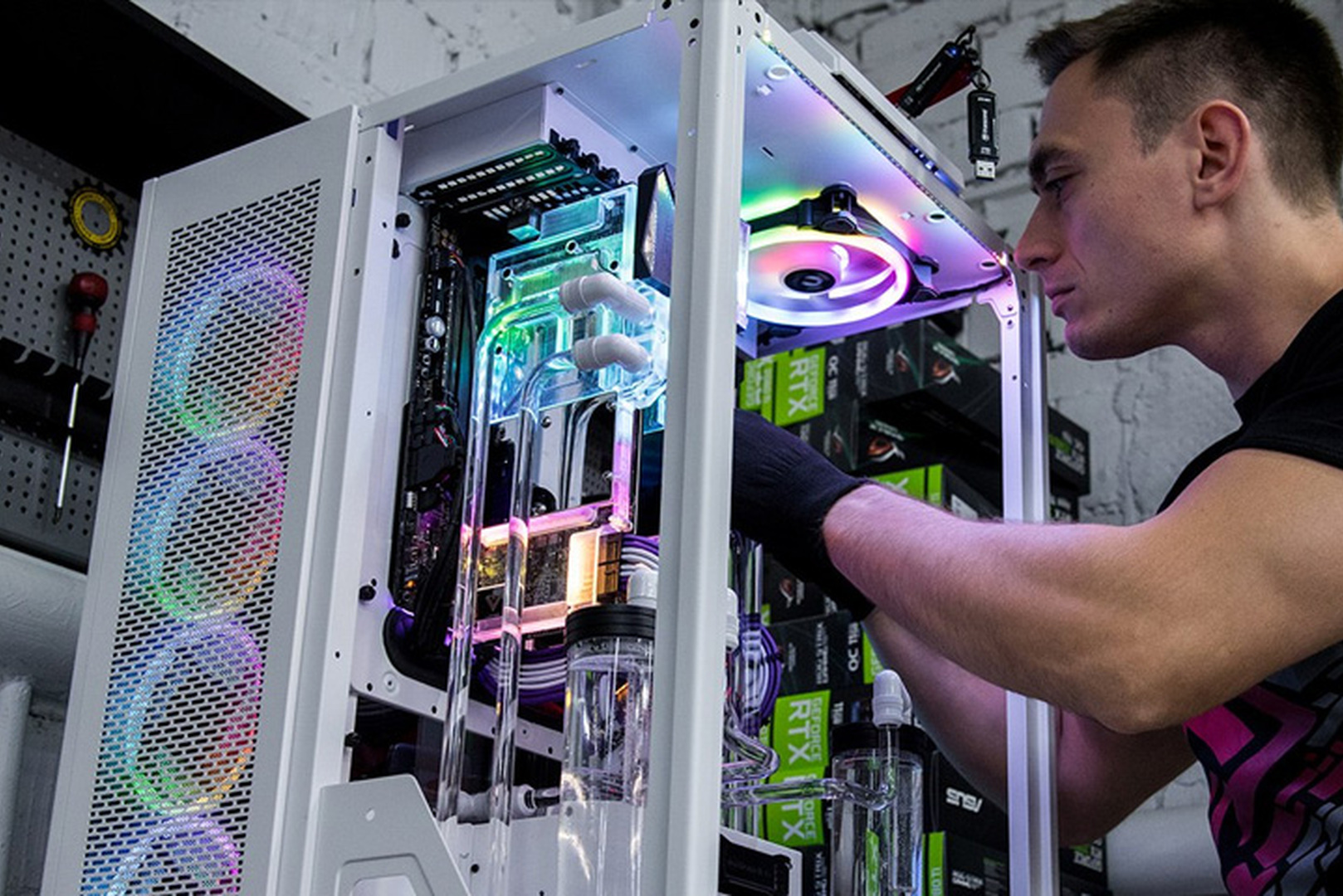
- Custom liquid cooling: loop preparation, hard tube bending and routing, and a leak pressure test before any power reaches the components.
- Case work: painting, vinyl wrapping, airbrushing, engraving, and modifying or replacing panels.
- Custom-made cables in the required length and colour.
Custom work is measured in weeks, not days: design takes one to four weeks, and production with a custom loop takes two to six weeks. What these projects involve from start to finish is shown in the CONCEPT atelier section, and the list of individual work is in the customization section.
Stage 5. Testing and Quality Control
Testing exists so that a component fails in the workshop, not at your home a week later. Most defects show up under sustained load, not at first power-on.
Every machine is built by a certified engineer and goes through a checklist of more than 40 points, followed by a two-hour stress test with temperature monitoring before shipping. In practice, this includes:
- CPU and graphics card stress test under sustained full load, with clock stability monitored throughout.
- Temperatures of all key components in steady state, not in the first few minutes.
- Memory test for errors with the performance profile enabled.
- Storage: speed check and error-free drives.
- Acoustics under load, because a quiet machine has to prove its quietness by measurement, not by promise.
- Loop pressure test for liquid-cooled systems, before power is connected.
- Connector and appearance check before packaging.
The results are recorded and handed over with the machine. This record stays useful: a year later, it tells you what the temperatures and clock speeds were on a healthy system, so diagnosing any change becomes straightforward.
Stage 6. Packaging, Delivery and Acceptance
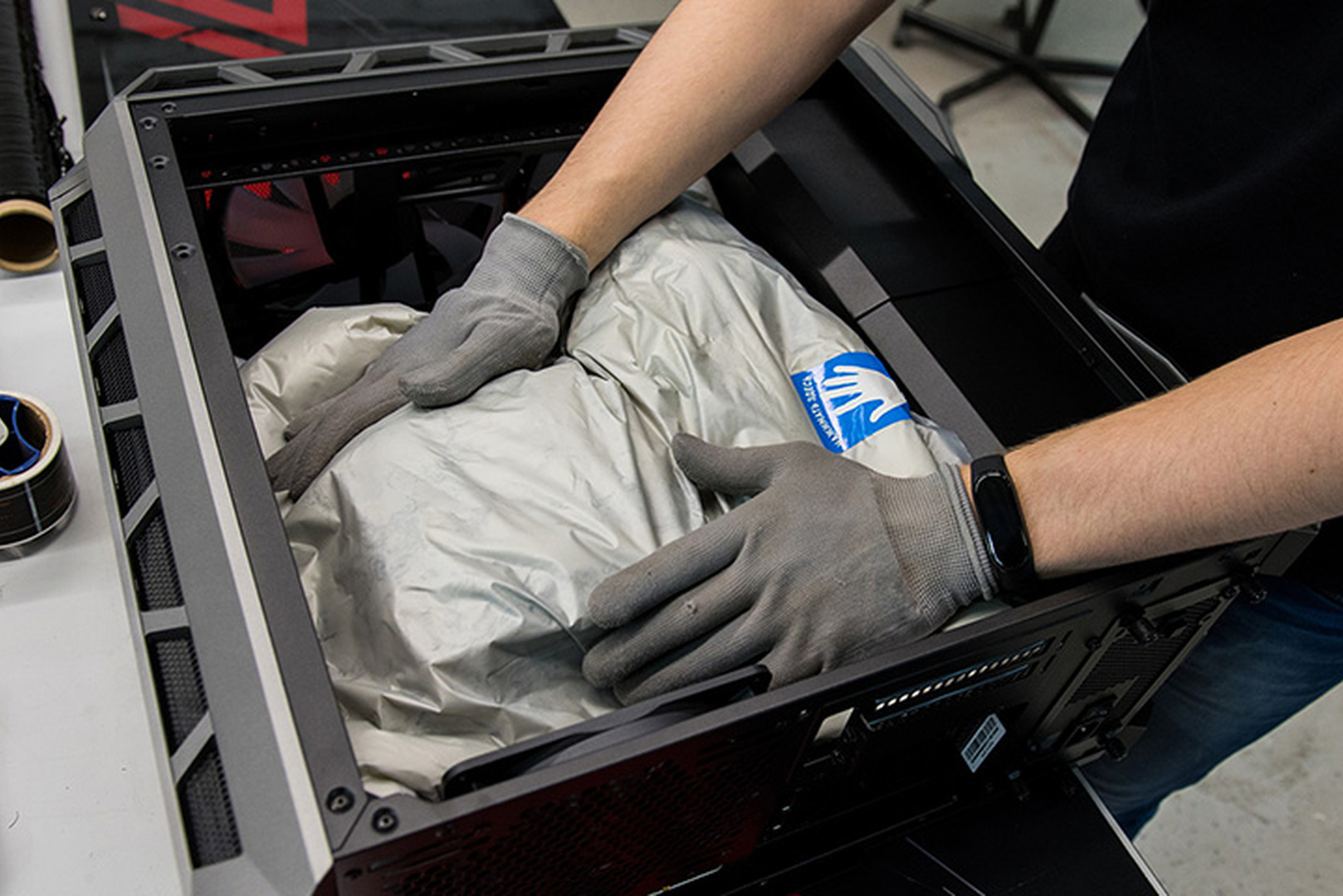
The real risk in transit is not a lost box but mechanical stress. A heavy graphics card and a large cooler act as levers when shaken and can damage the motherboard if the interior is not secured.
How this is handled:
- Internal fixation. Expanding foam fills the space inside the case and holds heavy components in place.
- External protection against impacts and moisture.
- Separate packaging for accessories and included cables.
What to do on receipt:
- Inspect the outer box before signing any document, and record any visible damage on the delivery note.
- Open the box and check the contents against the quote.
- Remove the internal fixation before the first power-on. This step is mandatory and the one most often forgotten.
- Power on and compare the configuration and temperatures with the test record: component models, memory capacity and temperatures.
- Try your real workload, not just a synthetic benchmark.
Budgets in the UAE: What Each Tier Buys
The budget determines the target resolution and the machine’s practical lifespan, not just the logo on the graphics card. The tiers below are indicative ranges in AED for 2026 and should be checked against current prices, as component costs moved significantly during the year.
| Tier | Indicative budget | Target | What it means in practice |
|---|---|---|---|
| Entry | About AED 5,000–8,000 | 1080p at 60–144 Hz | A current mid-range graphics card, 16–32 GB of memory, a single NVMe drive, air cooling |
| Mid-range | About AED 8,000–15,000 | 1440p at a high refresh rate | An upper mid-range card with 12–16 GB, 32 GB of memory, quiet cooling |
| High-end | About AED 15,000–25,000 | 4K or professional work | A top-tier card, 32–64 GB of memory, multiple drives, generous cooling headroom |
| Flagship and atelier | AED 25,000 and above | 4K at maximum settings, AI, rendering | Flagship components, custom liquid cooling, bespoke design work |
For reference, category pages on the site are priced in US dollars with payment in dirhams: the $5,000 gaming PC category, around AED 18,000 at current rates, sits in the upper part of the high-end tier.
A note specific to 2026: memory is no longer a cheap way to boost the spec. DDR5 prices rose sharply during 2025 and 2026, and 32 GB kits ranged from AED 1,900 to 2,600 in the UAE market, so memory capacity has become a real budget decision rather than a marginal item.
How Long the Whole Project Takes
Lead time follows the amount of custom work, not the machine’s power. A flagship configuration in a factory case ships faster than a mid-range machine with a custom cooling loop and paint.
| Project type | What is included | Indicative lead time |
|---|---|---|
| Standard configuration | Factory case, air cooling or a closed-loop liquid cooler | 4–7 business days |
| Configuration with custom work | Custom cables, cooling modifications, wrapping | Up to 30 days |
| Custom liquid cooling loop | Tube bending, pressure testing, extended validation | 4–8 weeks |
| Fully bespoke project | Design, painting, airbrushing, visual identity | 2–4 months |
Delivery is added on top: same day or next day within Dubai, longer to the other emirates. If the machine is needed by a specific date, allow two to three months for any work that touches the case. This is planning, not overcaution.
What Extends the Lead Time and What Does Not
Buyers often economise on things that do not affect the schedule and underestimate the things that really do.
Extends the project:
- Any work on the case. Painting and airbrushing need drying time that cannot be compressed.
- A custom cooling loop: bending, pressure testing and re-validation.
- Scarce components. In 2026 this was mainly memory, as the DDR5 market stayed tight and certain modules had to be waited for.
- Changes after the project starts. Replacing a reserved part means a new quote and a new deadline.
- Corporate approval cycles on the buyer’s side.
Does not extend the project:
- More powerful components of the same class, when in stock.
- More memory or storage, when available.
- Choosing a different factory case.
- Additional accessories.
Common Ordering Mistakes
- Describing hardware instead of tasks. A good brief says “1440p at 165 Hz plus 4K editing”, not a list of part numbers. Choosing components is the engineer’s job.
- Not mentioning the deadline. If the date matters, it belongs in the first conversation, together with the delivery address.
- Changing the configuration after reservation. It is technically possible, but it shifts the deadline and reopens the quote.
- Saving on the power supply and case. These two components determine the machine’s stability and quietness, and they outlast more than one generation of the other parts.
- Signing for delivery without inspecting the box.
- Forgetting to remove the internal fixation before the first power-on.
Warranty and Aftercare
A custom-built PC differs from a self-assembled one in that the warranty covers the whole system rather than each component separately. Identifying the part responsible for instability is the manufacturer’s problem, not the owner’s.
- A warranty on the whole system with a single point of contact instead of several manufacturers.
- The test record as a reference for the machine’s healthy state.
- Regular technical service: cleaning, fresh thermal interfaces and cooling maintenance. In the UAE climate this matters more than in most markets, because dust and heat shorten maintenance intervals.
- The Upgrade Center for later upgrades as your tasks grow.
Recommended
Frequently Asked Questions Here are the answers.
-
How long does it take to build a custom PC in the UAE?
A standard configuration takes 4 to 7 business days from payment when components are in stock, plus delivery: same day or next day within Dubai, longer to the other emirates. Custom work extends this to 30 days, a custom liquid cooling loop to 4–8 weeks, and a fully bespoke project to 2–4 months.
-
How much does a custom gaming PC cost in Dubai?
Indicative ranges for 2026: AED 5,000–8,000 for 1080p, AED 8,000–15,000 for high-refresh 1440p, AED 15,000–25,000 for 4K and professional work, and AED 25,000 and above for flagship and atelier projects. The final price depends on component availability on the day the quote is issued.
-
Why order a custom PC instead of buying the parts myself?
For three reasons: a compatibility check before anything is bought, a finished machine that passes a 40+ point checklist and a two-hour stress test with temperature monitoring, and a warranty covering the whole system. Buying parts separately leaves it up to you to identify the component causing instability.
-
Can I change the configuration after placing an order?
Before payment and component reservation, changes are free and do not affect the deadline. After reservation, a change is still possible but means a revised quote and a new lead time, especially if the new part has to be ordered in.
-
What testing does the PC go through before shipping?
Every system is built by a certified engineer to a checklist of more than 40 points and then undergoes a two-hour stress test with temperature monitoring. This includes a CPU and graphics card load test, steady-state temperatures, a memory error test, a storage check, a noise measurement and, for liquid-cooled systems, a loop pressure test.
-
How is the PC protected during delivery?
The space inside the case is filled with expanding foam that holds heavy components against vibration, with protection against impacts and moisture on the outside. The internal fixation must be removed before the first power-on.
-
What should I check when the computer arrives?
Inspect the box before signing, check the contents against the quote, remove the internal fixation, then power on and compare the configuration and temperatures with the test record. After that, try your real workload, not just a synthetic benchmark.
-
Can I pay in instalments?
Yes. Payment options include full payment, payment after delivery, interest-free instalments or financing for up to 36 months. The available terms are described in the Instalments section.
-
Do you deliver outside Dubai?
Yes, delivery covers the UAE. Cost and lead time depend on the emirate and are included in the quote on approval, so it helps to give the delivery address early.
-
Does the UAE climate affect the PC’s design?
It affects cooling design and maintenance intervals. Ambient heat uses up part of the thermal headroom, and fine dust loads filters and radiators faster, so a configuration for this market should have more cooling headroom and be serviced more often than the same machine in a cooler climate.

 Arabic
  English