We are ready to help you
How to Match a Graphics Card to a Processor: Debunking "Unlocking" Myths
Dispatcher and Artist: Who Does What
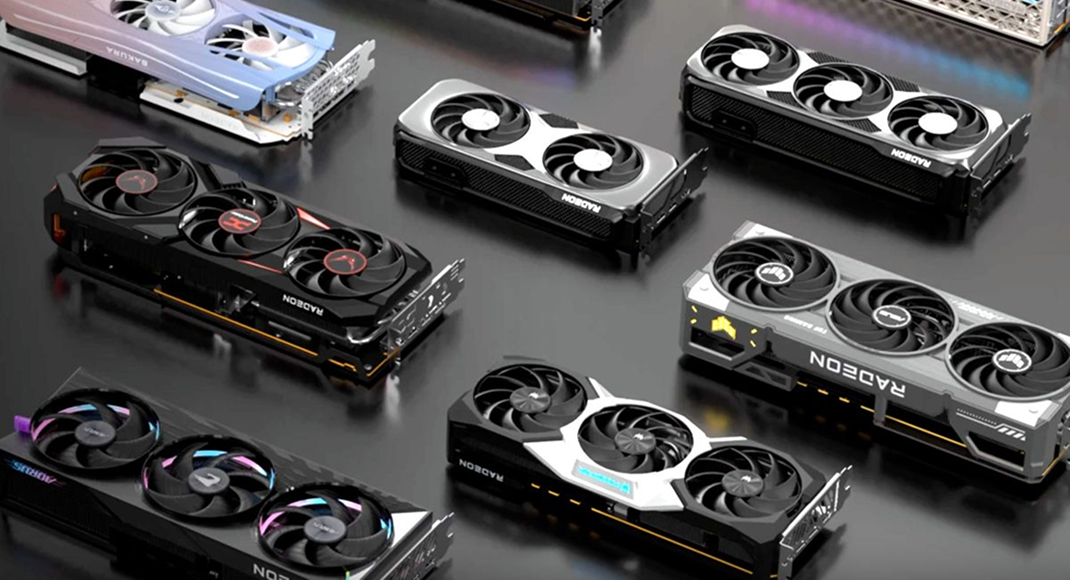
The processor (CPU) and graphics card (GPU) solve fundamentally different tasks. They are not two movers carrying one sofa together. They are a dispatcher and an artist.
What the CPU Is Responsible For (Dispatcher)
- It is the brain of the computer. In games, it handles logic and math:
- Physics and logic: calculates object trajectories and machine behavior.
- Artificial intelligence: decides where an NPC will run and how it will react to the player.
- Draw Calls: This is the most important part. The CPU gathers scene data and sends the graphics card a command list: "I calculated everything, now draw it beautifully!"
What the GPU Is Responsible For (Artist)
- The graphics card is a powerful visual workshop. After receiving commands, it performs rendering:
- Textures and geometry: applies surfaces to polygon meshes.
- Lighting and effects: calculates shadows, reflections, and global illumination (including hardware ray tracing).
- Post-processing: uses AI algorithms (DLSS 4.0 / FSR 4.0) for image upscaling and intermediate frame generation.
What Is a Bottleneck
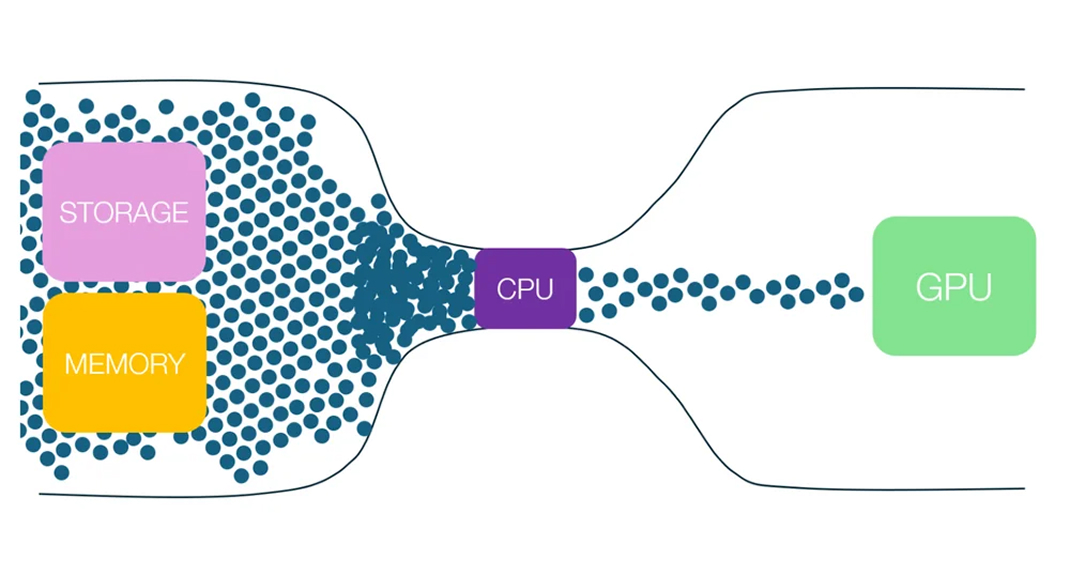
Imagine a conveyor line. The CPU puts an empty box on the belt, and the GPU paints it.
GPU-Bound Scenario (Normal)
The CPU can prepare 200 boxes per second, but the GPU is drawing complex 4K graphics and can paint only 60. The processor is resting, and the graphics card is loaded at 100%. This is the ideal scenario for single-player games - you get maximum visual quality.
CPU-Bound Scenario (Bottleneck)
You have an old CPU and a flagship RTX 5090. The processor can barely prepare 40 boxes per second. The powerful graphics card sits idle waiting for work. Result: low and unstable FPS with micro-stutters, even at minimum graphics settings.
The Myth of "Unlocking" a Graphics Card
The concept of "unlocking" is fundamentally incorrect. System balance always depends on monitor resolution and game type.
Full HD (1080p)
GPU load is low. To get 300+ FPS, you need a top-tier CPU capable of issuing 300 draw commands every second. CPU bottlenecks often happen here.
Ultra HD (4K)
In this mode, it is extremely hard for the graphics card to render a frame. Even if it outputs 80 FPS, any modern mid-range CPU can prepare those 80 frames. In 4K, CPU requirements are lower.
2026 technologies: With the development of Frame Generation, the graphics card learned to create intermediate frames on its own. This allows comfortable FPS even on mid-range processors, without overpaying for flagship CPUs.
CPU and GPU Balance Table (Relevant for 2026)
For balanced builds, HYPERPC engineers prepared an up-to-date pairing grid for different tasks.
| System Level | Graphics Card (GPU) | Optimal Processor (CPU) | Main Goal |
|---|---|---|---|
| Ultimate | NVIDIA RTX 5090 / RX 8900 XTX | Core i9-14900K / Ryzen 9 9950X3D | 4K-8K Gaming, VR, Rendering |
| High-End | NVIDIA RTX 5080 / RX 8800 XT | Core i7-14700K / Ryzen 7 9800X3D | 4K and 2K High-FPS (144+ Hz) |
| Optimal | NVIDIA RTX 5070 / RX 8700 XT | Core i5-14600K / Ryzen 7 9700X | Comfortable 2K gaming |
| Base | NVIDIA RTX 5060 / RX 8600 | Core i5-13400 / Ryzen 5 7600 | 1080p at ultra settings |
HYPERPC Computers
Choosing the perfect balance is an art. You need to account for PCIe 5.0 bandwidth, RAM speed, and cooling capabilities.
If you do not want to take risks and face a bottleneck, trust professionals with this task. Every HYPERPC computer is the result of many years of testing experience. Our experts selected pairings so you get maximum return from each component without overpaying for excessive power.

 Arabic
  English