Custom water cooled gaming PCs
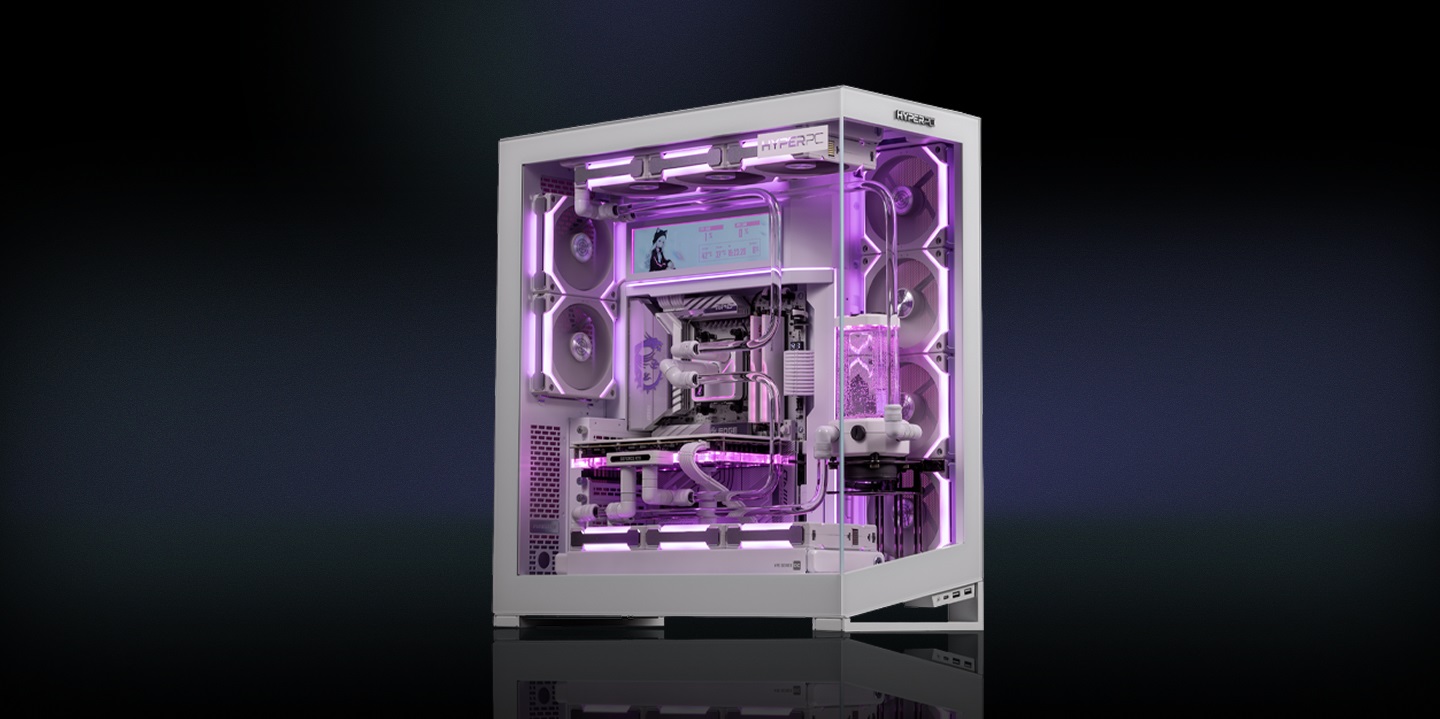
Custom water cooled gaming PCs
Custom loop versus an all in one unit
The key differences in cooling, noise, maintenance and future upgrades.
| Parameter | All in one unit | Custom loop |
|---|---|---|
| What it cools | Processor, occasionally the GPU separately | Processor and graphics card in one loop |
| GPU under sustained load | 70 to 80 degrees | 50 to 60 degrees |
| Noise | Audible at high fan speeds | Lower, fans run slowly across large radiators |
| Behaviour in a warm room | Less headroom | More thermal mass, more headroom |
| Maintenance | None | Coolant change and flush about once a year |
| GPU upgrade | Simple | Needs a water block for the new model |
How a custom loop works
Every component is designed as part of one cooling system for the selected configuration.
CPU and GPU
One loop cools both the processor and the graphics card.
Large radiator area
Radiator area is two to three times larger than in an all in one unit.
Lower fan speeds
Fans run slowly because they do not need to compensate for a lack of thermal mass.
Pressure tested
Every machine is pressure tested before shipping and the report ships with it.
A custom water cooled gaming PC for the UAE
A custom loop is not a bigger all in one cooler. It is a different cooling principle.
Why this matters more in the UAE
Indoor ambient temperature here sits above what most published thermal testing assumes. Every cooling system loses headroom as ambient rises, and the loss shows up first on the graphics card. A loop with large radiator area absorbs that difference: the card holds 50 to 60 degrees under sustained load instead of 70 to 80, and clocks stay stable into the third hour of a session.
Noise
The drop in noise is more noticeable than the drop in temperature. The main sound source in a powerful machine is the graphics card fan set spinning up. Under a water block that fan set does not exist.
When a loop is not worth it
If the machine sits under a desk, runs two hours a day and uses a mid range graphics card, you will not feel the difference. A custom loop earns its cost on flagship cards, long sessions, quiet requirements and machines that are on display.
Maintenance
Once a year: drain, flush, refill and check fittings. All in one units need nothing; a loop needs attention. Service is arranged through the HYPERPC service centre, with collection and return for customers across the Emirates.
Three years on the complete system, loop included. Every machine is pressure tested before shipping and the report ships with it. A self built loop carries no such warranty from any component vendor.
Frequently asked questions about custom water cooling.
-
How much cooler is a custom loop?
The clearest difference is on the graphics card: roughly 50 to 60 degrees against 70 to 80 under sustained load. On the processor the gap is usually 5 to 10 degrees.
-
Can a loop leak?
The risk exists, which is why every machine is pressure tested before shipping and fittings are matched to the routing. Annual service includes a full inspection.
-
How often does it need service?
About once a year: coolant change and flush. The interval depends on coolant type and how hard the machine runs.
-
What happens when I upgrade the graphics card?
The water block is replaced with one made for the new model. This is planned service centre work.
-
Hard tubes or soft tubes?
Hard tubes look cleaner and suit designed routing. Soft tubes are simpler to service and cost less. Temperatures are effectively the same.
-
Does the graphics card keep its warranty under a water block?
HYPERPC warrants the complete system for three years. That is why the block is fitted by us rather than by the customer.
Choose a custom water cooled PC
Tell us about the workload, the graphics card you want and your priorities for noise and appearance. We will propose a configuration and a cooling-loop layout.
Choose a Configuration Arabic
 English