We are ready to help you
The necessity of PC maintenance: when and why
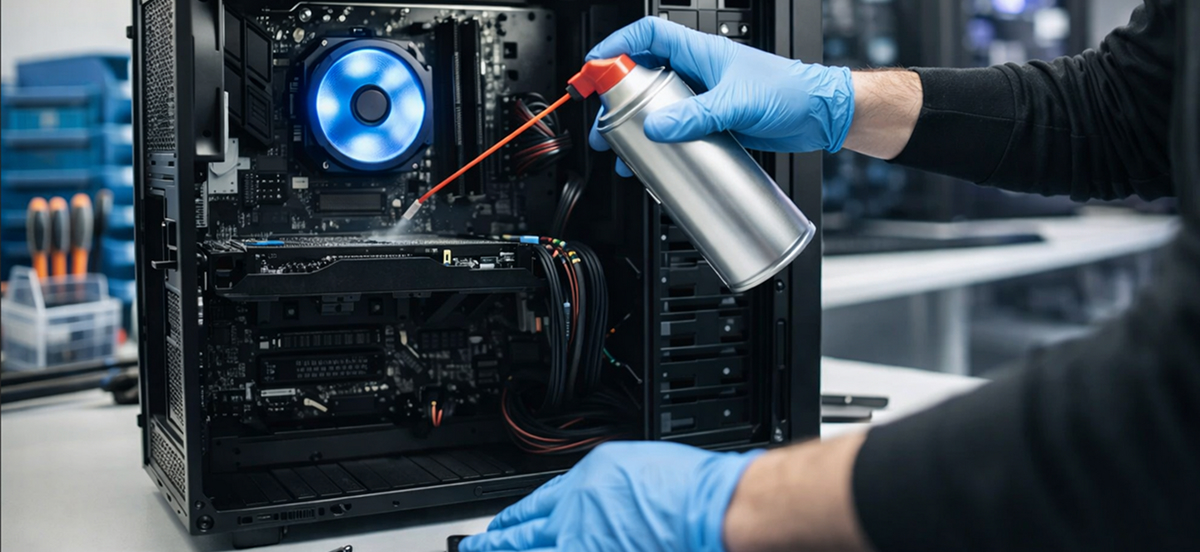
A modern computer is a complex ecosystem that requires regular attention. The need for PC maintenance is due to the fact that even top-tier components wear out over time, collect dust, and encounter software failures.
Technical care is not just a whim, but mandatory prevention that ensures your system runs at peak performance for years. If service is not done on time, any minor issue can grow into a critical failure.
Why computer maintenance is needed
Any maintenance is aimed at minimizing risks. If you do not know why regular cleaning of a pc is necessary, it is important to understand the physics of the process. Dust acts as thermal insulation, and dried thermal pads stop removing heat. As a result, the system unit turns into an oven.
Extending component lifespan
The lifespan of electronics directly depends on operating conditions. Each component (motherboard, RAM, hard drive) has its own temperature limit. Timely cleaning and monitoring of part condition increase durability. If temperature stays within normal range, hardware service life increases significantly.
Preventing breakdowns and failures
Preventing critical situations is the main goal of preventive maintenance. Failures rarely happen suddenly; they are usually preceded by slowdowns, freezes, or system errors. Scheduled inspections, cable checks, and monitoring the state of HDD prevent unexpected repairs.
Reducing overheating and throttling risk
Reducing thermal load protects the processor. When temperature reaches the limit, processor throttling activates as a protective slowdown. Throttling causes FPS in games to drop sharply. If cooling is not updated and maintenance is skipped, overheating can damage the CPU die.
Improving performance and stability
Stability and performance depend on clean contacts and up-to-date software. Better heat dissipation restores speed. Increased system responsiveness is noticeable right after consumables are replaced and a preventive BIOS check is performed.
When to perform PC maintenance
Maintenance should not be postponed until the PC stops turning on. There is a clear action plan.
Regular scheduled maintenance
A scheduled inspection should be done every six months. Regular service includes dust removal and checking how each cooler spins. This is basic prevention.
Maintenance when overheating signs appear
If the system starts making noise and the fan hums at maximum speed, this is a warning. Any component can overheat. As soon as CPU or GPU temperature goes above 80 degrees, urgent cleaning and inspection are required.
Maintenance after upgrade or component replacement
Any upgrade interferes with system balance. Maintenance after an upgrade or component replacement is needed so the new part integrates correctly. An upgrade requires proper power delivery and correct component detection by the system. Replacing parts should always be followed by tests.
Maintenance before important tasks (gaming, rendering, streaming)
Heavy gaming or video rendering puts stress on all hardware. Inspection before such tasks is mandatory. If the graphics card is not serviced, FPS will drop. Preparation improves energy balance and power efficiency.
What is included in PC maintenance
High-quality service is a comprehensive refinement and modernization of the approach to equipment care.
- Dust cleaning: The case and coolers are cleaned with compressed air. The power supply is blown out separately because its cooler collects the most dirt. The motherboard and graphics card are cleaned with a soft brush to avoid damaging small elements.
- Software update and verification: BIOS (unified extensible firmware interface) or UEFI firmware updates fix bugs. Drivers should be updated so the graphics card and memory subsystem work without conflicts. Monitoring reveals where errors are hidden.
- Thermal paste check and replacement: Replacing thermal paste on CPU and GPU is a critically important step. Over time, old paste hardens. Worn thermal pads on memory chips and in the VRM area should also be replaced.
- Checking cables, connectors and power supply: The stability of power delivery defines the health of the PC. Connector checks, each wire, and cable management guarantee that connectors do not melt.
- Diagnostics and component testing: Stress testing of the processor and graphics accelerator reveals throttling. Test checks of memory (RAM) and storage (SSD and HDD) show actual wear levels.
PC maintenance for different usage scenarios
The maintenance approach depends on workloads.
Maintenance for gamers
A gaming PC operates at the limit. The graphics card and processor require better cooling. Here, interface replacement and checks to ensure the fan is not clogged are performed more often. Any game is sensitive to throttling.
Maintenance for workstations
Rendering workstations require exceptional reliability. A memory error or SSD failure is unacceptable. Maintenance is targeted: memory testing and disk array checks (drives).
Maintenance for a home computer
A home computer or laptop needs basic care. Prevention includes blow-out cleaning, monitoring how Windows performs, and removing junk files. Thermal interface replacement is needed less often here.
How often to perform PC maintenance
The frequency of cleaning and checking the system depends on room conditions (whether it is Moscow or a dusty suburb).
Monthly maintenance
Once a month, intake filters should be cleaned. The case should be wiped externally. Software cleanup and free space monitoring on SSD are also monthly routine tasks.
Quarterly maintenance
Deep cleaning is performed every three months. Each fan and cooler is blown out. Temperature is checked, and throttling is monitored.
Annual maintenance
Once a year, a full disassembly is performed. All thermal interfaces are replaced (apply new paste to chips), and pads are changed. BIOS update and full verification of each cable and unit are performed.
Maintenance after component upgrade
When doing an upgrade, always check whether PSU power is sufficient. The new component and old system should pass a joint stress test.
DIY maintenance mistakes and risks
Self-cleaning and maintenance can lead to trouble if nuances are unknown.
Component damage from dust or static
An accidental static discharge can kill memory or the motherboard. Dust pushed deep into a connector can cause a short circuit.
Incorrect thermal paste application
If thermal paste is applied too thickly, cooling gets worse. The interface should be replaced with a thin layer. Otherwise, overheating and throttling are inevitable.
Mistakes during BIOS update
If power is lost during a BIOS update, the motherboard can become unusable. This should be done through an uninterruptible power supply (UPS). Any mistake here is fatal.
Overheating due to incorrect assembly
A poorly fixed cooler or a forgotten fan power cable will instantly cause throttling. A graphics card with a misaligned heatsink can fail within minutes.
Customer reviews
Users in Moscow note that regular prevention and upgrade save tens of thousands of rubles. Service clients confirm: after cleaning, paste replacement, and inspection, an old PC gets a second life, and throttling disappears completely.
Conclusion: Taking care of your computer
The need for PC maintenance is an axiom for any user. Regular cleaning, monitoring so the graphics card and processor do not overheat, timely replacement of consumables, and a proper upgrade all guarantee long system life. High-quality service, error checks, stable power delivery, and attention to detail (every cable, every cooler, clean BIOS and RAM) turn fragile electronics into a reliable tool. Do not wait for a breakdown, perform maintenance on time!
Frequently asked questions We prepared answers.
-
How do I know it is time for cleaning?
If the computer gets noisy and the fan runs at full wear even without load, this is a clear sign. Utility checks will show that temperature has increased.
-
Can I use a vacuum cleaner?
No, a household vacuum cleaner accumulates static electricity. Cleaning should be done with compressed air or a specialized air blower.
-
Is thermal paste replacement required every year?
For high-performance gaming systems, yes. For office PCs, paste replacement is acceptable once every 2-3 years. Monitoring indicators will suggest the exact moment.

 Arabic
  English