We are ready to help you
How to choose a server for video surveillance: Architecture and sizing in 2026
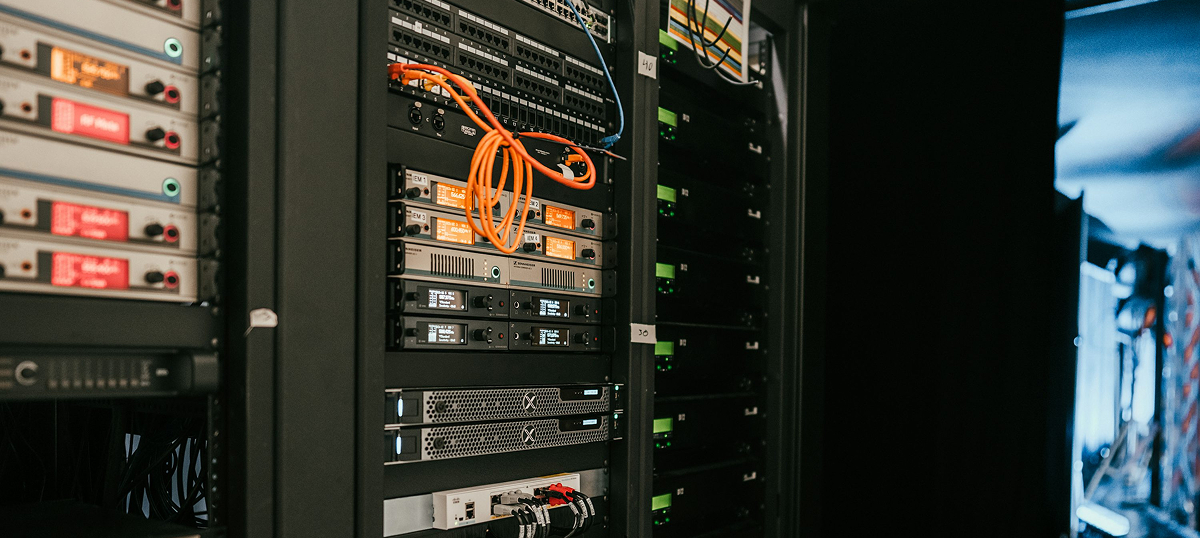
Video management systems (VMS) in 2026 have fully moved from simple event recording to hard disk toward complex real-time AI analytics. A modern server for IP cameras is a compute node capable of recognizing faces, vehicle license plates, and abandoned objects in ultra-high resolution 4K and 8K. A mistake in storage subsystem or network interface design can lead to catastrophic archive loss and missing critical security incidents. Correct server component selection guarantees continuous recording without Frame Drop in 24/7/365 mode.
Key takeaways:
- Video surveillance server load consists 95% of continuous sequential recording (Sequential Write), so streaming HDD mechanics matter more than NVMe disk IOPS.
- Intelligent video analytics (face recognition, object tracking) requires mandatory tensor GPU accelerators, because CPU cannot handle streaming decoding of hundreds of streams.
- For video archive storage, specialized Surveillance-class hard drives (WD Purple Pro, Seagate SkyHawk AI) with firmware supporting streaming commands (ATA Streaming) are strictly recommended.
- Server network infrastructure (NIC) throughput should be designed with at least 40% headroom to avoid packet drops during sudden bitrate spikes.
VMS platform workload specifics
The key feature of a video surveillance server is extreme and continuous load from constant recording of heavy multimedia files. Unlike corporate databases where random reads of small blocks dominate, a VMS system writes huge volumes strictly sequentially. If disk controller cache overflows or storage cannot accept the stream fast enough, the video recorder starts irreversibly losing full seconds of footage.
Processor (CPU) and hardware decoding
Central processor selection is determined by the number of connected cameras and video hardware compression format (H.265 or the latest codec H.266/VVC). Basic sizing rule for 2026: for every 50 digital 4K cameras, at least 8 physical cores with clock frequency from 3.0 GHz are required. Integrated graphics core support (for example, Intel Quick Sync Video technology) dramatically accelerates stream decoding without loading main CPU compute cores.
Graphics cards (GPU) for AI analytics
Flagship VMS platforms (Trassir, Milestone, Axxon Next) widely use neural networks for detecting complex scenarios and cross-camera people search by clothing color or biometrics. Server CPU is physically unable to process machine vision algorithms across hundreds of parallel video streams. To run analytics, the server must include specialized graphics accelerators such as NVIDIA L4 or RTX 6000 Ada Generation.
"In 2026, a corporate video surveillance server without a GPU accelerator is just a very expensive flash drive. Artificial intelligence requires tensor matrix computation; trying to run biometric face analytics on CPU will push server load to 100% already at 15 cameras."
Storage subsystem: Capacity vs IOPS
Despite total NVMe dominance in the enterprise segment, helium hard drives (HDD) with capacity from 24 to 30 Terabytes are still used for video archives. Solid-state drives (SSD) are used only for operating system installation, paging files, and storage of operational AI metadata database. Use of regular desktop hard drives is strictly prohibited: they fail in 3-4 months due to head overheating under 24/7 rewrite load.
Comparison table: Storage selection for a VMS server
To ensure fault tolerance, surveillance disks are always combined into hardware arrays. For servers up to 8 drives, RAID 5 remains the optimal choice. With 10 or more drives installed, switching to RAID 6 is mandatory, as it can survive simultaneous failure of two hard drives without losing video archive.
| RAID level | Number of drives | Purpose |
|---|---|---|
| RAID 5 | Up to 8 drives | RAID 5 remains the optimal array choice |
| RAID 6 | From 10 drives and more | Switching to RAID 6 is mandatory, because it can survive simultaneous failure of two hard drives without archive loss |
Server network infrastructure
Each modern outdoor 4K IP camera generates a stable video stream with bitrate from 8 to 15 Mbit/s. A server handling 200 such cameras continuously receives incoming traffic around 3 Gbit/s, which physically excludes use of a single standard gigabit port. Standard for such nodes is link aggregation (LACP protocol) through multiple 10GbE SFP+ network interfaces for traffic balancing and protection against optical link failure.
Practical sizing and archive calculation
Physical archive size is always calculated by a strict mathematical formula: Stream bitrate × Number of IP cameras × Archive retention time (in seconds).
For example, for a site with 100 cameras (bitrate 10 Mbit/s) and strict archive depth requirement of 30 days, you will need a usable array capacity of about 330 Terabytes. This massive volume is distributed across 16 helium hard drives of 24 TB, combined through a hardware controller with 4 GB onboard cache memory.
Conclusion
Choosing a server for video surveillance systems in 2026 is based on correct balance between network throughput, disk cache capacity, and tensor performance. Standard corporate servers or cheap consumer NVR units cannot satisfy requirements of multichannel AI analytics. To build a fault-tolerant security system, you need to invest in hardware RAID controllers, specialized Surveillance drives, and graphics accelerators that guarantee data integrity even under peak loads and hardware failures.
Still have questions? We prepared answers.
-
Can enterprise video archive be stored in cloud (VSaaS) instead of buying a server?
Cloud video surveillance works great for small business (cafes, small offices up to 10 cameras). However, for enterprises with 100+ high-resolution cameras, internet channel bandwidth becomes a bottleneck, and cloud storage rental cost exceeds physical server price within half a year.
-
What RAM volume is needed for a video surveillance server?
Video recording itself does not require huge RAM volumes. For a 200-camera server without heavy AI analytics, 64 GB DDR5 ECC is usually sufficient. Larger volumes (from 256 GB) are needed only when running heavy face recognition modules to cache biometric vectors.
-
Why not use software arrays like ZFS or Storage Spaces for archive?
Software arrays create high computational load on CPU for checksum calculation during writes. In video surveillance systems, CPU should remain free for handling incoming streams and routing, so use of independent hardware RAID controllers with BBU battery remains the gold standard.

 Arabic
  English