We are ready to help you
PSU Power Calculator: How to Determine How Many Watts Your PC Needs
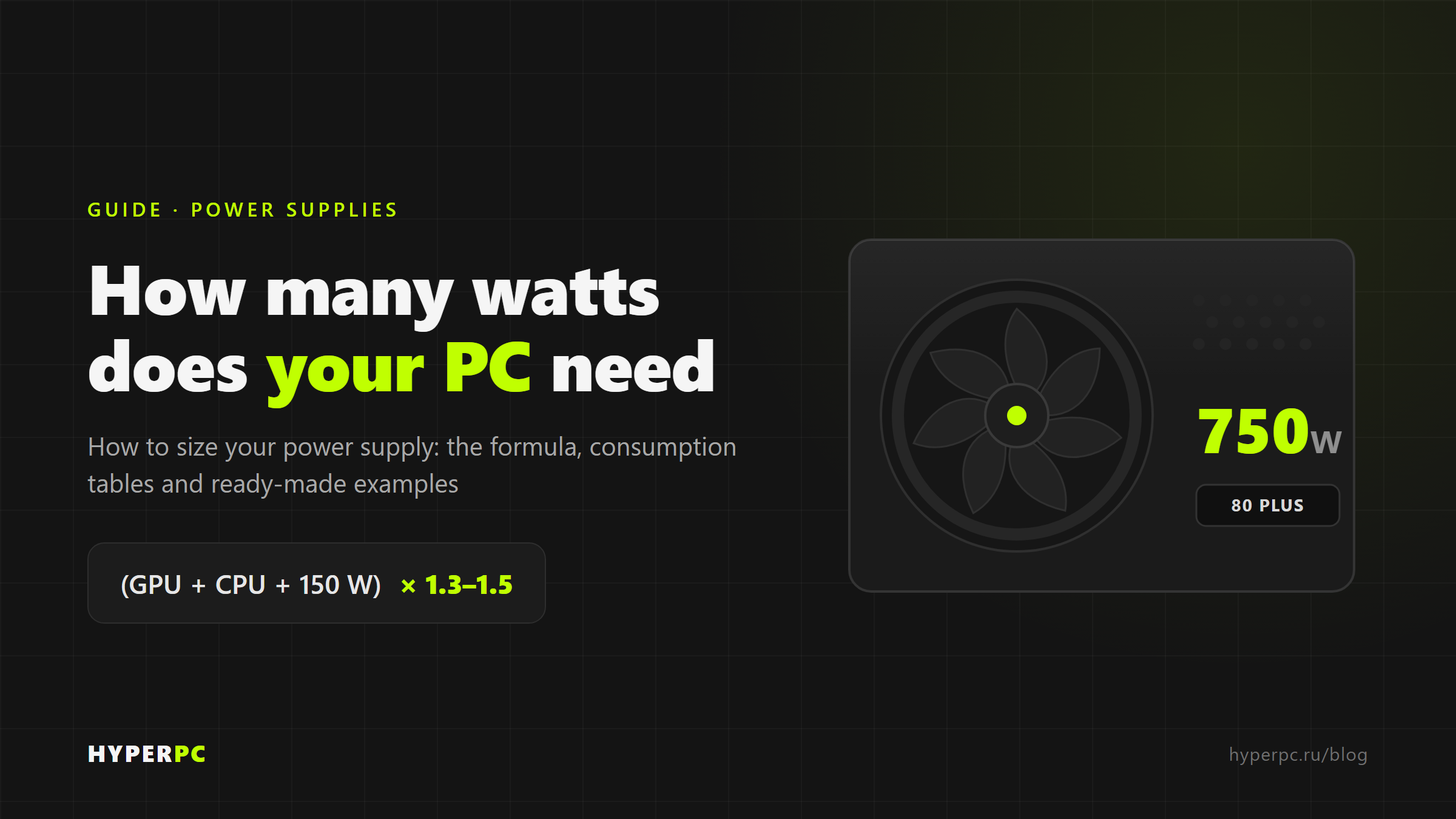
To determine the required PSU power, add up the peak consumption of all components (primarily the video card and processor) and add a margin of 30–50%.
At a glance: calculate PSU wattage in three steps
- Add up the consumption of key components? the graphics card (TGP) and CPU (TDP) account for 80?90% of the total load. Add roughly 100?150 W for the motherboard, memory, storage and fans.
- Add a margin of 30–50%.A PSU is most efficient and quiet at 50?80% of its rated capacity. Headroom also covers transient spikes and future upgrades.
- Round up to the next standard wattage? 550, 650, 750, 850, 1000 or 1200 W.
Formula:PSU wattage = (graphics-card TGP + CPU TDP + 150 W for everything else) ? 1.3?1.5
Example:250 W graphics card + 125 W CPU + 150 W = 525 W ? 1.4 ?750 W.
PSU Wattage Calculator
Select your components. We will estimate peak power draw, account for graphics-card transients and recommend a PSU with suitable headroom.
Methodology and notes
Peak power draw = CPU power draw (AMD PPT / Intel PL2) + graphics-card power draw (TGP) + base-system power. A ?1.35 transient factor is applied to the graphics card and ?1.2 to the CPU; additional headroom keeps the PSU in its 50?80% load range for optimal efficiency and longevity. The result is rounded up to the next standard wattage and never falls below the graphics-card manufacturer's recommendation. Power-draw values are estimates and may vary by model and overclocking. For an exact PSU recommendation for your configuration, consult HYPERPC upgrade-centre specialists.
Enter your components: the calculator totals their power draw, adds recommended headroom and suggests the optimal PSU wattage.
If the calculator is unavailable, use this quick manual calculation:
| Enter | Value (example) |
|---|---|
| Graphics card (TGP), W | 250 |
| CPU (TDP), W | 125 |
| Other components (motherboard, RAM, storage and fans), W | ~150 |
| Sum | 525 |
| ? 1.4 headroom | ? 735 W ? choose 750 W |
What PSU wattage means ? and why you should not guess

A power supply unit (PSU) converts AC power from the outlet into DC power and distributes it to PC components over the +12 V, +5 V and +3.3 V rails. Its rated wattage is the maximum power it can continuously deliver under load.
Choosing the wrong wattage costs both money and stability:
An undersized PSUmay trigger protection and reboot the PC under load, cause voltage drops and, in the worst case, fail and damage other components.
An oversized PSUcosts more, and at a very low load (10?20%) it is less efficient, wasting some of that extra cost as heat and unnecessary electricity use.
Aim for the sweet spot: a PSU running at 50?80% load. That is why a PSU calculator is more useful than buying ?a kilowatt just in case.?
How a PSU wattage calculator works
An online PSU calculator does the same calculation you would do manually, using a power-draw database for individual hardware models:
- Choose a CPU, graphics card, memory capacity and type, storage devices and fan count; some calculators also include overclocking and time under load.
- The calculator totals the typical power draw of each component.
- It then adds headroom and recommends a PSU wattage.
Remember: the calculator does not show your PC's actual power draw; it recommends a PSU capacity that already includes headroom.That is why results can differ by 100?150 W between calculators: they use different headroom models.
Manual PSU wattage formula
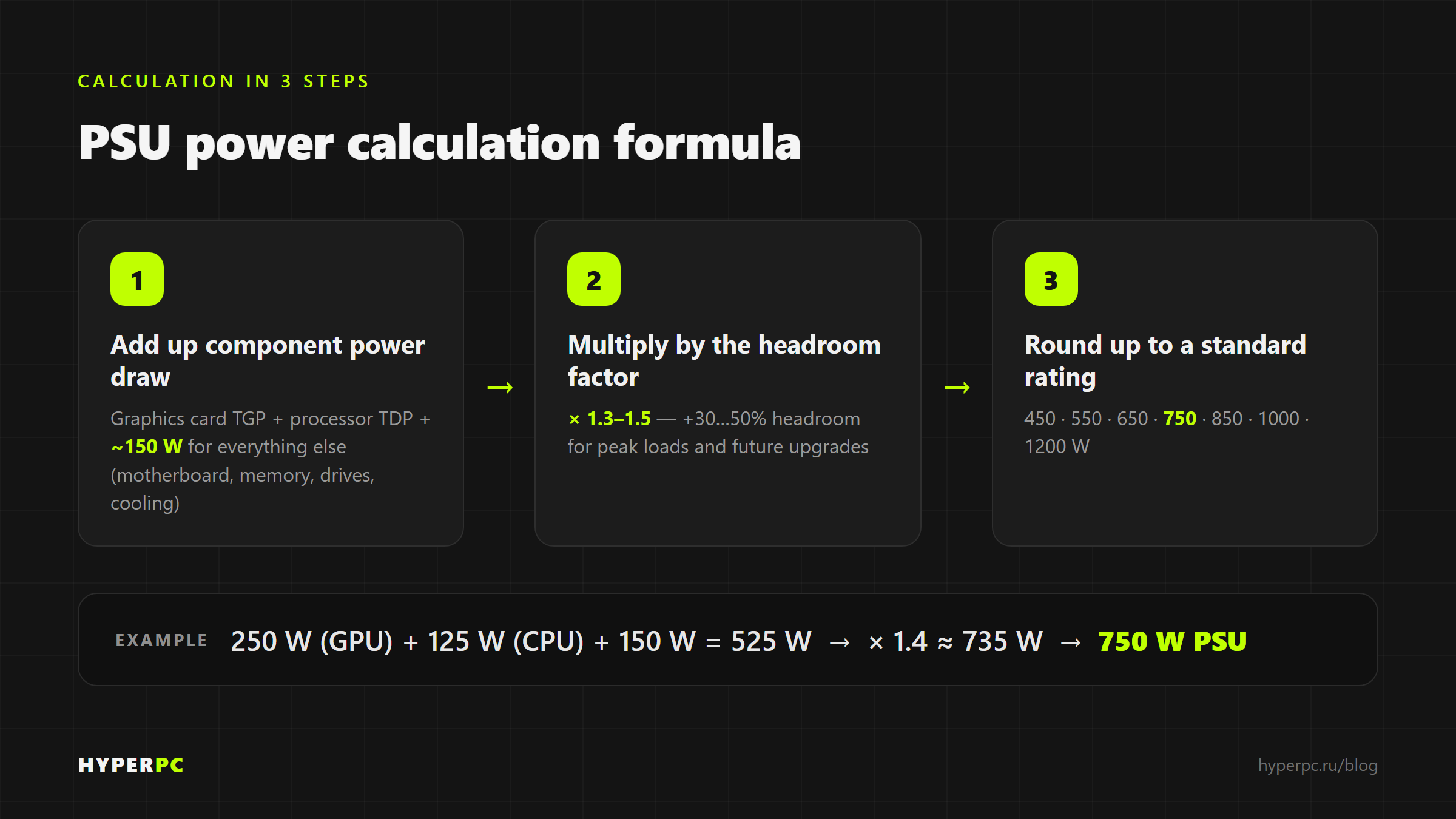
If you want to understand the logic instead of simply trusting a calculator, use this approach:
Step 1: calculate baseline power draw? add the power draw of all components.
Step 2: multiply by a 1.3?1.5 headroom factor(that is, add 30?50%).
Typical component power draw
| Component | Typical power draw |
|---|---|
| Video card (GPU) | 75?575 W ? depends on the model; typically the largest consumer |
| Processor (CPU) | 35?253 W ? based on TDP / maximum turbo power |
| Motherboard | 30–80 W |
| RAM (DDR5) | 3–5 W per module |
| SSD NVMe (PCIe 4.0/5.0) | 3–8 W |
| HDD (hard disk) | 5–10 W |
| Case fan | 1–3 W each |
| Liquid-cooling pump | 5–15 W |
These are indicative ranges. Check the manufacturer's website for exact figures for your model: for CPUs, useTDP(and maximum turbo power / PPT); for graphics cards, useTGP / Total Board Power.
What deserves the most attention
The graphics card and CPU account for 80?90% of the load. Memory, storage and fans rarely exceed 50?100 W combined, so this quick formula is usually enough:
GPU + CPU + 150 W (everything else), then ? 1.3?1.5
Calculation examples for typical configurations
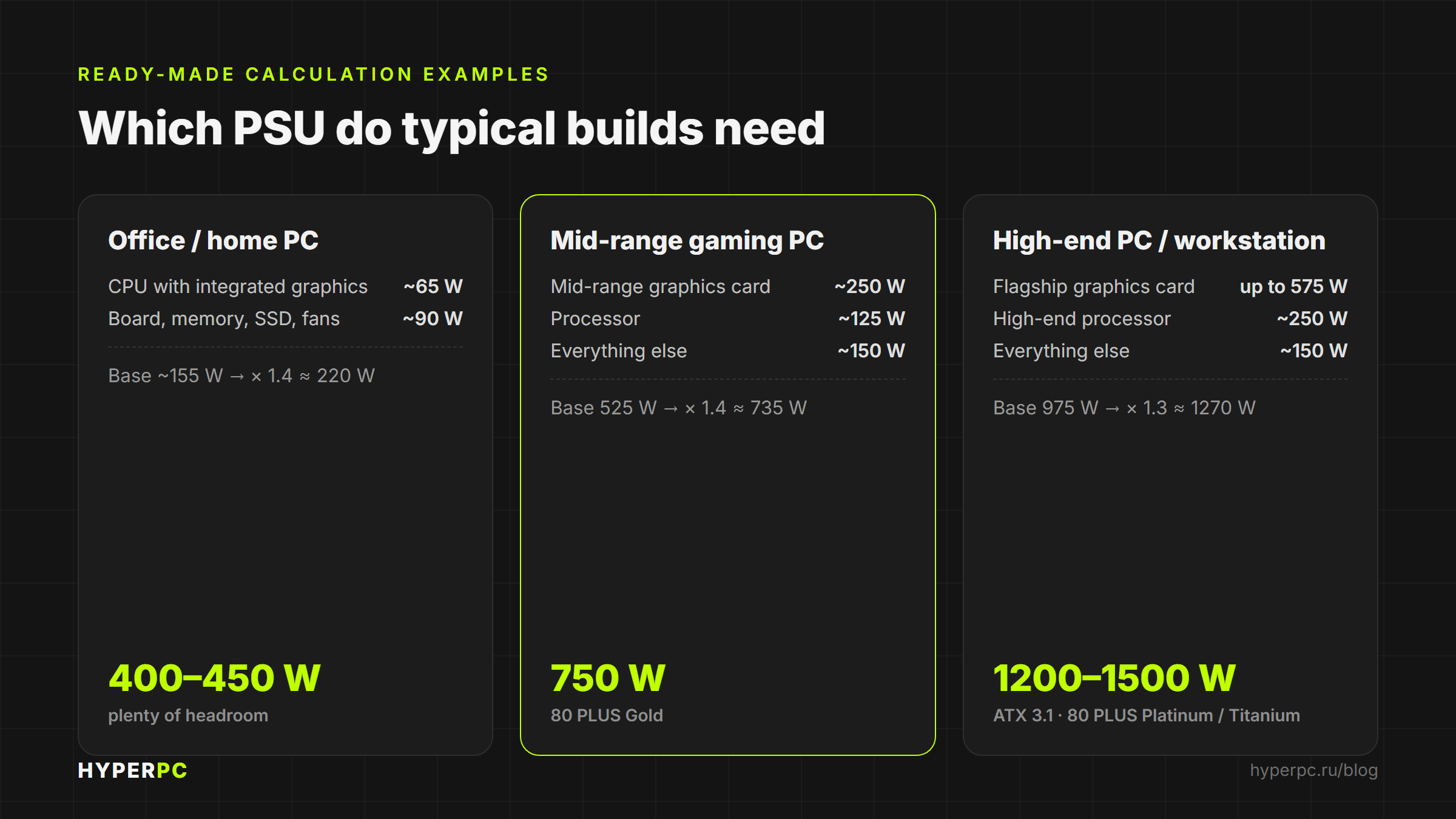
Office or home PC (without a discrete graphics card)
- CPU with integrated graphics: ~65 W
- Motherboard, memory, SSD, fans: ~90 W
Total base: ~155 W → ×1.4 ≈ ≈ 220 W
Recommended PSU: 400?450 W(lower-wattage models are rare at retail, and this already provides ample headroom).
Mid-range gaming PC
- Mid-range graphics card: ~250 W
- Processor: ~125 W
- Other components: ~150 W
Base: 525 W → ×1.4 ≈ 735 W
Recommended PSU: 750 W, 80 PLUS Gold.
High-end gaming PC or workstation
- Flagship graphics card: up to 575 W
- High-end CPU: ~250 W
- Other components: ~150 W
Base: 975 W → ×1.3 ≈ 1270 W
Recommended PSU: 1200–1500 W, ATX 3.1, 80 PLUS Platinum/Titanium, with native 12V-2x6 connector.
How much PSU headroom to allow
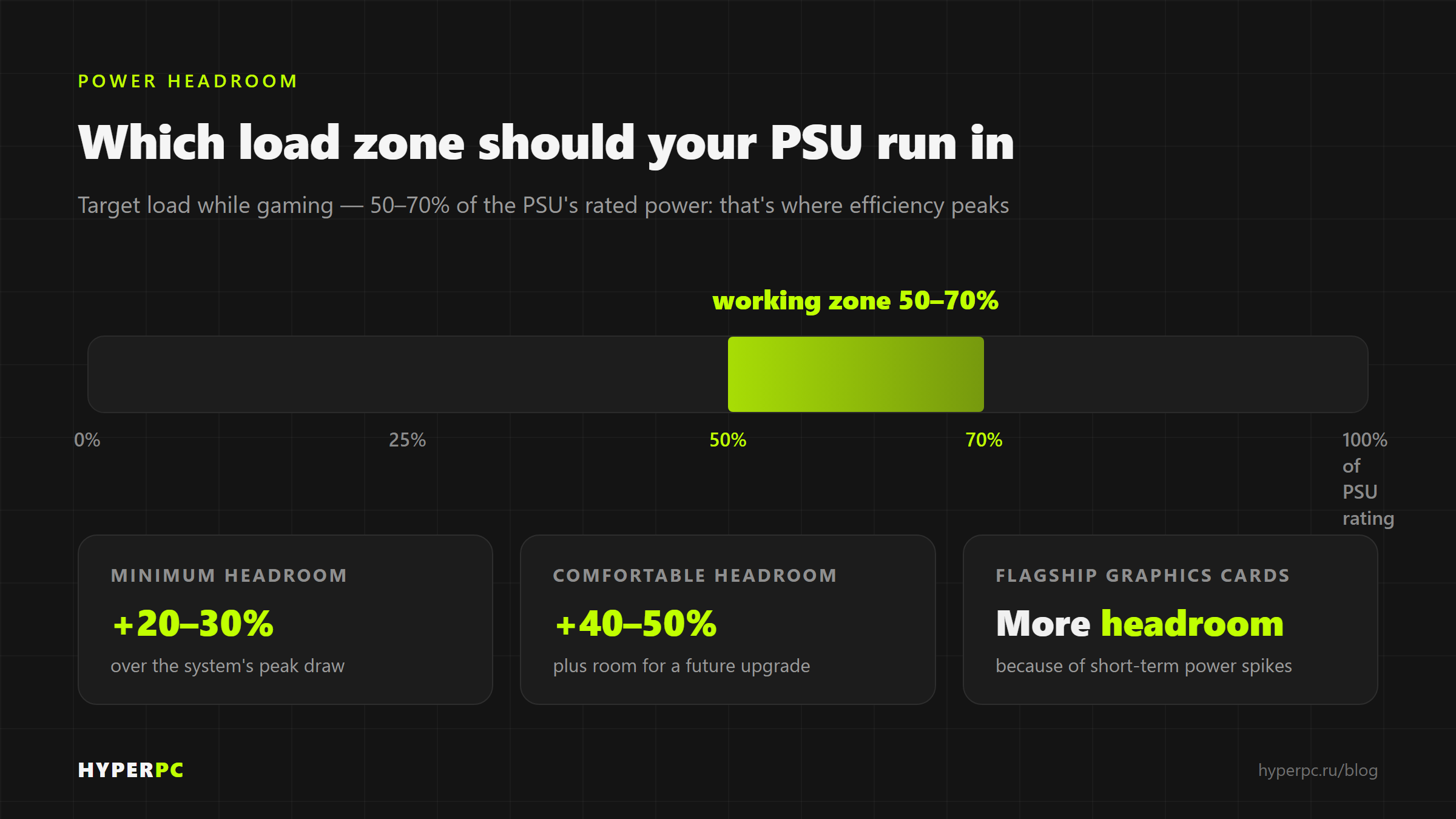
Headroom is not marketing; it is an engineering requirement. There are three reasons:
Efficiency and low noise.A PSU is most efficient and quiet at 50?80% of rated load. Running it continuously near its limit raises temperatures, increases fan noise and accelerates capacitor ageing.
Transient peaks.Modern graphics cards can produce brief power spikes well above their rated draw. Without headroom, such a spike can trigger system protection.
Future upgrades.In a few years, you may install a more powerful graphics card or CPU. Headroom can save you from replacing the PSU.
Rule of thumb:Target 50?70% of the PSU's rated capacity. Allow at least 20?30% headroom; 40?50% is more comfortable. For high-end graphics cards with large transient spikes, allow more and choose an ATX 3.1 PSU.
Online PSU calculators: which to use
Rather than calculate everything manually, check your build in a calculator ? ideally two ? and use the higher result.
OuterVision Power Supply Calculator? the most detailed option. It includes Basic (quick) and Expert modes for overclocking, load time and efficiency. Use it when you need maximum precision.
be quiet! PSU Calculator? simple and clear, with only a few fields. A good choice for beginners.
Cooler Master, Corsair, MSI, Enermax? manufacturer-branded calculators. The logic is the same, but they naturally steer you toward their own PSU models.
How to use them correctly:
- Enter your exact hardware models, not merely similar ones.
- If you plan to overclock, enable the appropriate option.
- Run the configuration through two calculators, use the higher result and round up to the next standard wattage.
80 PLUS certification: how it relates to PSU wattage
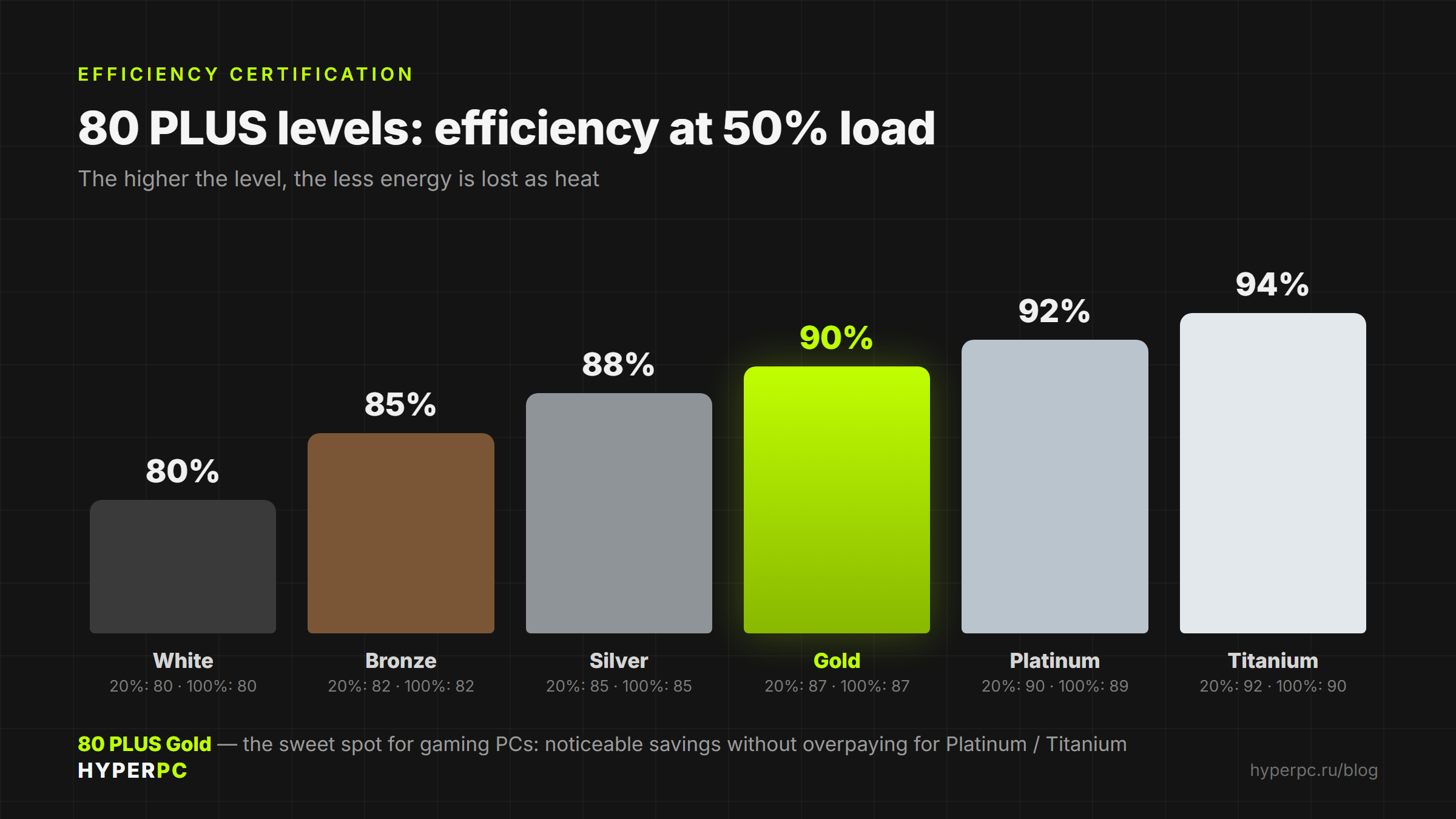
80 PLUS is an energy-efficiency standard. It guarantees that, at 20%, 50% and 100% load, PSU efficiency does not fall below a specified threshold. Higher tiers waste less energy as heat and generally provide more stable voltage.
Efficiency thresholds by tier (115 V mains, typical values)
| Level | 20% load | 50% load | 100% load |
|---|---|---|---|
| 80 PLUS (White) | 80% | 80% | 80% |
| Bronze | 82% | 85% | 82% |
| Silver | 85% | 88% | 85% |
| Gold | 87% | 90% | 87% |
| Platinum | 90% | 92% | 89% |
| Titanium | 92% | 94% | 90% |
Certification does not increase a PSU's wattage; it indicates efficiency and quality. For most gaming PCs,Goldis a practical choice; for high-end systems and workstations, choosePlatinum/Titanium.
Important: active PFC (power-factor correction) is standard in any quality PSU today. It is a basic requirement, not a bonus feature.
ATX 3.1 and 12V-2x6 connector: what you need to know in 2026
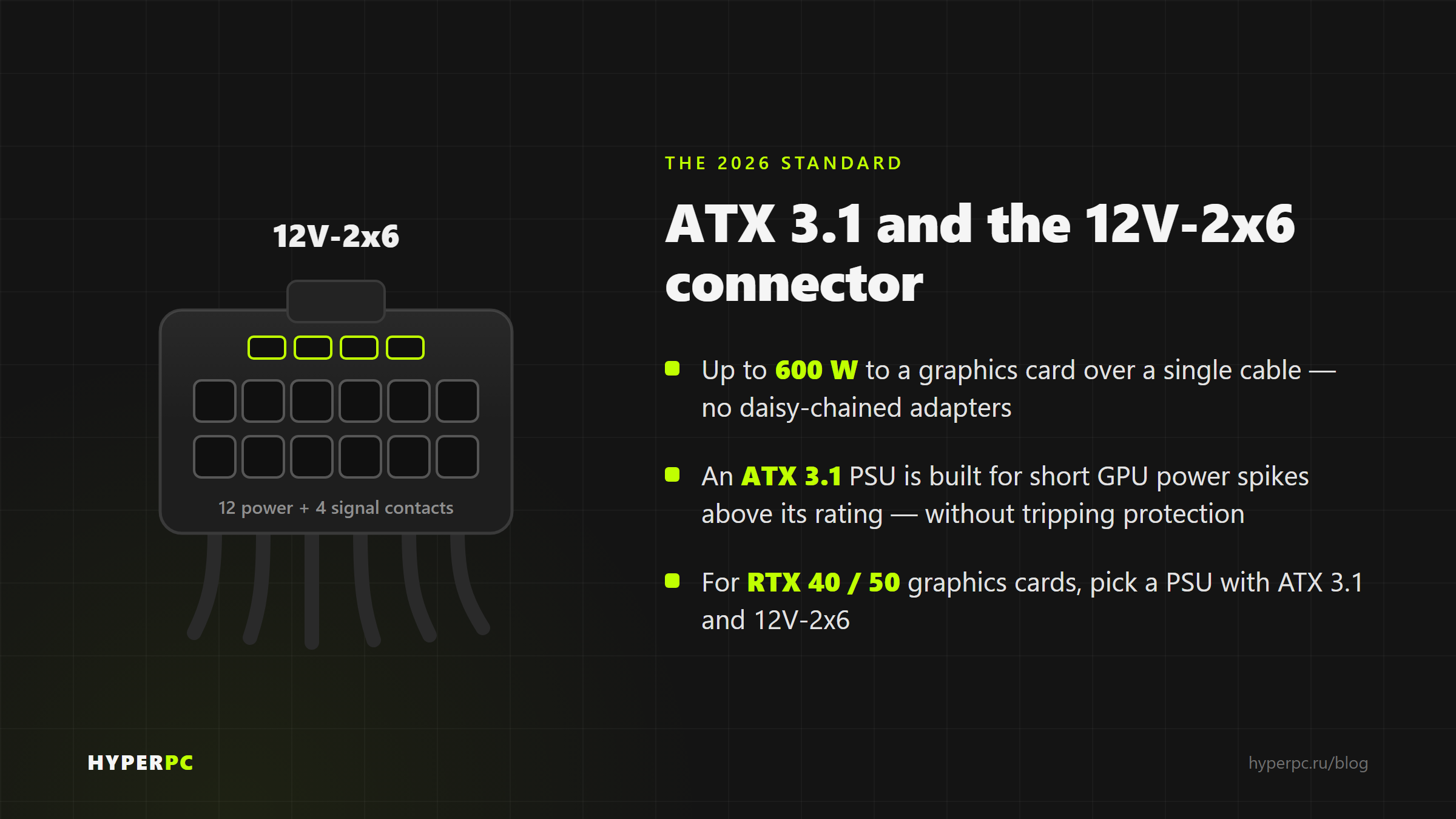
For modern high-power graphics cards, wattage alone is not enough: the PSU standard and power connector also matter.
ATX 3.1 standardis designed for transient peaks. Such a PSU can briefly handle power well above the GPU's rated draw without triggering protection.
Connector 12V-2x6(the updated version of 12VHPWR) delivers up to 600 W to a graphics card through one cable. It replaces multiple separate 8-pin PCIe connectors.
Safety rule:Use the PSU's native cable, insert it fully until it clicks, and avoid questionable adapters. An incomplete connection can overheat.
The classic connectors have not gone away: 24-pin for the motherboard, 8-pin (4+4) for powering the CPU.
Common mistakes when choosing PSU wattage
- Focusing only on the graphics card and forgetting transients.Choose a PSU with transient headroom, especially for high-end GPUs.
- Chasing kilowatts ?just in case.?An oversized PSU is less efficient at low load and costs more.
- Sacrificing quality for wattage.An unbranded ?1000 W? PSU is worse than a quality ?750 W? unit. Rail stability, protection and real efficiency matter as much as wattage.
- Ignoring the standard and connectors. New video cards require ATX 3.1 and the correct 12V-2x6 cable.
- Trusting one calculator blindly.Check two and round up.
PSU wattage checklist
- Check the graphics card's TGP and CPU's TDP on the manufacturers? websites
- Add roughly 100?150 W for the motherboard, memory, storage and fans
- Multiply the total by 1.3?1.5 for headroom
- Cross-check with one or two online calculators
- Round up to a standard wattage (550/650/750/850/1000/1200 W)
- Choose a certification tier (Gold is the sweet spot; Platinum/Titanium is for high-end systems)
- Verify the standard (ATX 3.1) and the required connectors (12V-2x6, 8-pin CPU)
Conclusion
Choosing PSU wattage is straightforward: total the graphics-card and CPU power draw, allow for other hardware and transient peaks, add 30?50% headroom, then round up. Cross-check with an online calculator, choose 80 PLUS Gold or better, and select the right standard (ATX 3.1 for new graphics cards).
If you don’t want to understand watts and connectors - experts HYPERPCwill select a PSU for your configuration with the appropriate headroom, certification and compatibility so the system remains stable and ready for upgrades.
Sources
- 80 PLUS efficiency tiers and thresholds:Wikipedia — 80 Plus, Tom's Hardware — What 80 Plus levels mean, ClearResult — 80 PLUS
- RTX 50-series graphics-card TGP and PSU requirements:Seasonic — How to calculate PSU power for RTX 5090 GPUs, Tom's Hardware — What sort of power supply do you actually need for an RTX 5090
- Connector 12V-2x6 / ATX 3.1: Corsair Help — What PSU should I buy for my Nvidia RTX 5000 series GPU
- Component power-draw ranges, 20?30% headroom and 50?80% load:xcom-shop.ru, DNS Club, comprayexpress.ru
Still have questions?We have the answers.
-
How do I calculate PSU wattage for my computer?
Add the power draw of every component ? chiefly the graphics card and CPU ? add about 150 W for everything else, then multiply by 1.3?1.5. Round up to the next standard wattage and verify the result with an online calculator.
-
How much PSU headroom do I need?
Allow 30?50% headroom so normal load remains around 50?70% of the PSU's rated capacity. This is ideal for efficiency, noise, transient spikes and future upgrades.
-
How many watts does a gaming PC need?
A mid-range gaming PC usually needs 650?750 W. A high-end build with a flagship graphics card may need 1000?1500 W. The exact figure depends on the specific graphics card and CPU.
-
Is an oversized PSU dangerous?
No. It will not harm the hardware, but it is less efficient at low load and costs more. A computer draws only the power it needs, regardless of PSU rating.
-
What matters more: wattage or 80 PLUS certification?
First choose the required wattage, then the quality: 80 PLUS Gold or better, ATX 3.1 and a reputable manufacturer. Wattage without quality does not guarantee stability.
-
Will my existing PSU be enough after a graphics-card upgrade?
Check that the new graphics card's TGP + the CPU's TDP + about 150 W does not exceed roughly 70% of the PSU's rated capacity, and that the PSU has the required connectors. If the margin is too small, replace it.

 Arabic
  English