We are ready to help you
Best PC Case Fans: 2026 Ranking
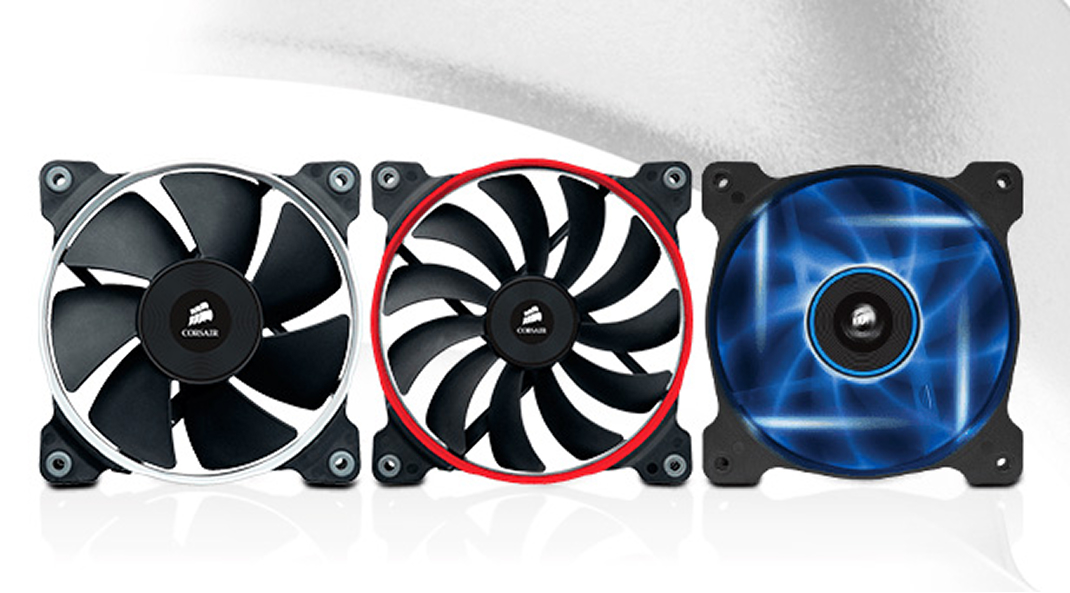
No modern computer can do without case fans. Below, we explain why coolers are so important in system units and exactly how they protect components. We will also discuss how to choose PC fans correctly, what to pay attention to when buying, and which fan models are setting quality standards in 2026.
Why Fans Are Needed
Why computers fail quickly without case fans
Processors and graphics cards generate a lot of heat during operation. To prevent components from overheating, they are cooled with metal heatsinks and coolers. They draw away high temperatures through thermal paste and thermal pads and dissipate heat inside the system unit. If this heat is not removed, the air mass inside the case heats up rapidly, operating temperatures of other components rise, and the computer fails quickly.
Case fans help maximize component lifespan. They expel hot air outside the system unit and, conversely, draw cool air from outside. As a result, fans create continuous air circulation that helps avoid premature failure of expensive hardware.
How case fans improve PC performance
Case coolers not only extend the service life of PC components, but also protect them from throttling — automatic performance reduction due to high operating temperatures. With high-quality case fans, frame rates in games will be higher, render times in applications will be lower, and critical overheating errors will disappear altogether.
Also, low temperatures inside the system unit allow modern CPUs and GPUs to hold maximum boost frequencies longer. For enthusiasts, this opens the door to manual overclocking of components. Without effective airflow circulation, this is physically impossible.
How to Choose Fans
When choosing case fans, you should pay attention to 5 parameters. Below, we discuss each one in detail.
Diameter
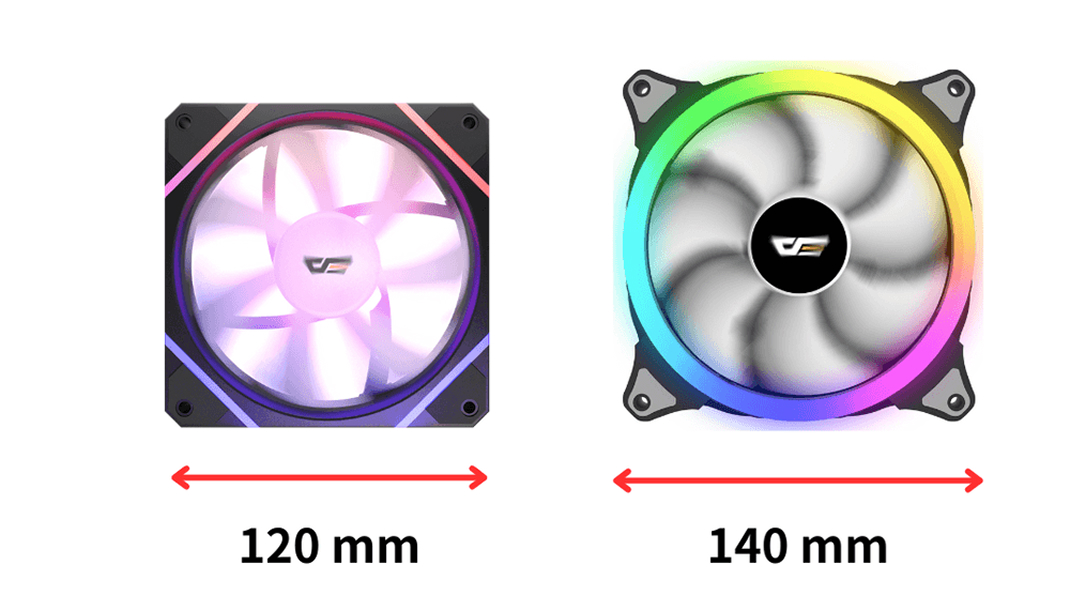
The larger the fan diameter, the greater the volume of air it can move at lower RPM. This positively affects cooling efficiency and significantly reduces noise levels.
Most popular diameters:
- 120 mm;
- 140 mm.
140 mm models are considered the most efficient case fans, so whenever possible we recommend buying them. However, not all PC cases (especially compact ones) support installation of such coolers. If your case has no room for 140 mm fans, feel free to consider 120 mm models — flagship options today are not far behind their larger counterparts. You can check supported sizes on your case manufacturer's website.
Bearing Types
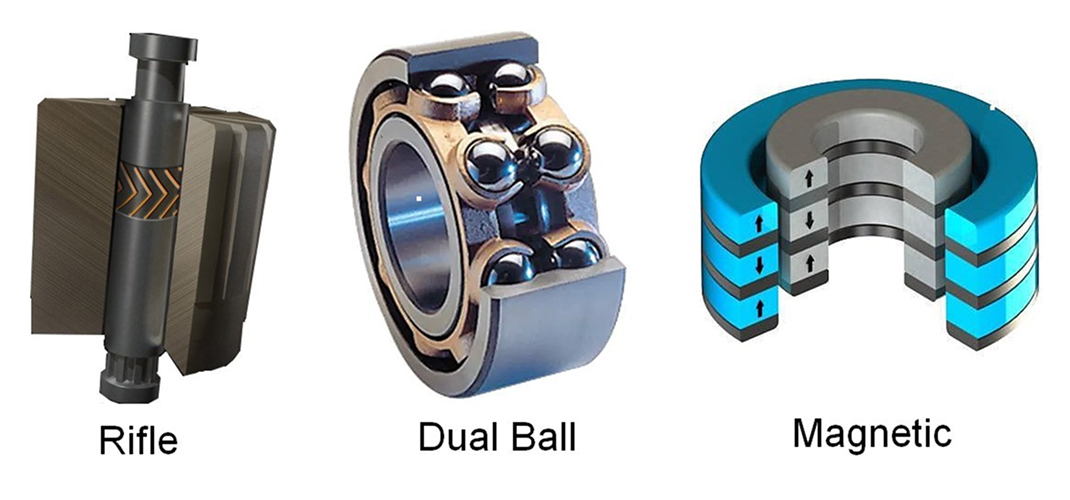
Bearings hold the shafts to which the blades are attached. They determine how long a fan will last and how quietly it spins.
- Rolling (ball bearings). Rotate using metal, ceramic, or polymer balls. They are inexpensive, but have a relatively high noise level, which over time can turn into an unpleasant hum.
- Sleeve (fluid-dynamic). Rings rotate in sealed reservoirs with lubricating fluid. This significantly reduces operating noise and extends service life. The durability of such fans is 1.5-2 times higher than budget analogs.
- Magnetic centering (MagLev). Shafts in such bearings are suspended by magnets. As a result, there is no friction at all between rotating elements. This makes fans almost silent and incredibly durable. There is only one drawback — high price.
We recommend paying attention to models with fluid-dynamic bearings — this is the ideal middle ground. If you are building a premium system for the next 10 years, consider coolers with magnetic centering.
Blade Types
Air Pressure (high pressure). Have wide blades with a deep curve (usually 5 to 7 blades). They are designed to "push" air through obstacles — thick radiators of liquid cooling systems (LCS) or dense dust filters on the front panel of the case.
Air Balance (balanced). Universal blades with medium curvature (7 to 9 blades). They perform equally well both for fresh air intake and overall circulation. The most popular format on the market.
Air Flow (airflow). Many narrow blades create a high-volume but not directed flow. Suitable only for free exhaust of hot air outside the system unit (rear or top panel).
Connection Types
4 pin (PWM). Allow the motherboard to dynamically regulate fan speed depending on system temperatures.
3 pin. Spin at one constant speed.
We strongly recommend buying coolers with 4-pin connection. At idle or while watching movies, they can run absolutely silently at minimum RPM, increasing speed only when launching heavy games. This extends bearing life and gives you acoustic comfort.
Lighting Types
Today, ARGB (5V) dominates the market. Such fans connect to a 3-pin 5-volt header on the motherboard and allow configuring the color of literally every individual LED, creating complex and smooth animations. The older RGB (12V) format, where the entire cooler glows in only one color at a time, is now almost never found in quality builds in 2026.
Best Fans of 2026
By 2026, the industry has moved far ahead: wires inside the case have become bad form, while performance has increased. We selected 5 top models that are setting market trends right now.
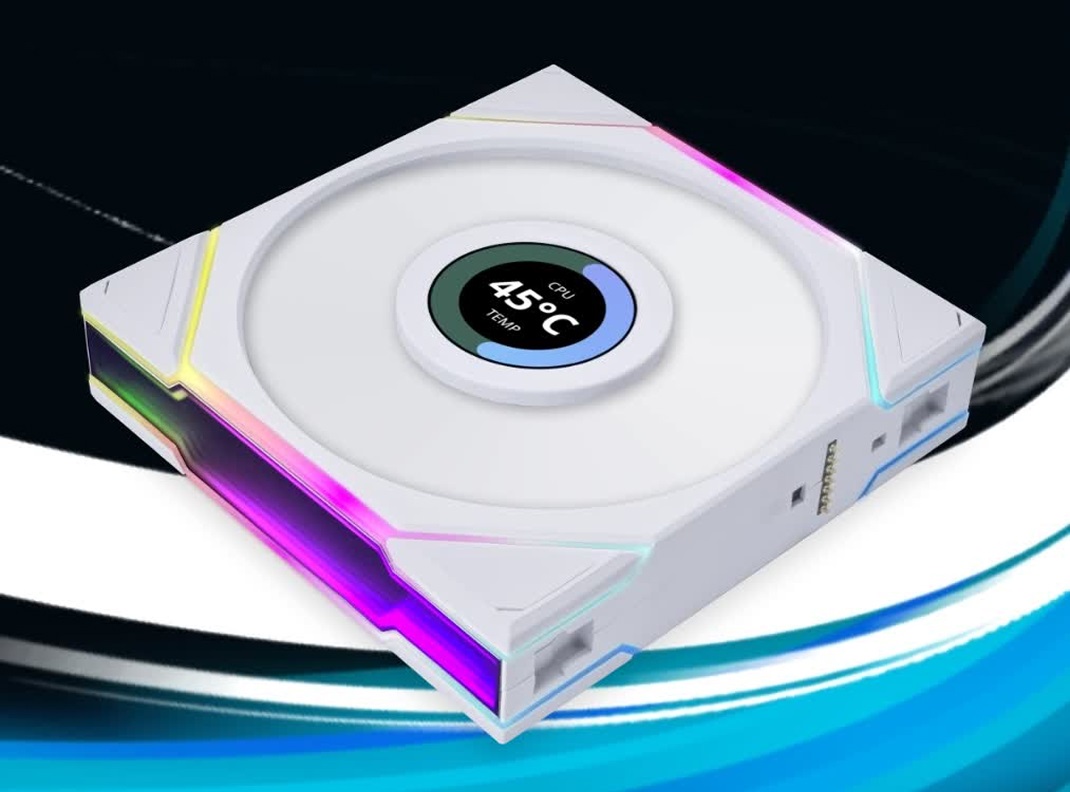
Most Innovative and Aesthetic — LIAN LI UNI FAN TL LCD
LIAN LI has perfected the idea of cableless daisy-chain connection. These fans snap together like building blocks, requiring only one cable for an entire block of 3-4 fans. But the main 2026 feature is built-in customizable LCD screens right in the center of the blades. You can display CPU temperature, GPU frequency, or upload your favorite animated GIFs. Flawless appearance, edge ARGB lighting, and a fluid-dynamic bearing.
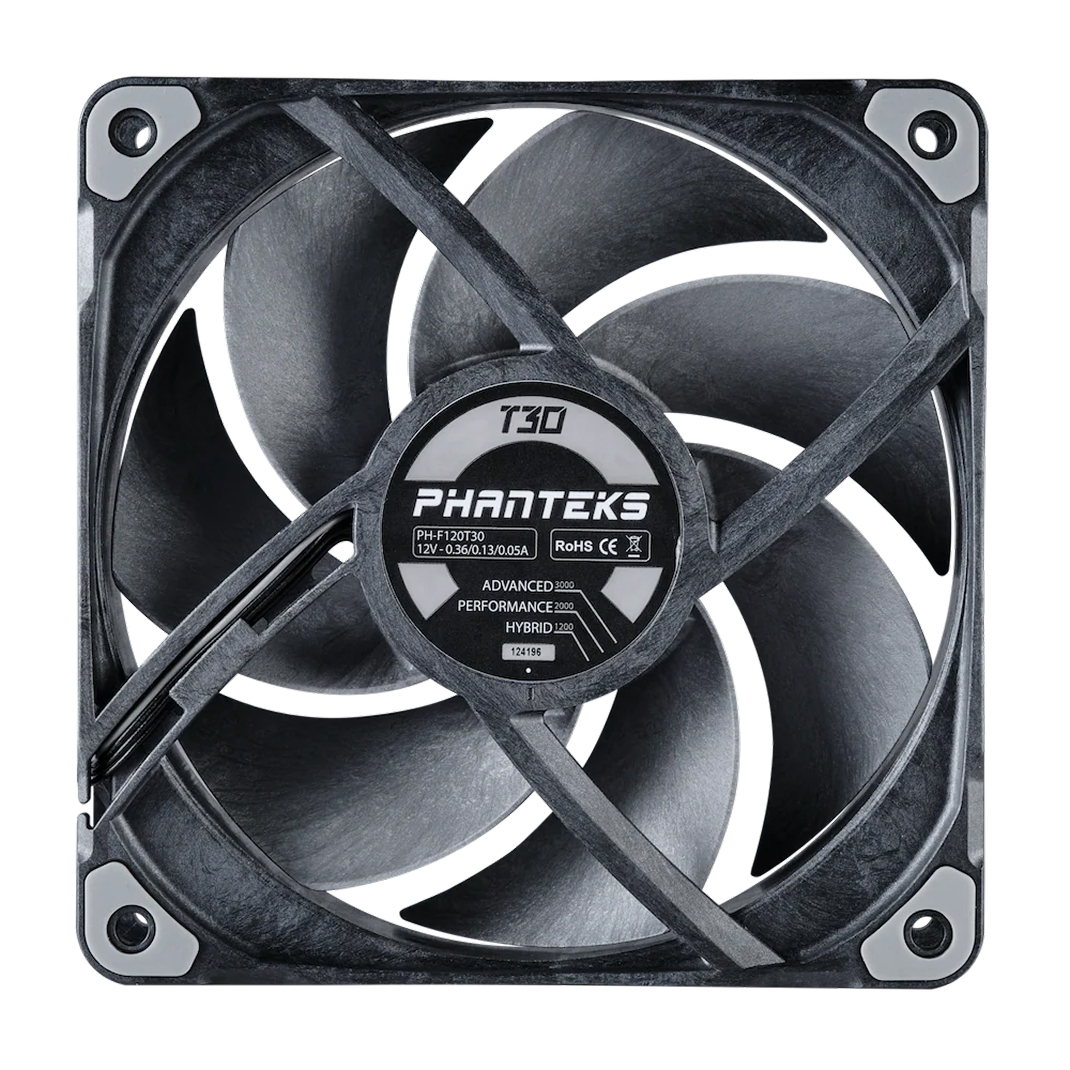
Kings of Air Pressure — Phanteks T30-120
If you need uncompromising performance, T30 is unmatched. Their secret is thickness: instead of the standard 25 mm, they are 30 mm thick, and the blades are made of rigid liquid-crystal polymer (LCP). They generate phenomenal pressure (Air Pressure) and easily push air through even the thickest custom LCS radiators while remaining incredibly quiet.
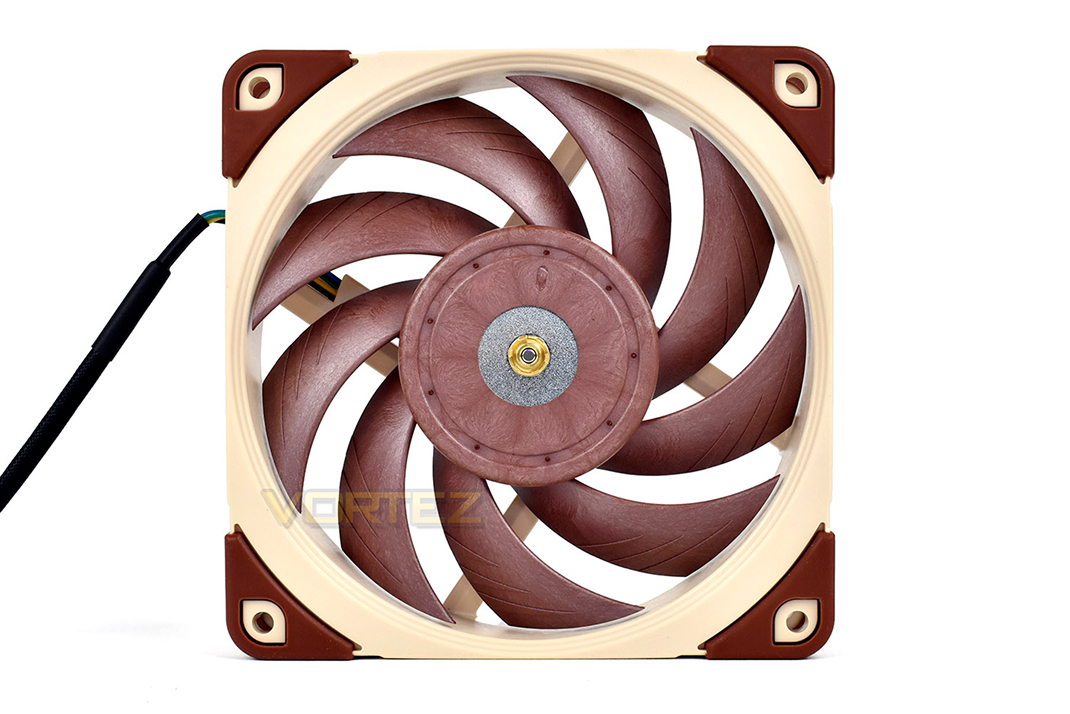
The Benchmark of Absolute Silence — Noctua NF-A12x25 G2
A new generation of legendary coolers from the Austrian brand. Noctua does not chase glowing LEDs; they invest millions in aerodynamics. In the G2 version, the gap between blades and frame is minimized, and the redesigned SSO2 bearing (magnetic centering) makes them the quietest and most reliable fans in the world. This is the choice of audiophiles and those building silent workstations.
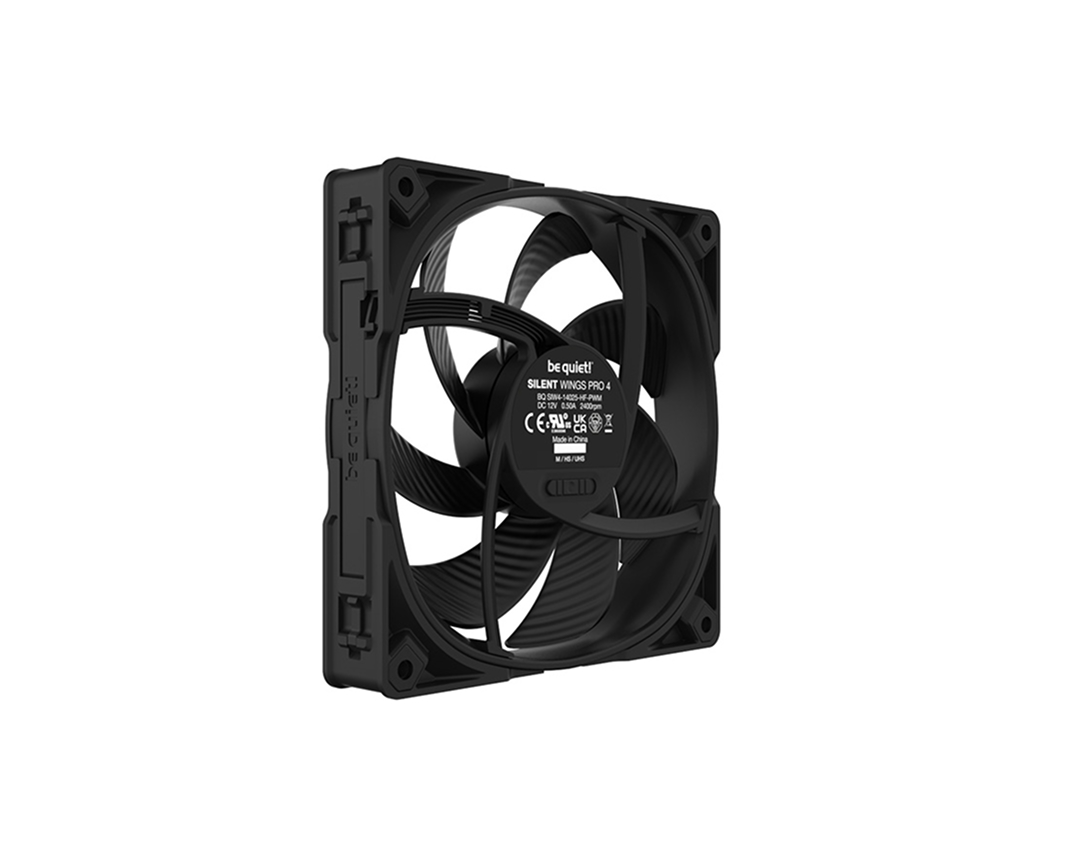
Perfect Premium Balance — be quiet! Silent Wings 4 Pro
The German brand fully lives up to its name. The Pro version is equipped with special interchangeable corners for tight radiator fit so air does not escape through gaps. A 6-pole motor and top-tier fluid-dynamic bearing guarantee the absence of even the slightest vibrations. Strict premium design in matte black and impressive airflow.
Conclusions
PC fans play a key role in cooling components. They prevent throttling, protect components from overheating, and create comfortable conditions for stable and long-term operation of your computer.
When choosing coolers, pay attention to:
- diameter (140 mm is preferred);
- bearing types (fluid-dynamic or magnetic);
- blade geometry;
- PWM control capability (4 pin);
- presence of a modern ARGB connector.
Which Case Fans Are Used in HYPERPC Computers
We rejected budget ball-bearing fans once and for all. They are significantly inferior in durability to more advanced alternatives, and over time they start producing parasitic noise and vibrations.
To provide truly quiet, cool, and reliable computers, we install only high-quality fluid-dynamic bearing fans in all our entry-level and advanced PCs.
And in exclusive custom builds, powerful rendering workstations, and HYPERPC CONCEPT systems, we integrate top-class coolers with magnetic centering, increased thickness (30 mm), and innovative modular cableless solutions from LIAN LI. This allows us to achieve perfect silence even when your computer is operating at the limit of its capabilities.

 Arabic
  English