We are ready to help you
Optical and Magnetic Keyboards: How They Differ from Regular Mechanical and What to Choose
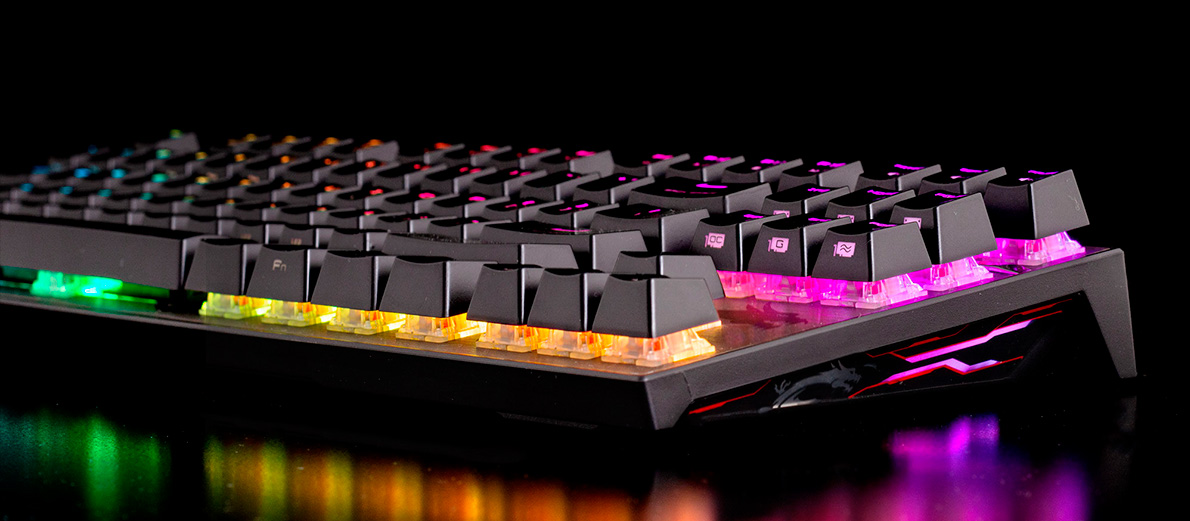
For many years, gamers divided keyboards into two categories: cheap membrane (where a rubber pad sits under the keys) and expensive mechanical (where each key has its own spring mechanism - a switch). Mechanical became the gold standard thanks to pleasant typing feel, reliability, and speed.
But today you can see terms like "optical mechanical" and "magnetic keyboard" on the market. This confuses many people. What is it? Is it a replacement for mechanical?
Short answer: no, it is still the same mechanical keyboard. They have the same case, the same springs inside, and the same satisfying key travel. Evolution affected only how a key press is detected.
Let's break down three types of modern mechanical switches: classic, optical, and magnetic.
Classic Mechanical: Metal Contact on Metal
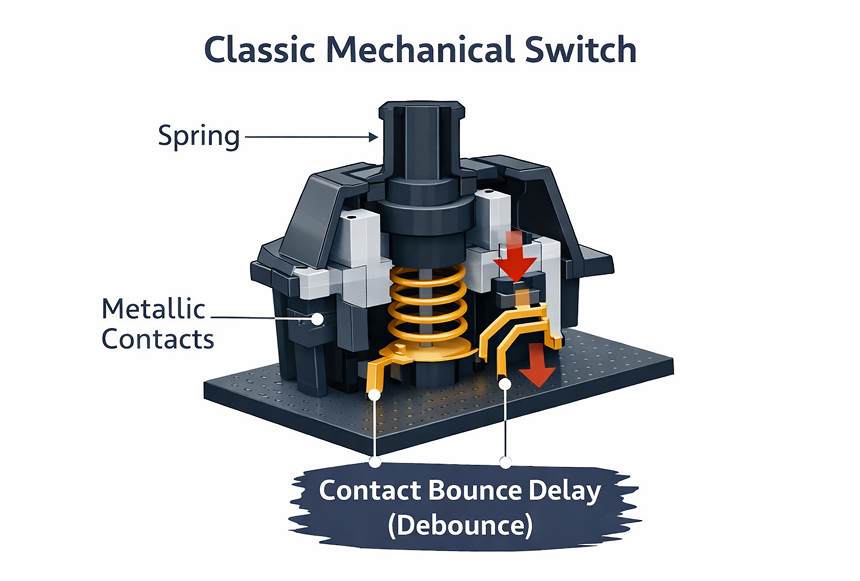
This is the foundation. Under each key in classic mechanical keyboards there are two small metal contacts.
How It Works
You press a key -> the spring compresses -> the plastic stem moves down and physically presses one metal contact to another. The circuit closes, and the computer understands: "Aha, the key is pressed!"
What the Problem Is
Metal is not perfect. When contacts hit each other, they microscopically vibrate (bounce). Because of this, the computer may think you pressed a key twice (double-click appears). To prevent that, programmers add artificial delay (Debounce time) - the keyboard waits a few milliseconds until metal stops vibrating, and only then sends the signal. Also, metal oxidizes and wears out over time.
Optical Mechanical: Laser Beam Instead of Metal
Engineers thought: "Let's remove these metal contacts so they do not bounce and oxidize." That is how optical switches appeared.
How It Works
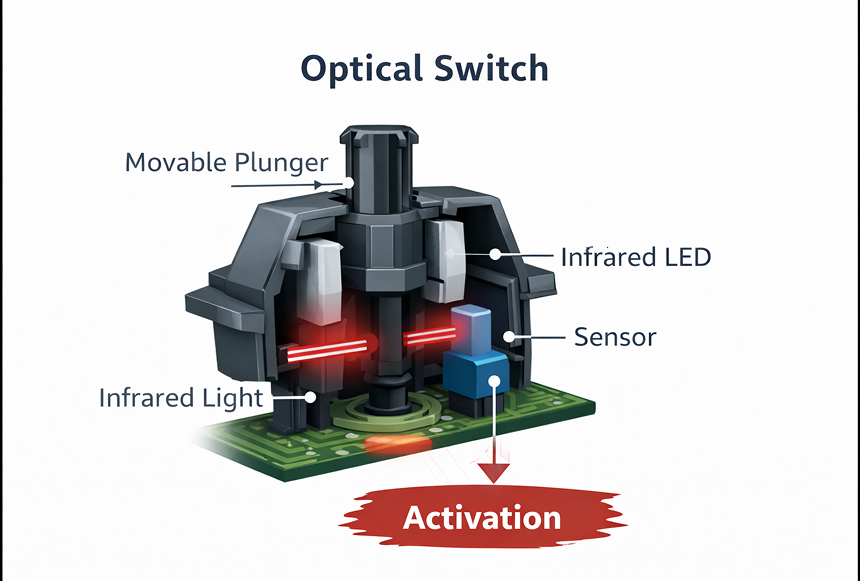
There are no contacts inside such a switch. Instead, an invisible infrared laser on the PCB shines continuously, and a sensor stands opposite it. The laser beam is blocked by a plastic shutter. You press a key -> the shutter lowers -> the laser beam reaches the sensor (like in bank-heist movies). Signal sent.
What the Advantages Are
- Lightning speed: Light needs no time to "settle bounce". Signal is read in 0.2 milliseconds.
- Longevity: No rubbing metal - nothing to wear out. Such switches can last up to 100 million presses.
- Water resistance: Water has nothing to short inside the switch, so they easily survive spilled tea (as long as the keyboard PCB itself has protective coating).
Minus: Just like regular mechanical, a key triggers only when you press it to a strictly fixed depth (for example, exactly 2 mm).
Magnetic Switches (Hall Effect): Pedal to the Floor
In 2026, this is an absolute trend in esports. If regular and optical mechanical work like a normal light switch (On/Off), a magnetic keyboard works like a gas pedal in a car. It senses pressure depth.
How It Works
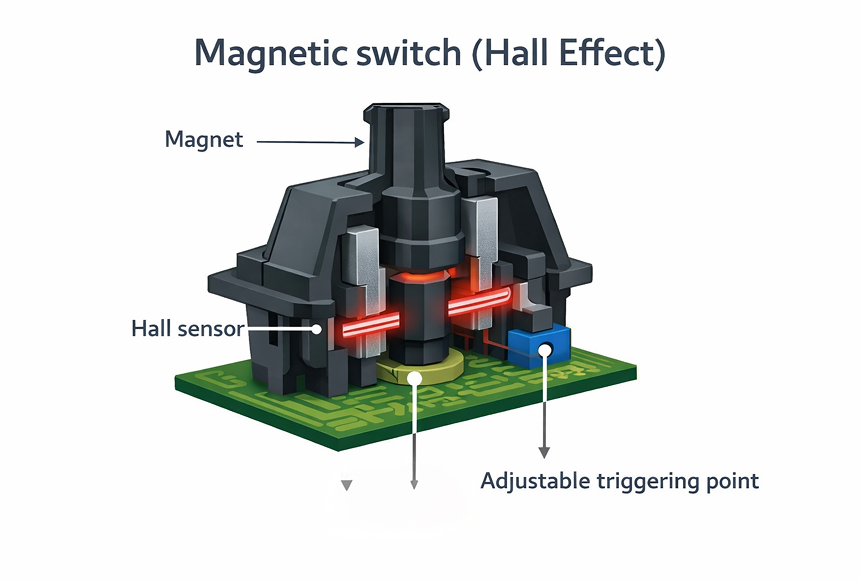
Inside this switch there are no obstacles or shutters at all. A tiny magnet is fixed at the end of the plastic stem (which moves up and down). And on the PCB below it there is a Hall sensor that measures magnetic field strength.
You press a key -> the magnet gets closer to the PCB -> the sensor detects the field getting stronger. Thanks to this, the keyboard knows every millimeter of your key travel. It knows whether you pressed 0.1 mm, 1.5 mm, or bottomed out fully (4.0 mm).
What Rapid Trigger Is and Why It Changes Everything
Knowing exactly where the key is at every fraction of a second gave magnetic keyboards superpowers:
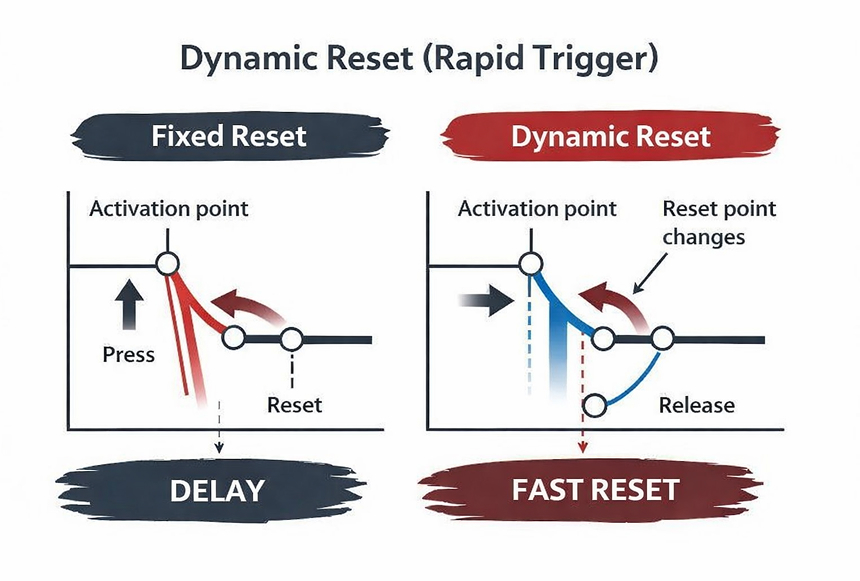
- You configure sensitivity yourself. Want the key in a shooter to trigger from the slightest touch? Set activation to 0.1 mm. Playing racing games or typing and annoyed by accidental presses? Set activation to 3.5 mm.
- Dynamic reset (Rapid Trigger). On regular and optical keyboards, to press the key again you must release it almost all the way up. On a magnetic keyboard there is no fixed reset point. As soon as you begin to lift your finger (even by 0.1 mm), the key instantly deactivates. Press again - it instantly activates.
In games like Counter-Strike 2 or Valorant, this gives a legal cheat: you can perform strafes (stopping while moving sideways) and shoot much faster and more accurately than an opponent on a classic keyboard.
Conclusion: What to Choose in 2026
All three types are full-fledged mechanical keyboards with great typing feel. The only difference is the technology under the hood:
Classic Mechanical (Metal)
The choice of enthusiasts, custom-build fans, and people who type a lot. There are thousands of classic switch types with different sound profiles (from muted thock to sharp click) and actuation force.
Optical Mechanical (Light)
The choice of practical gamers. Perfect balance of price, durability, and high response speed.
Magnetic Mechanical (Hall Effect)
The choice of hardcore esports players. Expensive, but provides ultimate control over every millimeter of key travel and Rapid Trigger technology.
HYPERPC Custom Keyboards
Place an order for a custom keyboard tailored to your tasks - we will select the switch type, case, and layout.

 Arabic
  English