We are ready to help you
4K Gaming in 2026: PC Build Guide, Pricing, and Hardware Comparison
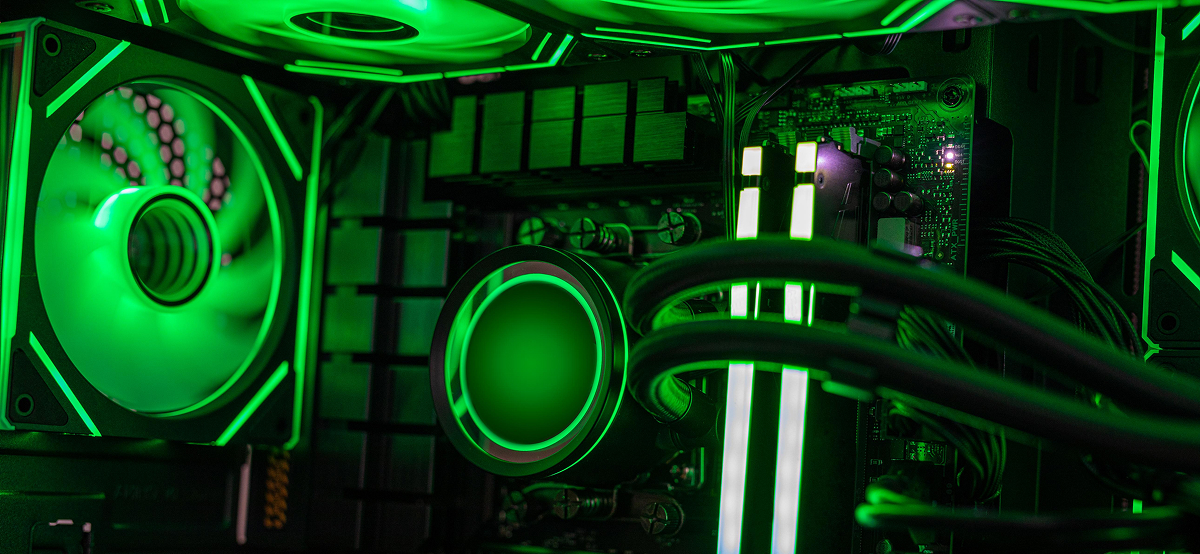
Full-fledged uncompromising 4K gaming in 2026 requires a budget starting from 800,000 rubles. The shift to NVIDIA Blackwell (RTX 50 series) and AMD RDNA 4 architectures has made 3840x2160 the enthusiast standard, delivering native 60+ FPS in AAA titles with Path Tracing.
Key takeaways
- Minimum entry point: GPUs at the RTX 5070 Ti or RX 8800 XT level (from $799).
- VRAM standard: 4K in 2026 strictly requires at least 16 GB GDDR7 VRAM.
- CPU bottleneck: At 4K the load falls on the GPU, but stable 1% Low FPS requires chips with 3D V-Cache (for example, Ryzen 7 9800X3D).
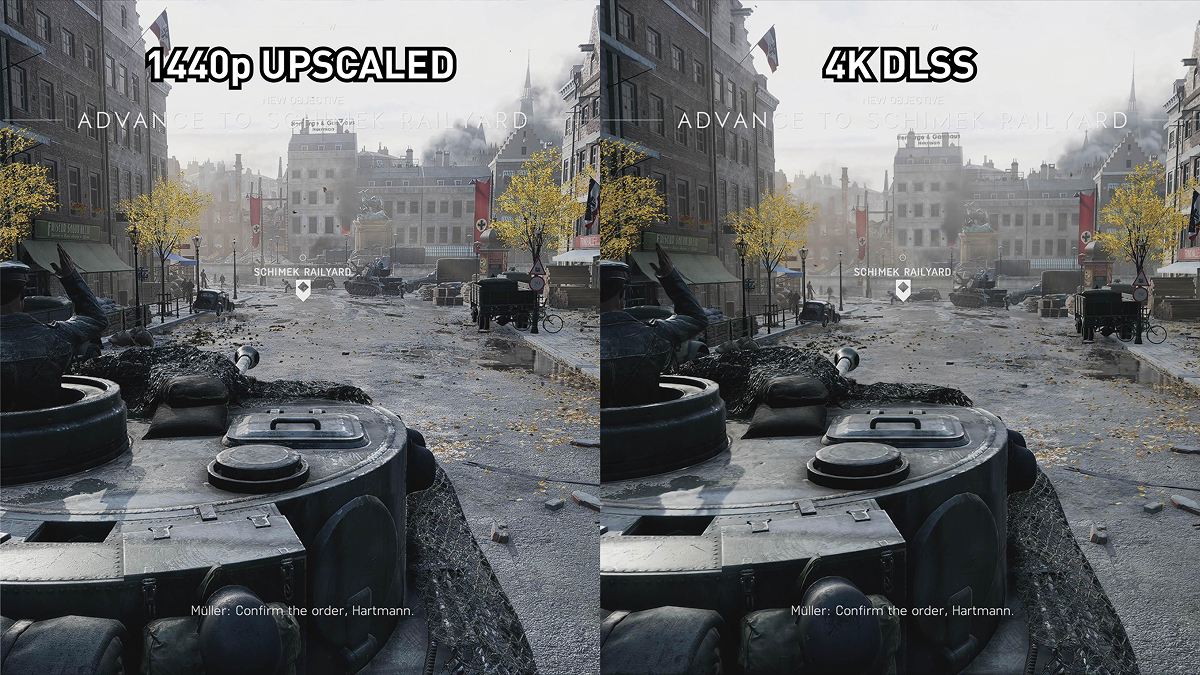
- Upscaling: DLSS 4.0 and FSR 4.0 with neural frame generation boost performance by 120–150% with no visible quality loss.
How much does a 4K gaming PC cost in 2026?
Building a desktop for 4K resolution will cost at least 350,000 rubles for a basic configuration and reach 800,000 rubles for an ultimate setup. The final price depends on the chosen VRAM generation and whether a custom cooling system is included.
- Entry level (from 350,000 rubles): RTX 5070 Ti + Core Ultra 5 265K combo. Delivers 60–80 FPS on high settings with DLSS enabled in Quality mode.
- Optimal level (from 530,000 rubles): Based on RTX 5080 and Ryzen 7 9800X3D. Provides stable 100+ FPS on ultra settings with ray tracing.
- Ultimate level (from 800,000 rubles): Flagship RTX 5090 with 32 GB GDDR7. Lets you play in native 4K at 144 Hz without upscalers.
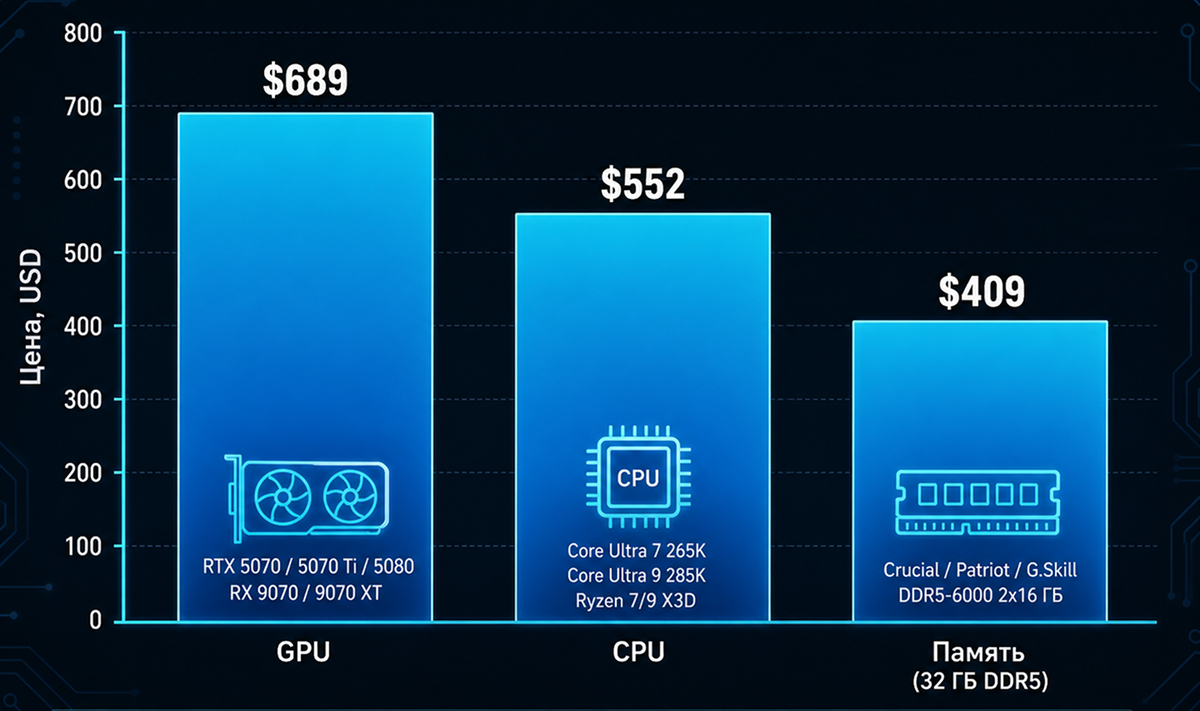
Which hardware to choose: 4K GPU comparison
Comfortable 4K gaming requires a GPU with memory bandwidth of at least 1000 GB/s and compute power from 80 TFLOPS. Market leaders in 2026 are the NVIDIA RTX 5000 and AMD Radeon RX 8000 lineups.
Below is a comparison of current graphics accelerators based on tests in Cyberpunk 2077: Orion and GTA VI (Ultra settings, Path Tracing On).
4K gaming GPU comparison
| GPU model | Capacity and VRAM type | Average FPS (with DLSS/FSR) | Price |
|---|---|---|---|
| NVIDIA RTX 5090 | 32 GB GDDR7 | 145 FPS | $1 999 |
| NVIDIA RTX 5080 | 24 GB GDDR7 | 105 FPS | $1 199 |
| AMD RX 8900 XTX | 24 GB GDDR6X | 98 FPS | $1 099 |
| NVIDIA RTX 5070 Ti | 16 GB GDDR7 | 72 FPS | $799 |
For detailed Blackwell architecture benchmarks, we recommend the official NVIDIA technical manual.
CPUs and RAM: Requirements for 120 FPS
The optimal CPU for 4K gaming is recognized as the AMD Ryzen 7 9800X3D thanks to 104 MB of L3 cache, which minimizes frame drops in heavy scenes. On the Intel side, the best choice is the Core Ultra 9 285K, reaching up to 6.0 GHz on P-cores.
DDR5 RAM has fully replaced previous generations. To eliminate micro-stutters, you need a dual-module kit of 16 GB each (32 GB total) at 8000 MHz or higher with CL34 timings. Using a PCIe 5.0 SSD with 12,000 MB/s read speed has become a mandatory standard for DirectStorage.
Pros and cons: Is it worth switching to 4K?
Moving to 4K gaming delivers unprecedented image clarity (140 PPI pixel density on a 32-inch monitor) but requires ongoing investment in upgrades. AI frame-generation algorithms ease the load but do not solve the high hardware cost.
Pros & Cons (Switching to 4K)
- Perfect texture detail without the “soap” effect on monitors from 27 to 42 inches.
- Maximum potential of Unreal Engine 5.4 (Nanite and Lumen technologies).
- More screen workspace when using the PC for professional tasks.
- Extreme power draw: top builds need ATX 3.1 PSUs from 1000 W.
- High heat output: RTX 5090-class GPUs occupy 4 slots and require Full-Tower cases with thoughtful cooling.
- Dependence on upscalers: even flagships do not always hit 120 FPS at native resolution without DLSS 4.
Expert opinion
“In 2026, 4K gaming is no longer reserved for lone enthusiasts, but the price of entry has risen. Today’s biggest mistake is buying an expensive GPU paired with slow memory. If you get an RTX 5080 but keep RAM at 6000 MHz, you lose up to 15% performance in 0.1% Low FPS. System balance matters more than raw GPU power.”
Conclusion
Modern 4K gaming requires careful budget planning and an understanding of PC architecture. Investing from $2500 in a system with GDDR7 memory and a 3D-cache CPU gives you a platform that stays relevant for the next 4–5 years, letting you enjoy photorealistic graphics without frame rate drops.
FAQ: Common 4K gaming questions We have prepared answers.
-
Is 12 GB VRAM enough for 4K in 2026?
No, 12 GB VRAM is not enough for modern AAA games at 4K. High-resolution textures and ray tracing require 14 to 18 GB of dedicated memory. When VRAM runs out, the game starts using system RAM, causing critical stutters.
-
What is better for 4K: OLED or IPS monitor?
OLED panels (especially 3rd-gen QD-OLED) are the absolute leader for 4K thanks to infinite contrast and 0.03 ms response time. IPS panels fall short in black depth but remain relevant for budgets up to $500.
-
Do you need liquid cooling (AIO) for a 4K build?
For Core Ultra 9 or Ryzen 9 CPUs, liquid cooling (at least 360 mm) is strictly required. Air coolers cannot dissipate TDP above 250 W during long gaming sessions.
-
Can you play in 4K on a TV?
Yes, modern TVs with HDMI 2.1a ports support 4K output at 120 Hz or 144 Hz with VRR (variable refresh rate). This is an ideal option for a console-like experience on a powerful PC.

 Arabic
  English