We're ready to help you
Best Gaming PC Cases in 2025
Building a Gaming PC and Choosing a Case
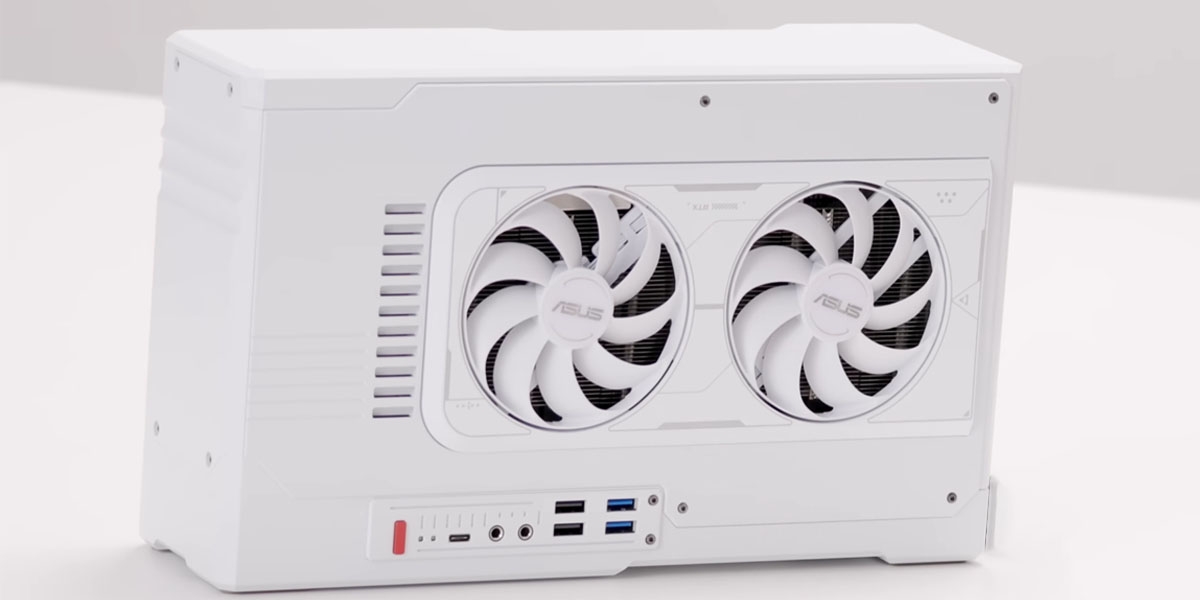
Building a gaming PC is always a balance between power, aesthetics, and practicality, and choosing the case plays a key role in this. The right case is not just a "box" for components, but a foundation that determines cooling efficiency, potential for future upgrades, and the overall appearance of your system. In 2025, the market offers hundreds of models, and the key trends have become uncompromising airflow, integrated RGB lighting, and elegant minimalism. This review will help you understand the variety of offerings and choose the best case that will perfectly suit your gaming build.
How We Selected Gaming PC Cases
When compiling this rating, we focused on several fundamental criteria important for any gamer or enthusiast. The main attention was paid to cooling system efficiency, since it directly affects the stability and durability of components such as a powerful processor and graphics card. We analyzed capabilities for installing both air cooling with multiple fans and liquid AIOs with large radiators.
Equally important were build convenience and cable management, quality of materials used (such as tempered glass and steel), as well as support for modern connectors, including USB Type-C. Visual appeal was also considered: we selected models offering both bright RGB solutions and strict minimalist cases. The final list included time-tested and new promising models that offer the best price-to-performance ratio for building a high-performance gaming PC.
Best Cases Rating
DeepCool CH690 Digital
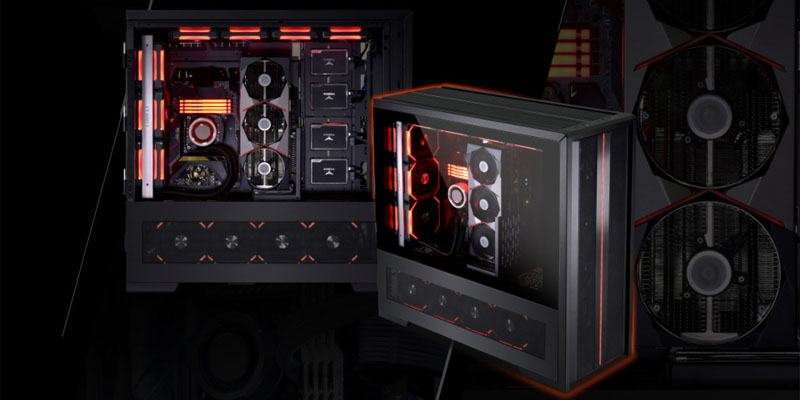
This model is a balanced mid tower case for those who value modern design and good ventilation. The front and top panels are made of fine mesh, providing excellent airflow for components. The key feature is an integrated digital display on the front panel that can display system information or custom graphics. Four ARGB fans are included, with flexible lighting control. Inside, cable management is well thought out, and the tempered glass side panel showcases a neat build.
DeepCool CG 530 4F
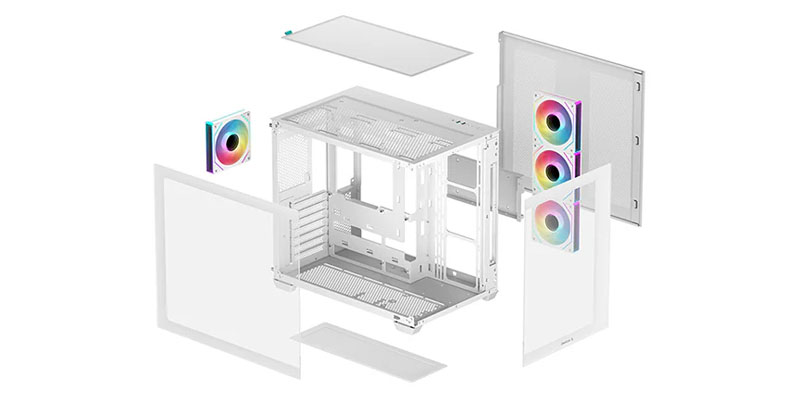
The CG 530 4F model is a vivid example of a case where RGB aesthetics take center stage. Four ARGB fans are included, creating spectacular lighting. Despite the focus on design, developers didn't forget about cooling: the front panel has a mesh insert for effective cold air intake. The case supports long graphics cards and AIO radiators, making it a good foundation for mid-range and high-end gaming systems.
DeepCool CH560
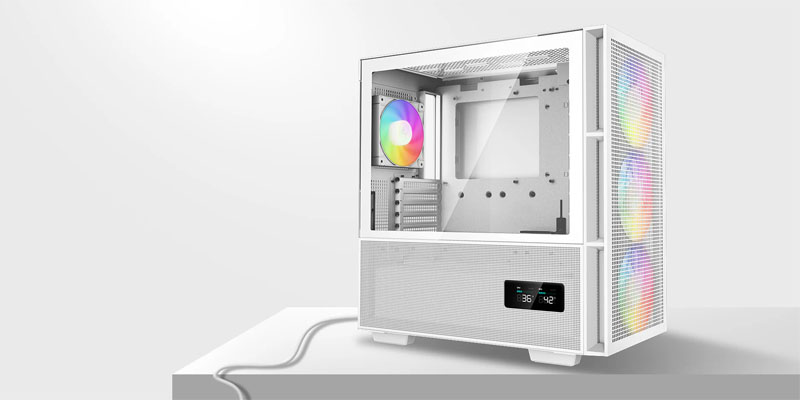
CH560 is the choice for fans of pure air cooling and concise design. Its distinctive feature is a fully mesh front panel that maximizes airflow. The case comes with two 140mm and one 120mm fans, providing an excellent base configuration. Internal space is organized very rationally, with wide channels for cable routing, allowing even beginners to create a neat build.
LIAN LI A3-mATX
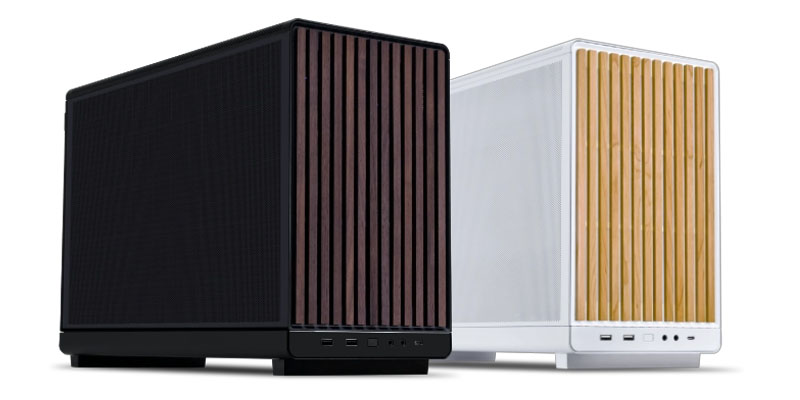
For fans of compact yet fully functional systems, LIAN LI A3-mATX is perfect. This mini-format case is designed for Micro-ATX and Mini-ITX boards, yet offers surprisingly good capacity. Thanks to the reverse layout of the main chamber, all cables and motherboard connectors end up on the back side, creating a flawlessly clean look without visible wires. Mesh panels on the front, top, and side guarantee superior airflow.
PHANTEKS Enthoo Evolv S2
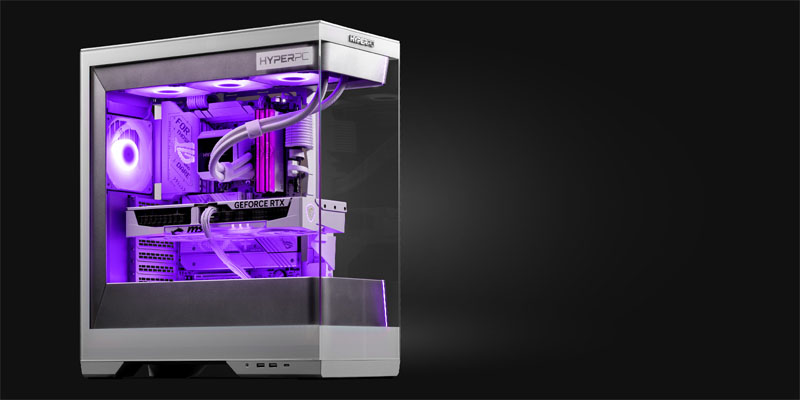
Enthoo Evolv S2 is a mid tower with premium aspirations. It combines an aluminum external frame, tempered glass panels, and impeccable build quality. The case is modular: many internal elements, including drive trays and graphics card supports, can be repositioned or removed for installation convenience. A well-thought-out cable management system with soft curtains and numerous mounts helps achieve perfect order inside.
LIAN LI Dynamic EVO RGB
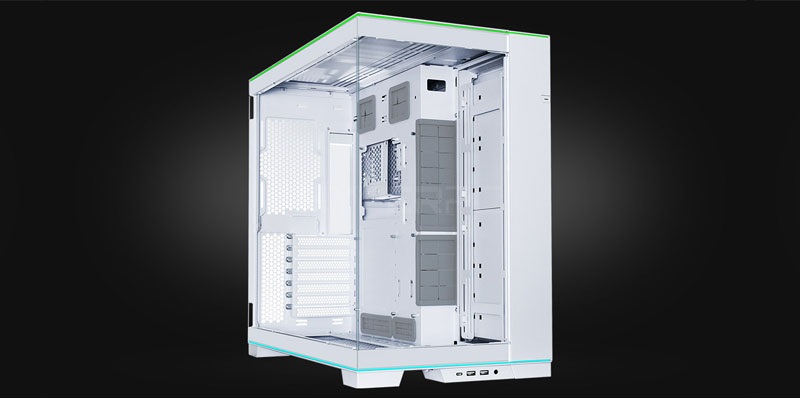
The legendary O11 Dynamic series received a new incarnation in the EVO RGB model. Its unique dual-chamber layout separates the main chamber for the motherboard and components from the rear chamber for the power supply and storage. This not only improves appearance but also optimizes airflow. The case is focused on showcasing the interior: panoramic glass on the front and side opens up the build. The model is ideal for creating complex configurations with liquid cooling and many RGB accessories.
Lian Li O11 Dynamic EVO RGB Black
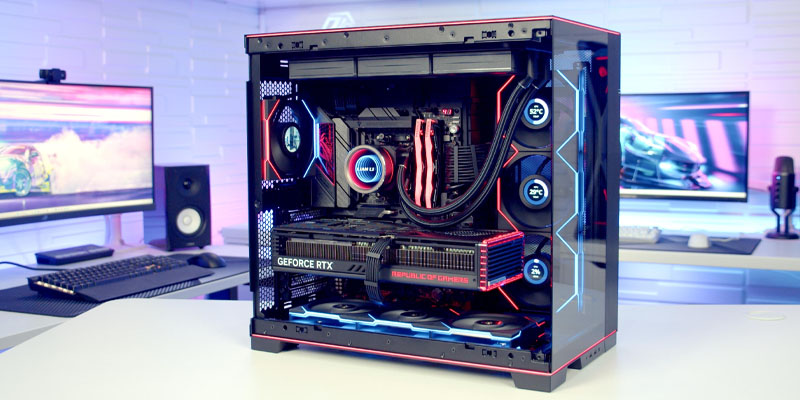
This model is an enlarged and improved version of the classic O11 Dynamic. The case became taller and wider, allowing for more fans and radiators. The top and side mesh panels made of aluminum provide better cooling compared to the predecessor. As in the base version, a dual-chamber layout is implemented here with extensive upgrade and customization options, including installation of long graphics cards and multiple AIO radiators simultaneously.
PHANTEKS NV7 Black
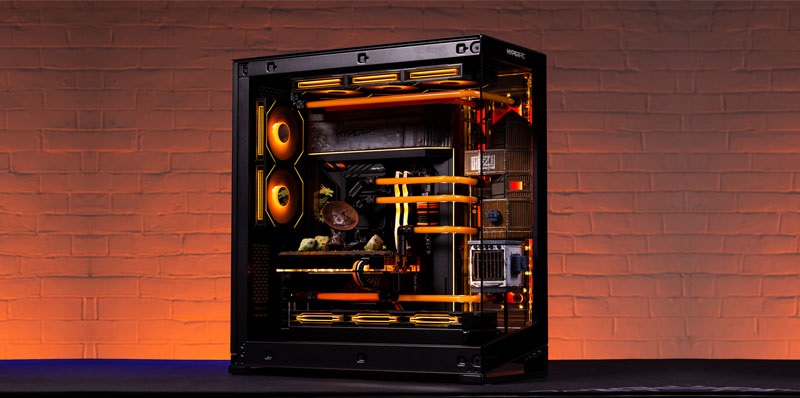
NV7 Black is a full-tower case for the most demanding enthusiasts planning extreme builds. Its main feature is support for simultaneous installation of multiple powerful graphics cards and massive liquid cooling systems with radiators up to 420mm thick. The design allows rotating and configuring internal compartments in various ways. Despite its impressive dimensions, it features thoughtful ergonomics that ease the installation process.
HYTE Y70 Touch Infinite Pitch Black
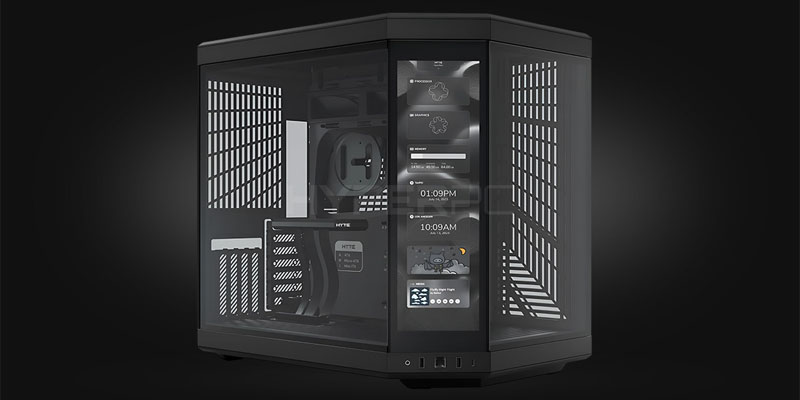
HYTE Y70 stands out from competitors with its innovative control panel. Instead of a traditional front panel, a large touch screen is installed here that can be used for system monitoring, displaying beautiful backgrounds, or even running applications. The angular design with panoramic glass effectively showcases internal components. The case provides good cooling thanks to mesh panels at the bottom and side and supports modern powerful components.
Lian Li V3000 PLUS Black
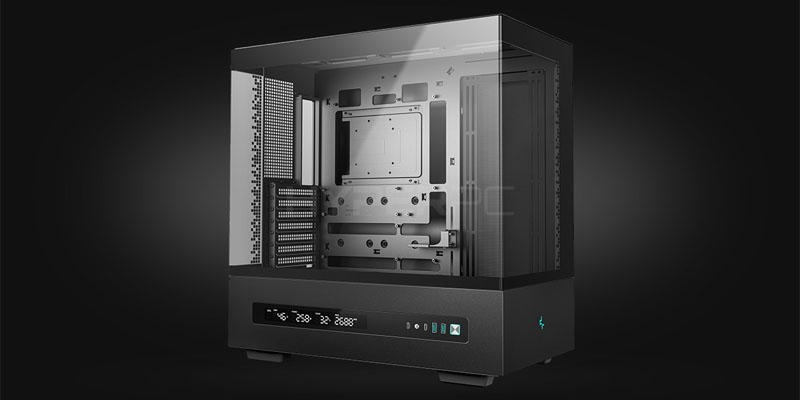
V3000 PLUS is the pinnacle of engineering for creating a workstation or dream gaming PC. This massive case supports installation of SSI-EEB format system boards (up to 13.68 x 13 inches), multiple power supplies, and a huge number of drives. Space is organized so that the most complex liquid cooling loop with multiple radiators can be deployed. This is a solution for those for whom there are no compromises in performance and design.
Careful case selection is the first step to creating a balanced and high-performance system. However, the real game begins with selecting internal components that will work harmoniously together in the chosen computer case. The listed models set a high bar in their categories, offering various approaches to design, cooling, and space organization.
Rating of Best Gaming PC Cases with Good Cooling
Cases combine high-quality materials such as aluminum and tempered glass, thoughtful ergonomics for convenient assembly, and advanced filtration systems to maintain component cleanliness. These cases are designed for installation of the most powerful and longest graphics cards, large tower coolers, and complex liquid cooling systems, ensuring quiet and stable operation even under extreme loads. This section presents models that set standards in their category, offering uncompromising quality and functionality for the most demanding gaming builds.
Fractal Design Meshify 3 Ambience Pro RGB
The Meshify 3 model is an evolution of the iconic case series famous for its benchmark airflow. In the Ambience Pro RGB version, this philosophy is perfected. The case frame is equipped with a patented textured mesh front panel that not only passes huge volumes of cold air but also effectively disperses it, minimizing turbulence and noise. A robust steel and tempered glass construction ensures rigidity and a premium look.
Be Quiet! Dark Base 701 ARGB
The German brand be quiet! is known for its commitment to creating quiet and efficient systems, and the Dark Base 701 ARGB case is the best proof of this. Its design is an example of restrained minimalism and impeccable quality. The case is made of thick steel with an aluminum front panel and tempered glass side panel. The key feature is a fully modular internal construction. The motherboard tray can be rotated 180 degrees, changing board orientation and cable routing, and the power supply can be installed either at the bottom or on the side. This opens incredible possibilities for unique builds and airflow optimization.
HAVN HS420 VGPU Premium
The HAVN HS420 VGPU case is an engineering breakthrough specifically created for the era of massive and hot graphics cards. Its unique vertical layout with a dual chamber solves the main problem of modern gaming PCs—effective heat removal from a powerful graphics card. The main chamber, where the motherboard is installed, is separated from the second chamber, which houses the power supply, drives, and cable management. The graphics card is installed vertically using the included PCI-e riser directly opposite the perforated side panel. This creates a dedicated, unrestricted air channel for it: cold air is drawn from below through a filter and directly cools the card, while hot air is immediately expelled outside without heating other components. This design allows reducing graphics card temperature by 10-15°C compared to traditional horizontal installation.
Corsair FRAME 4000D Airflow
The FRAME 4000D Airflow model from Corsair is an example of how to make a benchmark mid-tower case without compromises. Its design embodies modern minimalism: clear lines, no unnecessary details, and a focus on functionality. Internal space is organized with convenience in mind: a removable dust filter on top, a spacious compartment for cable routing behind the motherboard with numerous mounts and grommets, as well as a removable curtain cover for masking power supply cables. The case easily adapts to liquid cooling, supporting radiators up to 360mm in the front and 280mm at the top. The 4000D Airflow doesn't try to impress with RGB abundance; instead, it offers uncompromising quality, thoughtful attention to every detail, and exactly the cooling efficiency needed for stable operation of a high-performance build at an affordable price for its class.
Rating of Best Airflow Cases for Gaming PCs
These models stop being just boxes for components, becoming engineering solutions with a scientific approach to airflow. They use premium-quality perforation, mesh panels with minimal resistance, and innovative designs for directing cold air flows.
Fractal Design Torrent RGB Black
The Torrent case revolutionized approaches to air cooling, and its RGB version perfects this concept. Instead of the traditional scheme, it bets on two massive 180mm fans in the front panel, creating an exceptionally powerful yet quiet air flow directed directly at the processor and graphics card. This design ensures one of the best cooling efficiency indicators on the market. The bottom compartment with three 140mm fans provides additional air intake for the graphics card. The model is made of highest quality steel, and the tempered glass side panel showcases a neat internal build.
Lian Li Lancool III
Lancool III from Lian Li is a textbook example of how to combine benchmark airflow with incredible user convenience. The model is equipped with fully mesh front, top, and side panels, forming a unified effective airflow system. Notably, the stock fans included provide such a powerful and balanced air flow that users often don't need to replace them. The case features thoughtful modularity: both side panels (glass and steel) are tool-less removable, as is the top cover.
Phanteks Enthoo Pro 2 TG
Enthoo Pro 2 is the choice for enthusiasts who view the case as a long-term investment and platform for multi-year upgrades. This full-tower is built on a fully modular basis: practically every internal element, including drive compartments, motherboard mounts, and graphics card supports, can be repositioned, removed, or modified to your needs. The cooling system here is thought out to the smallest detail: the front panel is a fine mesh behind which you can place up to three 140mm or four 120mm fans, or AIO radiators up to 420mm thick.
Corsair 7000D AIRFLOW
The 7000D AIRFLOW model from Corsair is scaling the successful 4000D concept to full-tower level while maintaining all key advantages. The main focus, as the name suggests, is on effective ventilation. The front panel made of ultra-thin steel mesh ensures minimal resistance to air flow, and the spacious compartment behind it accommodates up to four 120mm or three 140mm fans. Three 140mm Corsair AirGuide fans with anti-vortex rings are included, optimizing directed air flow. The internal volume of the case is colossal and allows working with components of any size, including E-ATX format motherboards, multiple long graphics cards, and multiple liquid cooling loops simultaneously.
How to Choose a Case for a Gaming PC
Form Factor
The case form factor determines its size and, most importantly, the size of the motherboard that can be installed in it. This is the starting point when choosing.
- Full Tower: The largest cases. Support E-ATX, ATX, Micro-ATX, Mini-ITX boards. Provide maximum space for multiple graphics cards, numerous drives, large liquid cooling systems, and future upgrades. Suitable for enthusiasts and workstations.
- Mid Tower: The golden mean and most popular form factor for gaming PCs. Compatible with ATX (rarely E-ATX), Micro-ATX, and Mini-ITX boards. Offer optimal balance between dimensions, cooling capabilities, and price.
- Micro-ATX / Mini Tower: Compact cases for Micro-ATX and Mini-ITX boards. Save space but impose limitations on graphics card size, processor cooler height, and number of expansion slots.
- Mini-ITX / Small Form Factor (SFF): The most compact solutions. Require careful selection of compact components (graphics cards, SFX power supplies) and careful assembly. Ideal for mini-PCs and media centers.
Power Supply
Pay attention to the supported power supply form factor (usually ATX or SFX for compact cases) and its maximum length. In most modern cases, the power supply is placed in the bottom compartment, hidden behind a wall, which improves aesthetics and airflow organization. Make sure your chosen powerful power supply will physically fit in the compartment, especially if it's non-modular and has long, rigid cables.
Case Material
Material quality affects strength, appearance, weight, and case price.
- Steel (SGCC): The most common material for frames and panels. Durable, affordable, but can be heavy. Steel thickness (e.g., 0.6mm or 0.8mm) indicates construction rigidity.
- Aluminum: Used in premium models. Lighter than steel, better heat dissipation, looks expensive. Often combined with glass.
- Plastic: Used for decorative overlays, front panels, and controls. Quality plastic should not creak or have play.
- Glass (usually tempered): Standard for side panels in gaming cases. Allows showcasing the build interior. Tempered glass is stronger and safer than regular glass.
Cooling System
Cooling capabilities are a critically important parameter for a gaming PC.
- Airflow: Look for cases with mesh front and top panels. They provide better air intake compared to solid panels or panels with weak perforation. Having dust filters on intake will extend component cleanliness.
- Fans: Pay attention to the number, size (120mm or 140mm), and location of fan mounting points. Having pre-installed coolers is a big plus, as it saves money and time.
- AIO Support: If you plan liquid cooling, check what radiator sizes are supported on the front, top, and rear panels (e.g., 240mm, 280mm, 360mm).
Connectors
The input/output (I/O) panel should meet your needs. Modern standard includes:
- USB Type-C port (preferably version 3.2 Gen 2 or higher).
- Several USB Type-A ports (3.0/3.1).
- Audio jacks for headphones and microphone.
- Power button (sometimes with indication) and, rarely, reset button.
Popular Gaming PC Case Brands
The market features many manufacturers offering PC cases for every taste and budget. Among them stand out companies with proven reputations that have been setting trends in design and engineering for years.
- LIAN LI: A Taiwanese brand known for innovative solutions, impeccable build quality, and cases perfectly suited for complex configurations with liquid cooling.
- Fractal Design: A Swedish company whose products are famous for concise minimalist design, thoughtful ergonomics, quality sound insulation, and excellent cooling systems.
- NZXT: An American brand offering cases with recognizable strict design, often with a focus on effective airflow (Flow line) and convenient cable management solutions.
- Corsair: Another industry giant whose cases combine aggressive gaming aesthetics, support for the proprietary RGB lighting ecosystem iCUE, and generally good cooling performance.
- Phanteks: A Dutch manufacturer that has earned respect for balanced models with quality materials, thoughtful internal space organization, and attention to detail.
- DeepCool: A Chinese brand offering an extremely wide range—from budget to flagship models. Known for good price-to-performance ratio and constant introduction of new cooling technologies.
- be quiet!: A German company specializing in creating quiet components. Their cases feature quality sound insulation and effective yet quiet cooling systems.
Brand choice often comes down to personal design preferences and brand trust. However, all else being equal, preference should be given to companies with a long history and positive community reviews.
Frequently Asked Questions About Gaming PC Cases
How to Save Money When Buying a Gaming PC Case?
Savings should not come at the expense of key parameters such as material quality and cooling efficiency. Focus on budget models from well-known brands (e.g., DeepCool, Zalman, Cougar) that offer good airflow thanks to mesh front panels. You can often find good deals on previous generations of popular lines. It's also worth considering minimalist models without pre-installed RGB fans—they can always be purchased and installed later if desired.
What Additional Components Should Be in a Gaming PC System Unit?
In addition to main components (motherboard, processor, graphics card, RAM, storage, and power supply), several additional elements are needed for comfortable operation and assembly.
- Fans: Even if the case is equipped with a pair of coolers, for optimal airflow (creating positive pressure), it's often necessary to purchase 1-2 additional fans.
- Cable Extensions: For neat cable management, especially when using a powerful power supply with thick wires.
- Graphics Card Bracket (Support): Prevents sagging of heavy modern graphics cards, protecting the PCIe slot on the motherboard.
- Fan/RGB Controller or Hub: Allows centralized control of multiple lighting devices if the motherboard lacks corresponding connectors.
Mistakes When Choosing a Gaming PC System Unit
- Neglecting Cooling: Buying a case with a solid front panel for design can lead to overheating of powerful components. Airflow should be a priority.
- Ignoring Size Compatibility: Without checking the maximum graphics card length and processor cooler height, you may encounter components simply not fitting inside.
- Underestimating Cable Management: A case without thoughtful holes and space behind the motherboard will turn the build into a tangle of wires that will interfere with airflow and look messy.
- Choosing Based Solely on Appearance: Strict design or, conversely, RGB abundance is a matter of taste, but these parameters should not be the only ones when making a decision. Functionality is always primary.
Conclusion
Choosing the best case for a gaming PC in 2025 is always a search for individual balance. The modern market offers solutions for any scenario: from compact mini-systems with flawless minimalism to massive full-tower installations ready for any upgrades. The key criteria to rely on remain cooling system efficiency (airflow), build quality, installation convenience, and, of course, personal aesthetic preferences—whether restrained classic or bright RGB show. Remember that the case is a long-term investment in your PC: a successful model can serve several component upgrade cycles, providing them with a reliable, well-ventilated, and stylish platform for work and gaming. We hope this review and rating have helped you navigate the variety of offerings and make an informed choice for your future ideal build.

 Arabic
  English